

WP-EMail Plugin
Allows people to recommend/send your WordPress blog's post/page to a friend.
General Usage
- Under E-Mail Settings, modify the setting Method Used To Send E-Mail accordingly. If the method is wrong, no email will get sent.
- You Need To Re-Generate The Permalink (WP-Admin -> Settings -> Permalinks -> Save Changes)
- Open
wp-content/themes/<YOUR THEME NAME>/index.php(You may place it in single.php, post.php, page.php, etc also)- Find:
<?php while (have_posts()) : the_post(); ?> - Simply add this code inside the loop where you want the email link to display:
if(function_exists('email_link')) { email_link(); }
- Find:
If you DO NOT want the email link to appear in every post/page, DO NOT use the code above. Just use the shortcode by typing [email_link] into the selected post/page content and it will embed the email link into that post/page only.
Build Status
Development
Translations
Credits
Donations
I spent most of my free time creating, updating, maintaining and supporting these plugins, if you really love my plugins and could spare me a couple of bucks as my school allowance, I will really appreciate it. If not feel free to use it without any obligations.
Screenshots
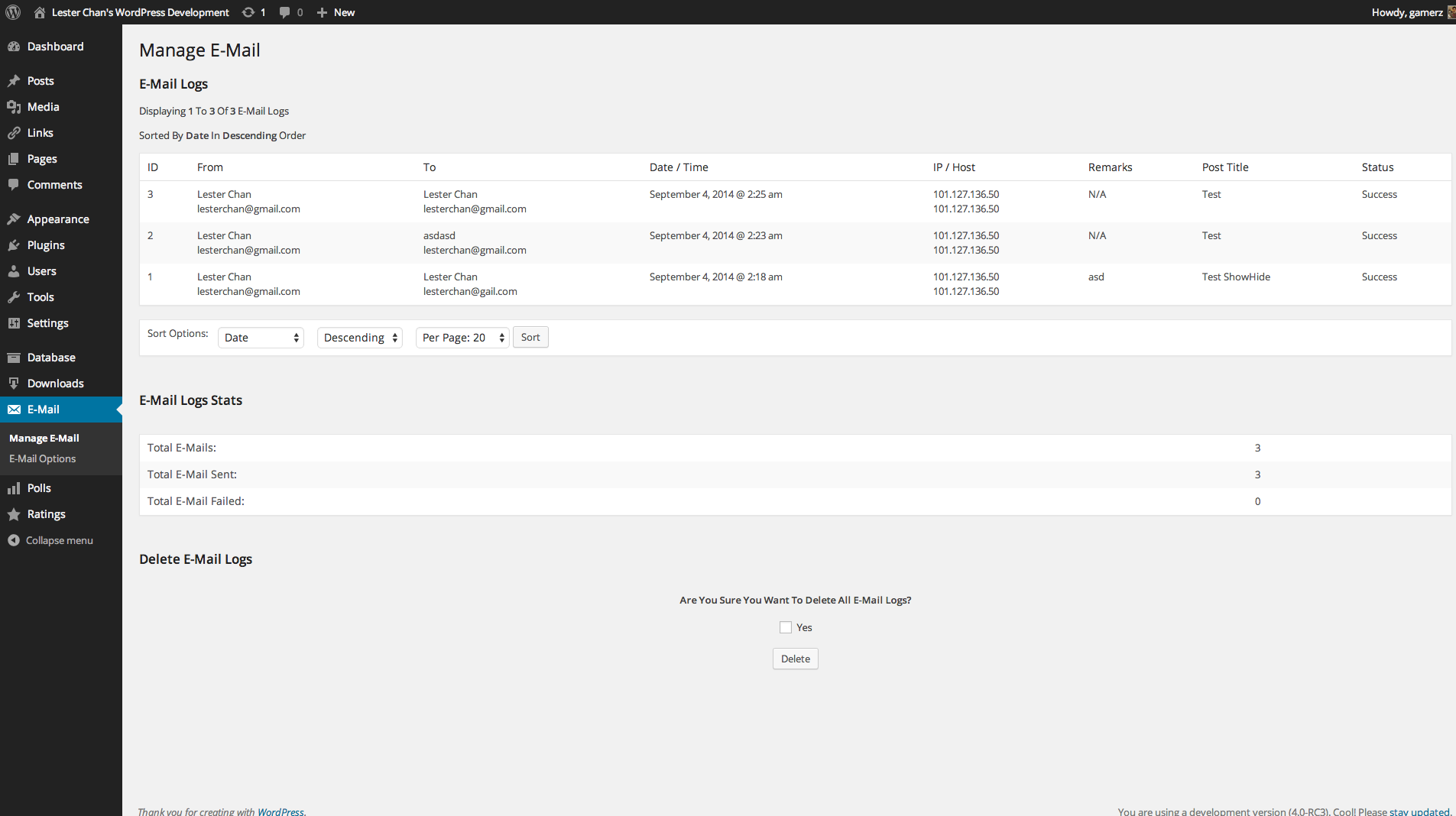
Admin - E-Mail Logs

Admin - Options Page

Admin - Templates Page
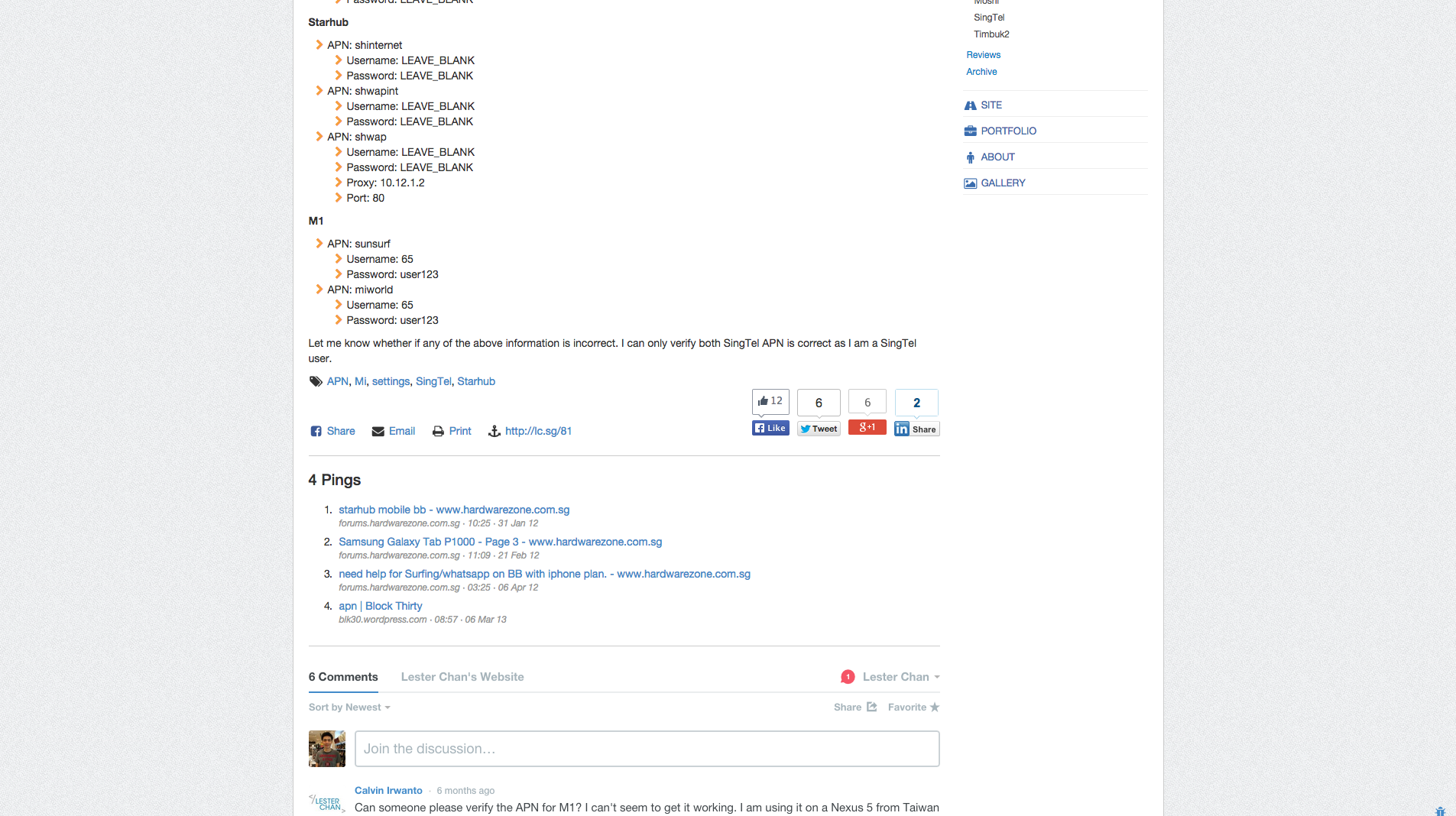
Sample E-Mail Post link
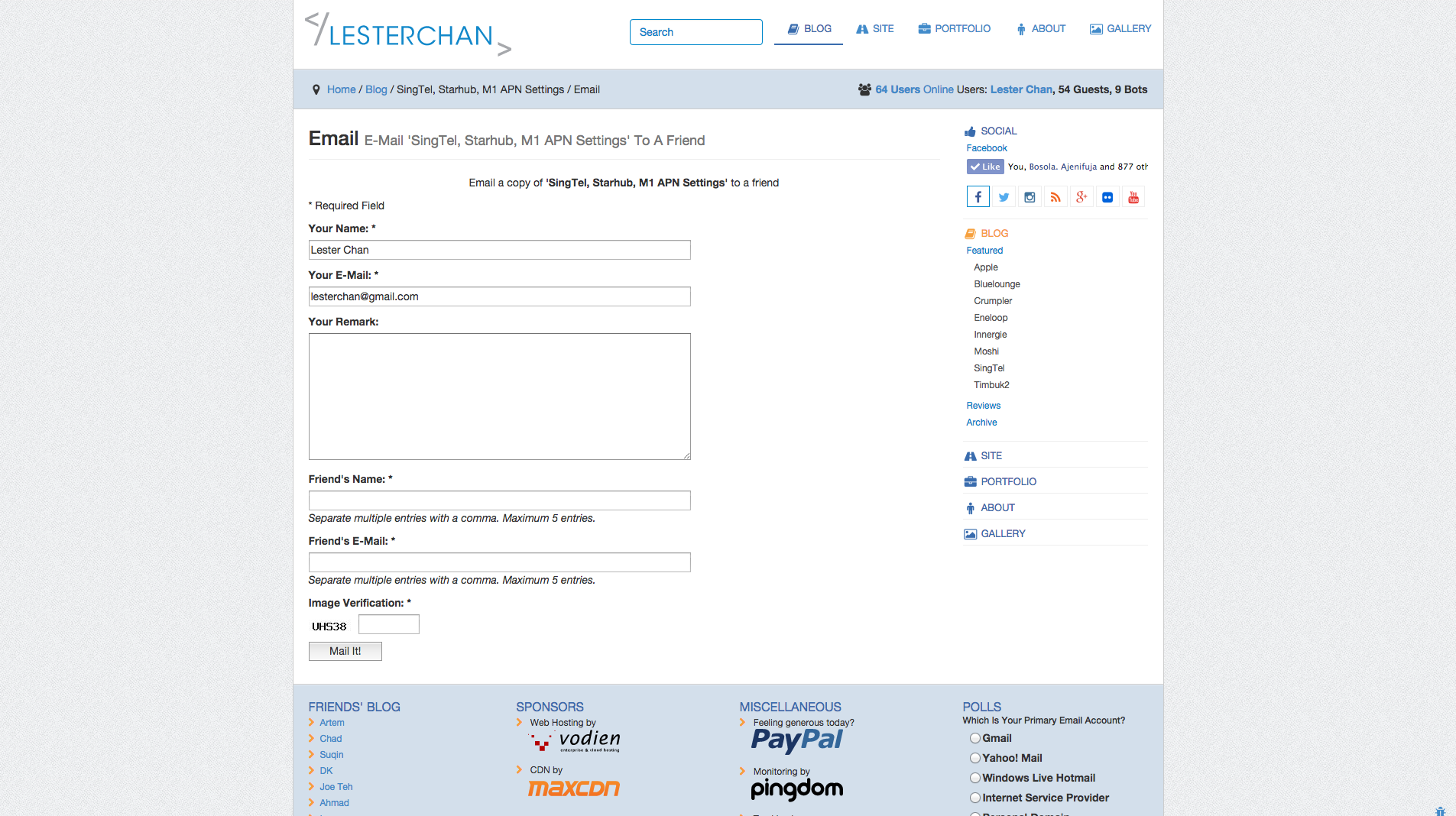
Sample E-Mail Post screen
FAQ
- Yes. Go to
WP-Admin -> E-Mail -> Email Options, underSMTP Server, usessl://smtp.gmail.com:465if you are using Gmail SMTP.
- Open
wp-content/themes/<YOUR THEME NAME>/index.php(You may place it in single.php, post.php, page.php, etc also) - Find:
<?php while (have_posts()) : the_post(); ?> - Simply add this code inside the loop where you want the email link to display:
if(function_exists('email_link')) { email_link(); }
Many customizations can be made from the options page (WP Admin->E-Mail->E-Mail Options).
Additionally, you can override the “E-Mail Text Link for Post” and “E-Mail Text Link for Page” options with the first two parameters of the email_link function like this:
if(function_exists('email_link')) email_link( 'E-Mail Text Link for Post', 'E-Mail Text Link for Page'); You can also force email_link() to return the link rather than echo it by setting the third parameter to false:
if(function_exists('email_link')) { $email_link email_link( 'E-Mail Text Link for Post', 'E-Mail Text Link for Page', false); } else { $email_link ''; } echo $email_link; There are two options for this:
1. You can use the included widget by going to Wp-Admin -> Appearance -> Widgets” and using the widget named “Email”
1. You can use a number of included theme functions for displaying various stats. Please continue to read these FAQs for more information.
Simply insert this code into your theme:
if (function_exists('get_mostemailed')) get_mostemailed('both', 10); The first parameter is what you want to get, ‘post’, ‘page’, or ‘both’ and defaults to ‘both’.
The second parameter is the maximum number of posts/pages you want to get.
Simply insert this code into your theme:
if (function_exists('get_emails')) get_emails(); Simply insert this code into your theme:
if (function_exists('get_emails_success')) get_emails_success(); Simply insert this code into your theme:
if (function_exists('get_emails_failed')) get_emails_failed(); - Open
wp-email.php - Find
define('EMAIL_SHOW_REMARKS', true); - Replace with
define('EMAIL_SHOW_REMARKS', false);
If you do not want to email a portion of your post’s content, do the following:
[donotemail]Text within this tag will not be displayed when emailed[/donotemail] The text within [donotemail][/donotemail] will not be displayed when you are emailing a post or page.
However, it will still be displayed as normal on a normal post or page view.
Do note that if you are using WP-Print, any text within [donotemail][/donotemail] will not be printed as well.
WP-Email will load email-css.css from your theme’s directory if it exists. If it doesn’t exist then it will load the default email-css.css that comes with WP-Email. Just move your custom CSS to the appropriate file in your theme directory and it will be “upgrade-proof”
If you add a custom field with the key “wp-email-title” it will be used as the E-Mail title.
If you add a custom field with the key “wp-email-remark” it will be placed in the remarks field in the E-Mail form.
Changelog
2.69.1
- FIXED: XSS for text links
2.69.0
- NEW: Supports specifying which header to read the user’s IP from. Props Marc Montpas.
- FIXED: Added more nonce check to email-manager.php
2.68.2
- FIXED: PHP8 deprecated notices
2.68.1
- FIXED: Fatal Error on activation as it suppose to be delete_option() and not remove_option
2.68.0
- NEW: Uses
wp_mail()instead of PHPMailer - NEW: Removed SMTP & Mailer Settings
2.67.6
FIXED: Notices
2.67.5
- FIXED: Email form not appearing if user is not using nice permalink
2.67.4
- FIXED: Use
wp_emailinstead ofemailas query var. - FIXED: Use
wp_email_popupinstead ofemailpopupas query var.
2.67.3
- FIXED: esc_attr() on form fields to prevent XSS. Props Edward Woodfall.
2.67.2
- FIXED: Fixed SQL Injection in inserting email logs. Props Jxs.nl.
2.67.1
- FIXED: Fixed vulnerability in
get_email_ipaddress()
2.67
- FIXED: Notices in Widget Constructor for WordPress 4.3
- FIXED: Remove clean_pre() because it is deprecated.
2.66
- NEW: Add viewport meta tag. Props @Luanramos
- FIXED: Proper loading of templates. Props @ocean90
- FIXED: Apply custom filters only to the main query. Props @ocean90
2.65
- FIXED: Integration with WP-Stats
- FIXED: Added in wp_nonce_field to email-options page
2.64
- NEW: Added in
wp_email_template_redirectfilter to allow other plugins disable template redirect when query var contains ’email’
2.63
- NEW: Finally there is custom post type support. Props nimmolo.
- NEW: Allow Multisite Network Activate
- NEW: Uses WordPress uninstall.php file to uninstall the plugin
- NEW: Added noindex, nofollow to meta tag to email-standalone.php
- FIXED: Use get_the_author() instead of the_author(”, false)