
 By Kevon Adonis
WP Abstracts Plugin
Manage conferences, abstracts submission, authors, reviews, attachments, email notifications and more.
Manage abstracts submissions on your site. Manage everything from events, abstracts, authors, reviews, attachments, email notifications and more.
Authors submit abstracts and upload papers from the front-end while site administrators manage submissions and assigns reviewers from the admin panel.
View view demo or get more information at wpabstracts.com
For advance features including the option to assign unlimited reviewers, automated email alerts, email templates, reports, custom titles and headings, PDF and CSV exports and more get the pro version
Current Language Support (more coming)
– Spanish (Argentina, es_AR)
– Spanish (Chile, es_CL)
– Spanish (Spain, es_ES)
– Greek (Greece, el)
– Turkish (tr_TR)
– Persian (Iran, fa_IR)
– German (Germany, de_DE)
– Portuguese (Brazil, pt_BR)
– French (France, fr_FR)
– Dutch (Netherlands, nl_NL)
Installation
- Upload
wpabstractsto the/wp-content/plugins/directory - Activate the plugin through the ‘Plugins’ menu in WordPress
- Create your event on the events tab and take note of the event ID for the next step
- Place [wpabstracts event_id=ID] shortcode in a page to show the user dashboard
Screenshots
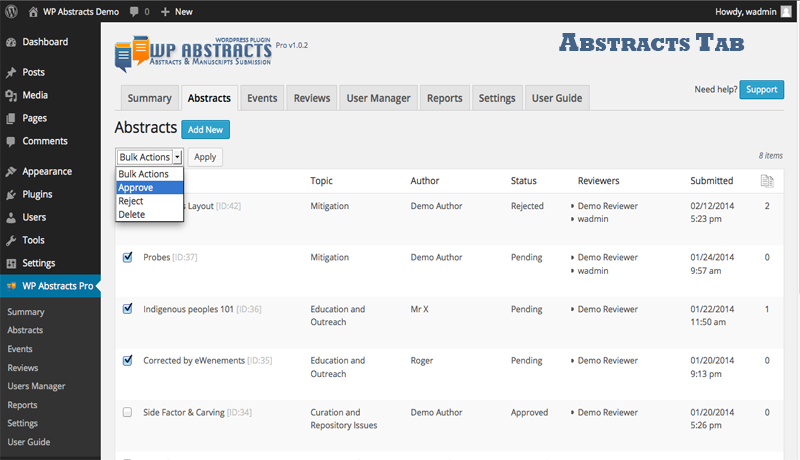
Abstracts Tab
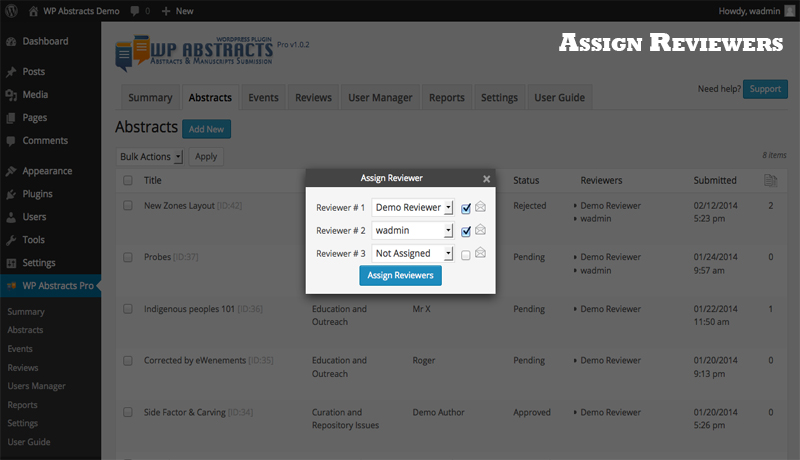
Assign Reviewers Tab
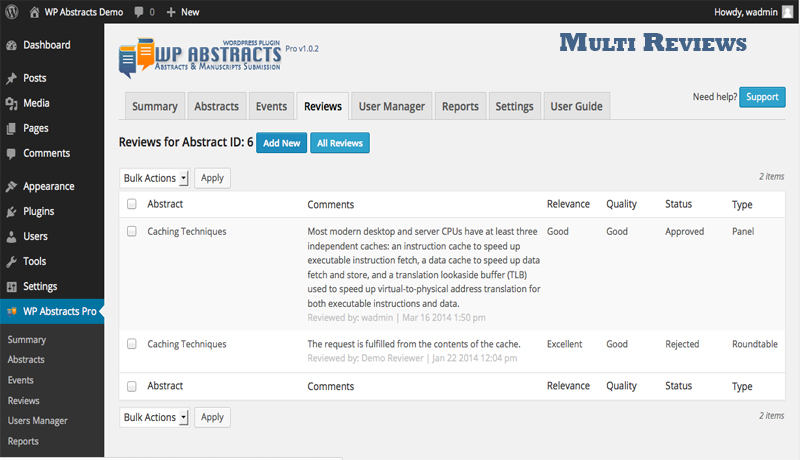
Multi Reviews Tab
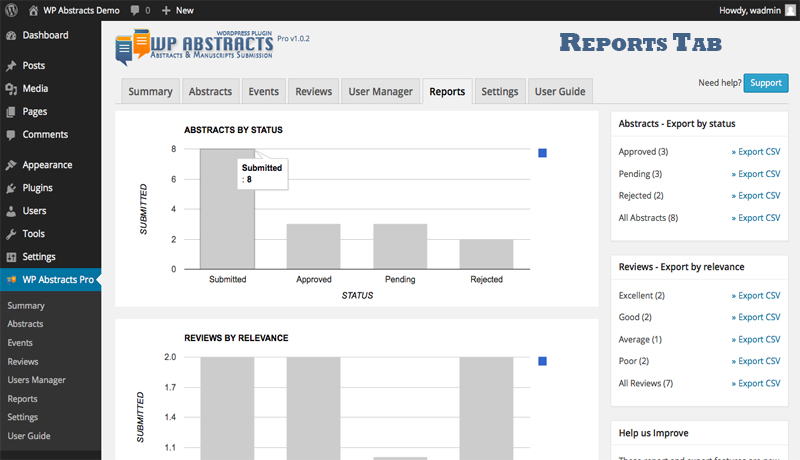
Reports Tab
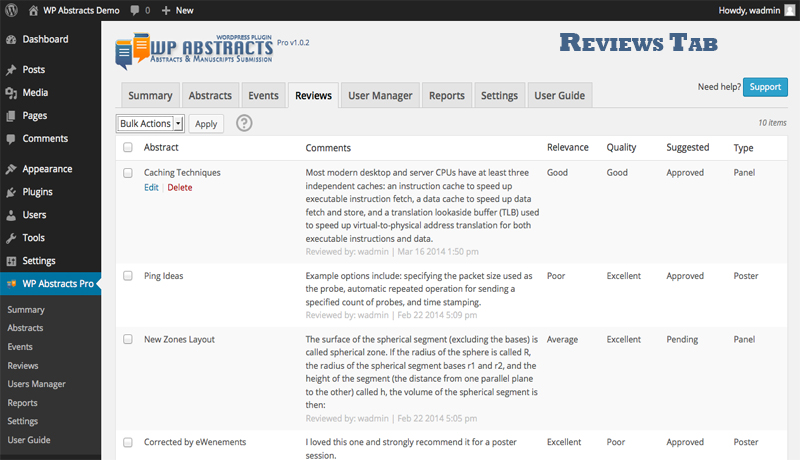
Reviews Tab
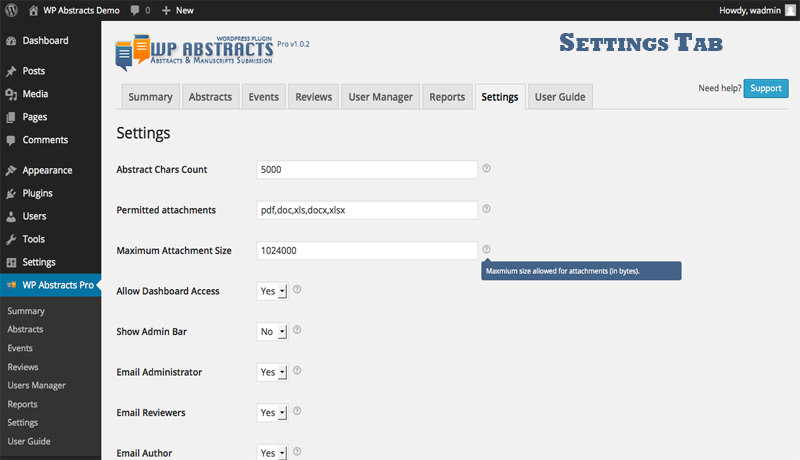
Settings Tab
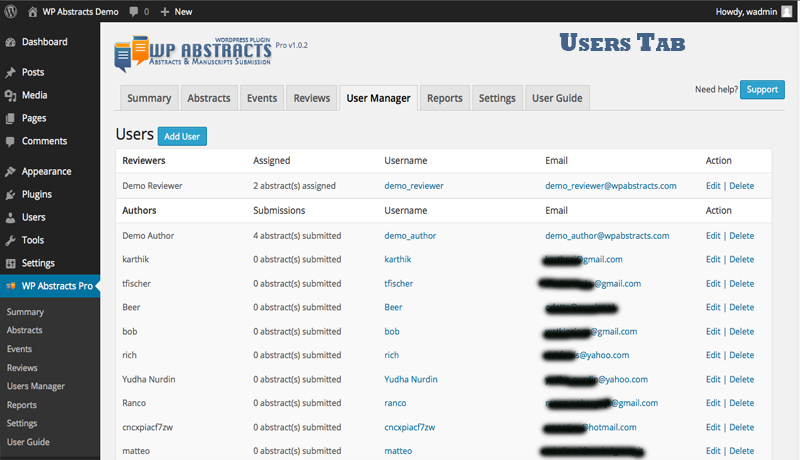
Users Tab
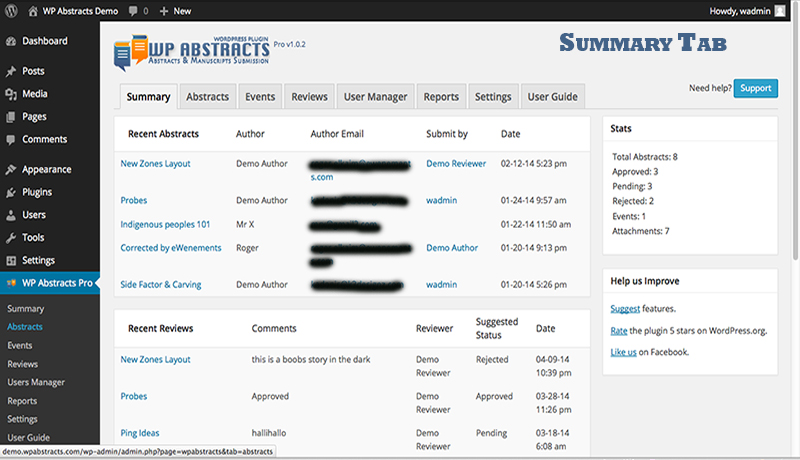
Summary Tab
FAQ
Q. When I added [wpabstracts event_id=ID] shortcode to a front-end page, the layout did not fit the page.
A. Ensure to select the full-width template for the page using [wpabstracts event_id=ID] (no side columns).
Q. After installing the plugin and add [wpabstracts event_id=ID] to the front-end, I’m still unable to submit abstracts.
A. You must create an event (e.g. EPA Conference 2023) with topics. Check your event and ensure you add at least one topic.
Q. I see a login page but no way for users to register.
A. Enable the “Anyone can register” option from WordPress Settings, General tab to enable and display the register link.
Q. When I click the ‘New Abstract’ menu I’m redirected to the home page.
A. Enable the ‘Post name’ or ‘Custom Structure’ option as your Permalinks. Go to WordPress Settings->Permalinks to make this change.
Changelog
2.6.5 – 03/14/2024
- Security – Implement WordPress best practices for unsafe SQL calls using wpdb->prepare()
- Compatibility testing up to WP 6.4.3
2.6.4 – 03/10/2024
- Security – Resolved insufficient input sanitization on events settings and reset password page.
- Compatibility testing up to WP 6.4.3
2.6.3 – 07/27/2023
- Security – Resolved insufficient input sanitization on events settings page.
- Compatibility testing up to WP 6.2.2
2.6.2 – 06/11/2023
- Fix – Resolved issue with status change notifications emails
- Security – Resolved insufficient input sanitization on reset password page.
- Compatibility testing up to WP 6.2.2
2.6.1 – 02/04/2023
- Fix – Resolved issue deleting Abstracts from the author dashbaord
- Fix – Intermittent jQuery console error
- Compatibility testing up to WP 6.1.1
2.6.0 – 01/07/2023
- Feature – Added email log tab to show all emails sent by the plugin
- Feature – Added ability to customize info included in PDF exports
- Feature – Added shortcode and admin settings to display accepted submissions publicly
- Fix – Event specific dashboard now correctly filters by specified event identifier
- Improvement – Allow authors to edit submission across multiple statuses
- Improvement – Added author and presenter shortcode to email templates
- Improvement – Updated missing language translations
- Compatibility testing up to WP 6.1.1
2.5.1 – 04/14/2021
- Fix – Fixed error where submission status on dashboard did not match status in admin
- Compatibility testing with WP 5.7
2.5.0 – 03/18/2021
- Version sync with upcoming WP Abstracts Pro
- Compatibility testing with WP 5.7
2.4.0 – 08/09/2020
- Feature – Added automated email notifications for submisison, revision and status change.
- Fix – Missing DB table and function error on dashboard
- Fix – Fixed PHP 7+ warning when updating settings
- Improvement – Updated PDF generator (mPDF) to v8.0.x (Requires PHP >=5.6)
- Improvement – Improved navigation, move attachments under Abstracts etc
- Compatibility testing with WP 5.4.2 (and php 7.4.2)
2.3.2 – 05/10/2020
- Fix – Fixed PHP warning when updating settings
- Compatibility testing with WP 5.4.1
2.3.1 – 05/08/2020
- Fix – Corrected error when changing submission status
- Compatibility testing with WP 5.4.1
2.3.0 – 03/12/2020
- Feature – Added the ability to archive events
- Feature – Added more filters to abstracts admin screen
- Feature – Added ability to add unlimted status
- Feature – Added the ability to set a default status for new submissions
- Feature – Added read-only mode for submissions when not editable
- Feature – Added ability to ignore user activation at login (when users are registered outside WP Abstracts)
- Feature – Added ability to make attachments required or optional
- Feature – Added the ability to limit the amount of submissions per user
- Improvement – Moved Abstract settings to nested tab and added ability to customize abstract admin columns
- Improvement – Unlocked more Abstract settings
- Improvement – Added option to set Abstract column display in admin
- Improvement – Added check for GD library before using allowing Captcha
- Improvement – Added email validation on author and presenter emails
- Compatibility testing with WP 5.3.2
2.0.1 – 03/25/2019
- Fixed – Correct issue with WordPress admin bar not showing when enabled
2.0.0 – 03/20/2019
- Feature – Added customizable user registration using form builder
- Feature – Enable or disable forced redirection to author dashboard after login
- Feature – Added ability to export submission as PDF
- Feature – Added the ability to add multiple presenters
- Feature – Implemented shortcode for registration form. Use [wpabstracts_register] show the registration form
- Feature – Implemented shortcode for login form. Use [wpabstracts_login] show the login form
- Feature – Added ability to bulk download selected attachments
- Improvement – Improved and included FAQs under help tab
- Improvement – Added Dutch (Netherlands) translation (Thanks to Bas van den Oever)
- Improvement – Added Spanish (Chile) translation (Thanks to Cristian Nova Castillo)
- Improvement – Added Spanish (Argentina) translation (Thanks to Veronica Gomez)
- Compatibility testing with WP 5.1
1.6.5 – 07/03/2018
- Fixed issue with submission forms validation (events, abstracts and reviews) when other inputs are present on the page.
- Compatibility testing with WP 4.9.6
1.6.4 – 04/24/2018
- Fixed typo on events shortcode quick copy
- Compatibility testing with WP 4.9.5
1.6.3 – 04/08/2018
- Added shortcode to event table with quick copy
- Fixed topics displaying incorrectly
- Fixed pagination when abstracts filters are used
- Compatibility testing with WP 4.9.5
1.6.2 – 03/05/2018
- Added submission deadline check to Abstract submission page
- Fixed issue affecting word counter
- Fixed issue that concatenated topics after upgrading to PRO
- Fixed issue affecting downloading certain file types
- Compatibility testing with WP 4.9.4
1.6.1 – 12/30/2017
- Added validation and error messaging for attachment uploads
- Improvement – added ability for users to remove and add new attachments while editing abstracts
- Fixed issue that affected uploading large attachments
- Compatibility testing with WP 4.9.1
1.6.0 – 12/14/2017
- Added preference filter to abstract list
- Added ability to create and export a zip of all attachments
- Added search option for attachment list
- Added abstract Id to attachment list
- Added option to enable or disable registration from settings tab
- Improvement – Facelift the login form and added Lost Password link
- Added German translation (Thanks to Wolfgang Saus)
- Added Brazilian translation (Thanks to Gabriel Vieira)
- Removed – Removed the Summary tab
- Compatibility testing with WP 4.9.1
1.5.4 – 04/26/2017
- Added language support for Spanish – Thanks to Verónica Gómez
1.5.3 – 10/11/2016
- Fixed DB tables character set and collation mismatch
1.5.2 – 06/08/2016
- Added persistent paging when changing abstracts status
- Added language support for Persian – Thanks to Sedmostafa Shafiee
- Added language support for Turkish – Thanks to Riza Ogras
- Fixed pagination issue on abstracts list table
1.5.1 – 05/25/2016
- Fixed issue with shortcode that caused wpabstract content to appear above page title
- Compatibility testing with WP 4.5.2
1.5.0 – 05/08/2016
- Added status filter and search to abstracts list
- Added ability to change status on abstracts list
- Added optional keywords field to submission page and setting option
- Added optional terms & conditions to submission page and setting option
- Added the ability to delete abstracts from dashboard
- Added submission deadline on events
- Added newly designed admin area
- Added ability to change admin themes
- Fixed Show/Hide admin bar setting – now affects only logged in users.
- Fixed word count on submission page
- Minor admin styling changes.
- Compatibility testing with WP 4.5
1.4.0 – 05/08/2016
- Added newly designed author submission form
- Added author instructions to Settings and author submission form
- Added affiliation to Author information
- Added search field on Abstracts tab
- Added help guidance on Settings Tab
- Added ability to turn off attachments
- Added preference to set maximum attachments
- Added delete bulk action on attachments tab
- Added reports and emails tab (Pro Version only)
- Minor admin styling changes.
- Compatibility testing with WP 4.3.1
1.3.0 – 05/14/2014
- Added language support for Greek – Thanks to Stergatou Eleni
- Added check if auto registration is allowed
- Added get_option(‘date_format’) . ‘ ‘ . get_option(‘time_format’) for abstracts display in admin pages
- Add flick as jquery ui css theme
- Fixed PHP short tags
- Fixed debug notices
- Compatibility testing with WP 3.9.1
1.2.0 – 01/23/2014
- Added front-end dashboard for Authors to edit submitted abstracts
- Added option to specify topics on events
- Added support for WP List Tables class – Bulk Actions
- Fixed possible jQuery conflict
- FIxed bug when downloading attachments
- Modified JS scripts to load on plugin page only (reduces conflicts)
- Improved performance issues – less DB queries
- Compatibility testing with WP 3.8 and popular WP themes.
- Minor admin styling changes.
1.1.0 – 10/29/2013
- Added option co-authors
- Fixed upload issue for approved file extensions
- Fixed missing html tags in abstract description
- Minor fix in styling
1.0 – 09/13/2013
Initial Release