

The Events Calendar Plugin
The Events Calendar: #1 calendar plugin for WordPress. Create/manage events (virtual too!) on your site with the free plugin.
Easily create and manage an events calendar on your WordPress site with The Events Calendar free plugin. Whether your events are in-person or virtual events, this WordPress calendar plugin boasts professional features backed by our world-class team of developers and designers.
See more videos on our YouTube channel
Packed with loads of features, The Events Calendar is ready to go out of the box. It’s also extensible, easy to use, and completely customizable.
📅 The #1 Calendar for WordPress
See the calendar in action on our demo experience. Just getting started? Read through the New User Primer to get set up.
Looking for additional features like recurring events, ticket sales, user-submitted events, automatic imports, and more?
Check out Events Calendar Pro, Event Aggregator, and more add-ons.
🔌🎨 Plug and Play or Customize
The Events Calendar is built to work out of the box. Simply install the plugin, configure your settings, and start creating events in minutes.
Want to add your personal touch? Use The Events Calendar as the foundation for customization. Personalize to your heart’s content with the help of a skeleton stylesheet, partial template overrides, template tags, hooks and filters, careful documentation, and a library of free extensions.
Whether your vision is big or small, you’re in good company. Hundreds of thousands of small businesses, musicians, venues, restaurants, and non-profits are publishing and promoting their in-person and virtual events with The Events Calendar. Our plugins have also been scaled to work on large networks for Fortune 100 companies, universities, and government institutions.
✨ Features
Our feature-rich plugin comes with everything you need to create and manage your calendar.
✔️ Rapidly create events
✔️ Saved venues & organizers
✔️ Calendar month view with tooltips
✔️ Event List view
✔️ Day view
✔️ Block Editor support
✔️ Event search
✔️ Google maps
✔️ Widget: Upcoming events list
✔️ Events Taxonomies (Categories & Tags)
✔️ Google Calendar and iCal exporting
✔️ WP REST API endpoints
✔️ Completely ajaxified for super smooth browsing
✔️ Completely responsive from mobile to tablet to desktop
✔️ Tested on the major theme frameworks such as Avada, Divi, Enfold, Genesis, and many more.
✔️ Increase your SEO with JSON-LD Structured Data
✔️ Internationalized & translated
✔️ Multiple stylesheets to improve integration
✔️ Extensive template tags for customization
✔️ Hooks & filters galore
✔️ Caching support
✔️ Debug mode for developers
✔️ Library of extensions
📃 Documentation
All of our documentation can be found in our Knowledgebase.
Additional helpful links:
If you have any questions about this plugin, you can post a thread in the WordPress.org forum. Please search existing threads before starting a new one.
Add-Ons
Take your calendar to the next level by pairing it with our plugins for ticketing, crowdsourcing, email marketing, and more. Learn more about all our products on our website.
Our Free Plugins:
🎟️ Event Tickets
📐 Advanced Post Manager
Our Premium Plugins and Services:
⚡ Events Calendar PRO
↪️ Event Aggregator (service)
🎟️ Event Tickets Plus
📱 Event Tickets Wallet Plus
✉️ Promoter
👥 Community Events
🎟️ Community Tickets
✏️ Filter Bar
🗓️ Eventbrite Tickets
📡 Virtual Events
🔄 Event Automator
Help
If you aren’t familiar with The Events Calendar, check out our New User Primer. It will have you creating events in no time.
Ready to dig deeper? Check out these resources:
We check in on the The Events Calendar forum here on WordPress.org about once a week to help users with basic troubleshooting and identifying bugs. If you’re looking for premium, personalized support, consider upgrading to Events Calendar Pro.
Still have a question? Shoot us an email at support@theeventscalendar.com.
Installation
Installing the plugin is easy. Just follow one of the following methods:
Install The Events Calendar from within WordPress
- Visit the plugins page within your dashboard and select ‘Add New’
- Search for “Events Calendar”
- Activate The Events Calendar from your Plugins page
- You’re done!
Install The Events Calendar Manually
- From the dashboard of your site, navigate to Plugins –> Add New.
- Select the Upload option and hit “Choose File.”
- When the popup appears select the the-events-calendar-x.x.zip file from your desktop. (The ‘x.x’ will change depending on the current version number).
- Follow the on-screen instructions and wait as the upload completes.
- When it’s finished, activate the plugin via the prompt. A message will show confirming activation was successful. A link to access the calendar directly on the frontend will be presented here as well.
That’s it! Just configure your settings as you see fit, and you’re on your way to creating events in style. Need help getting things started? Check out our new user primer for help with settings and features.
Screenshots
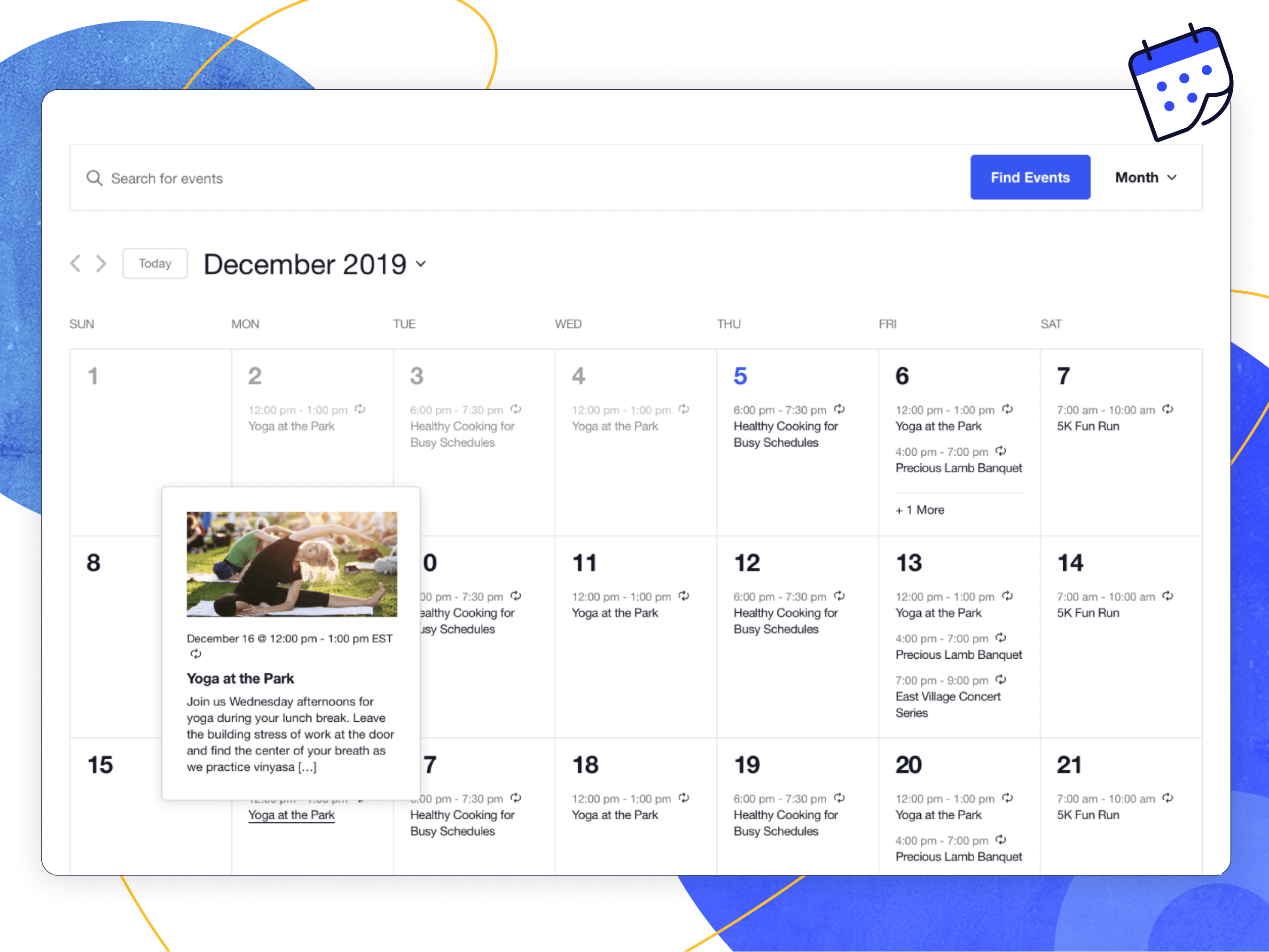
Month View with hover
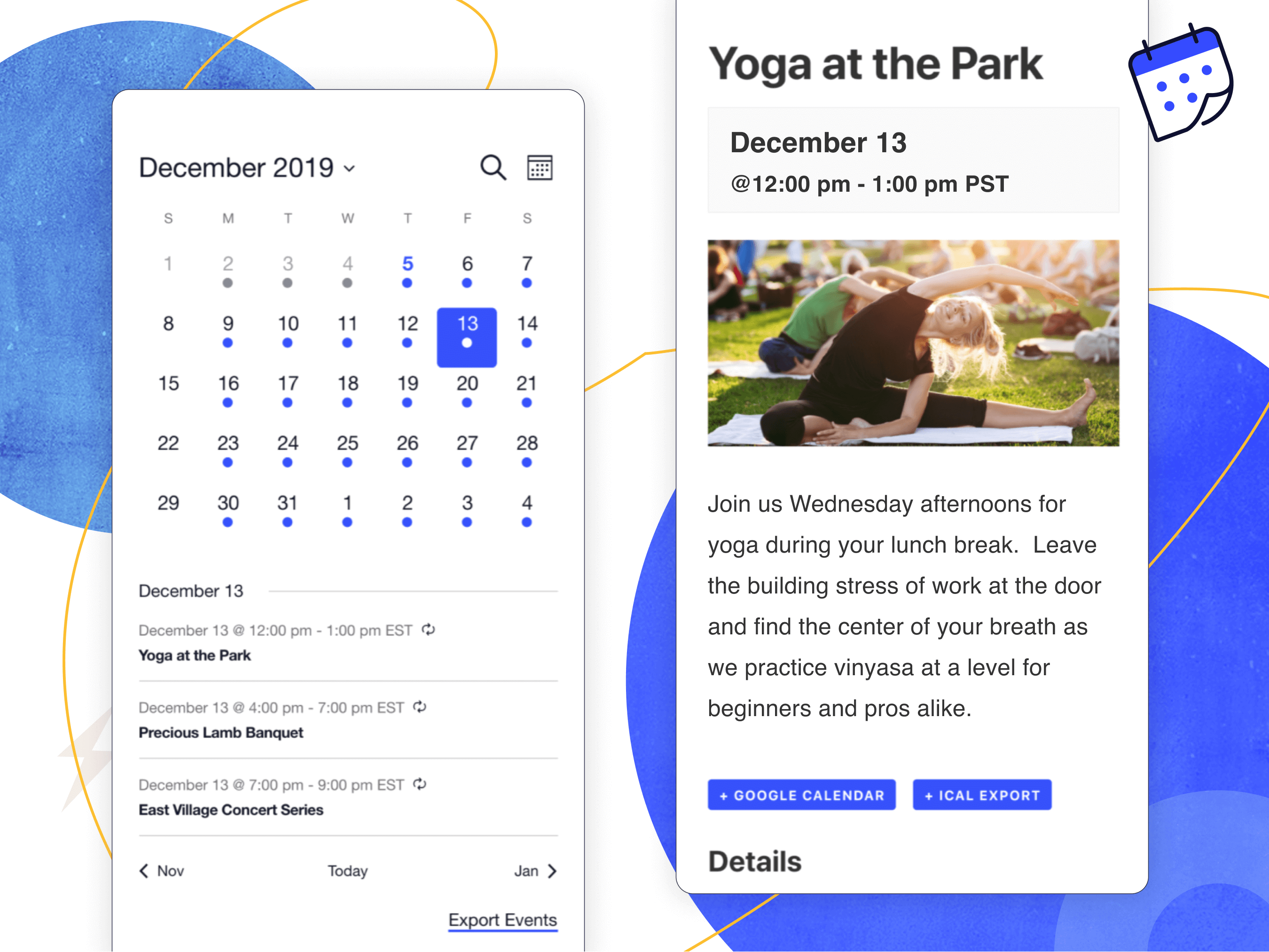
Mobile Views
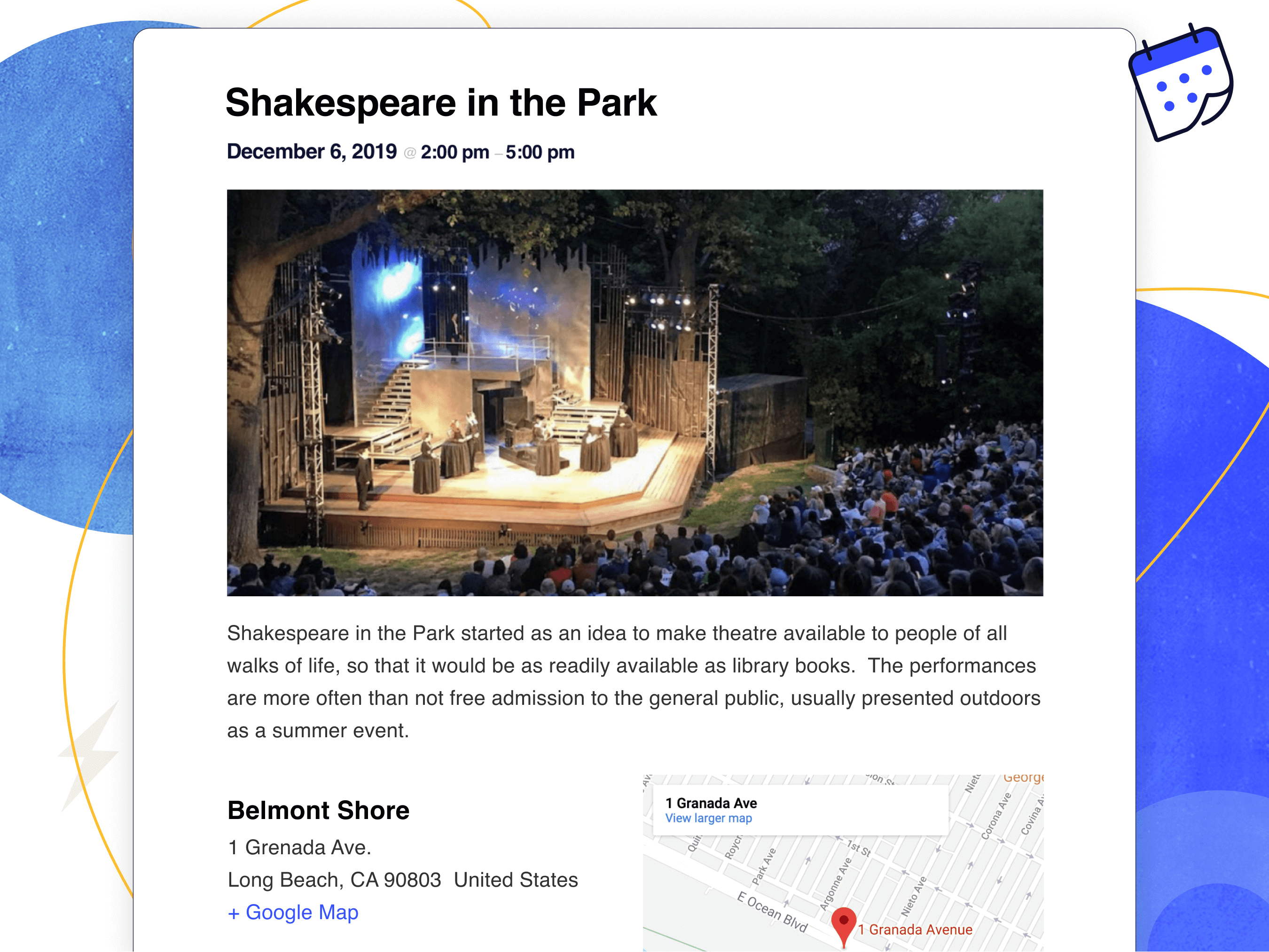
Single event
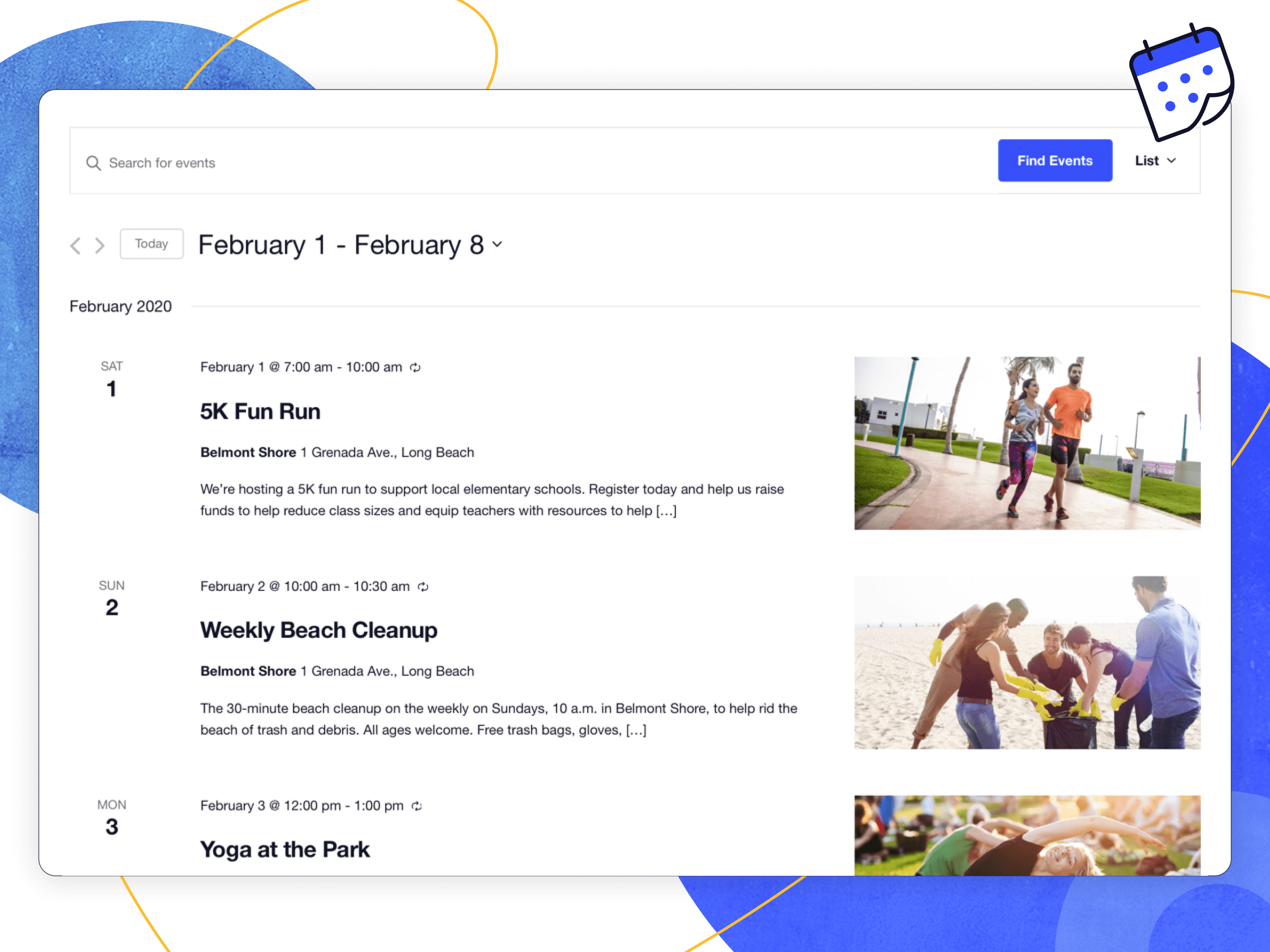
List View
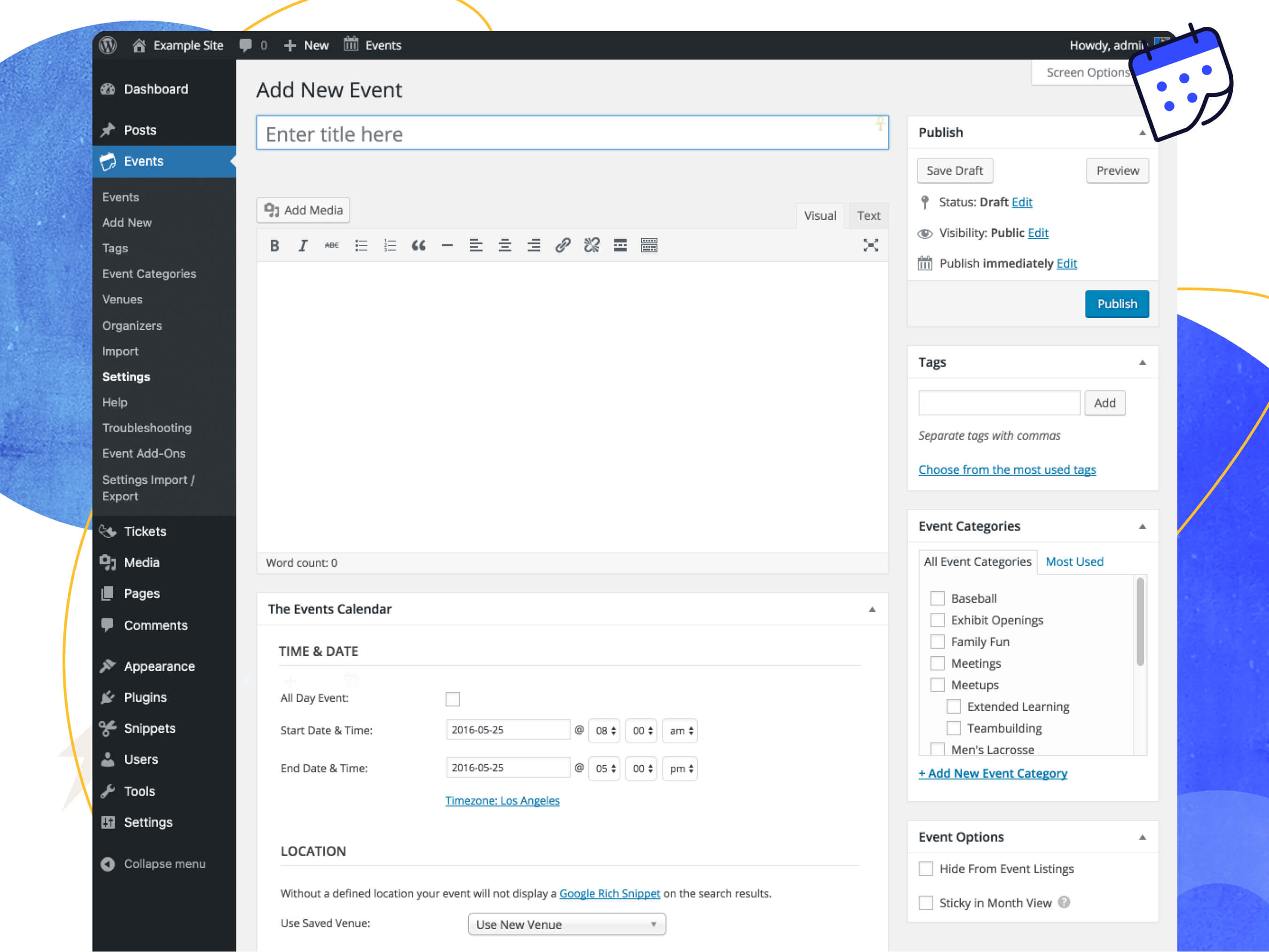
Event Editor
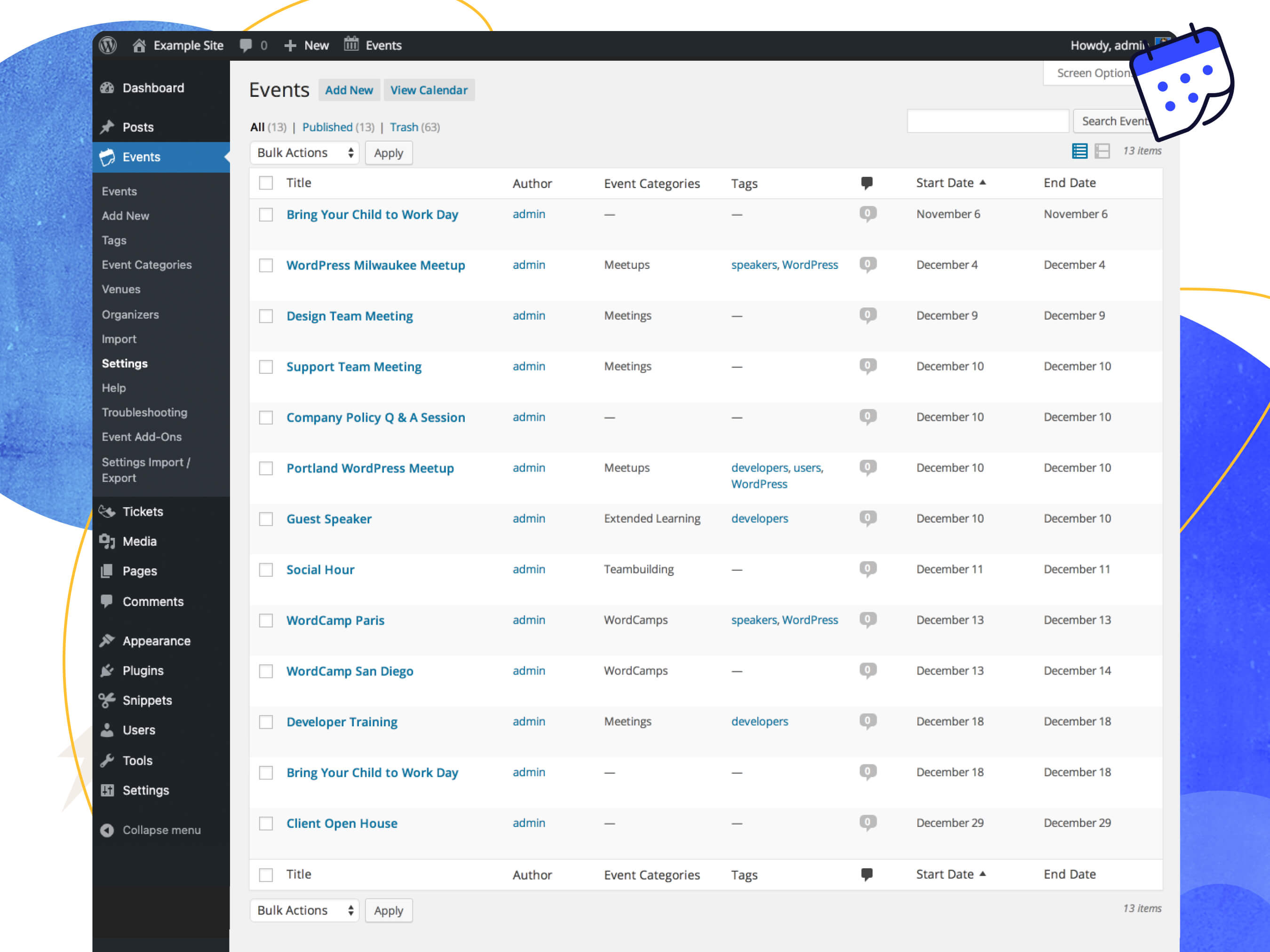
Events admin listing
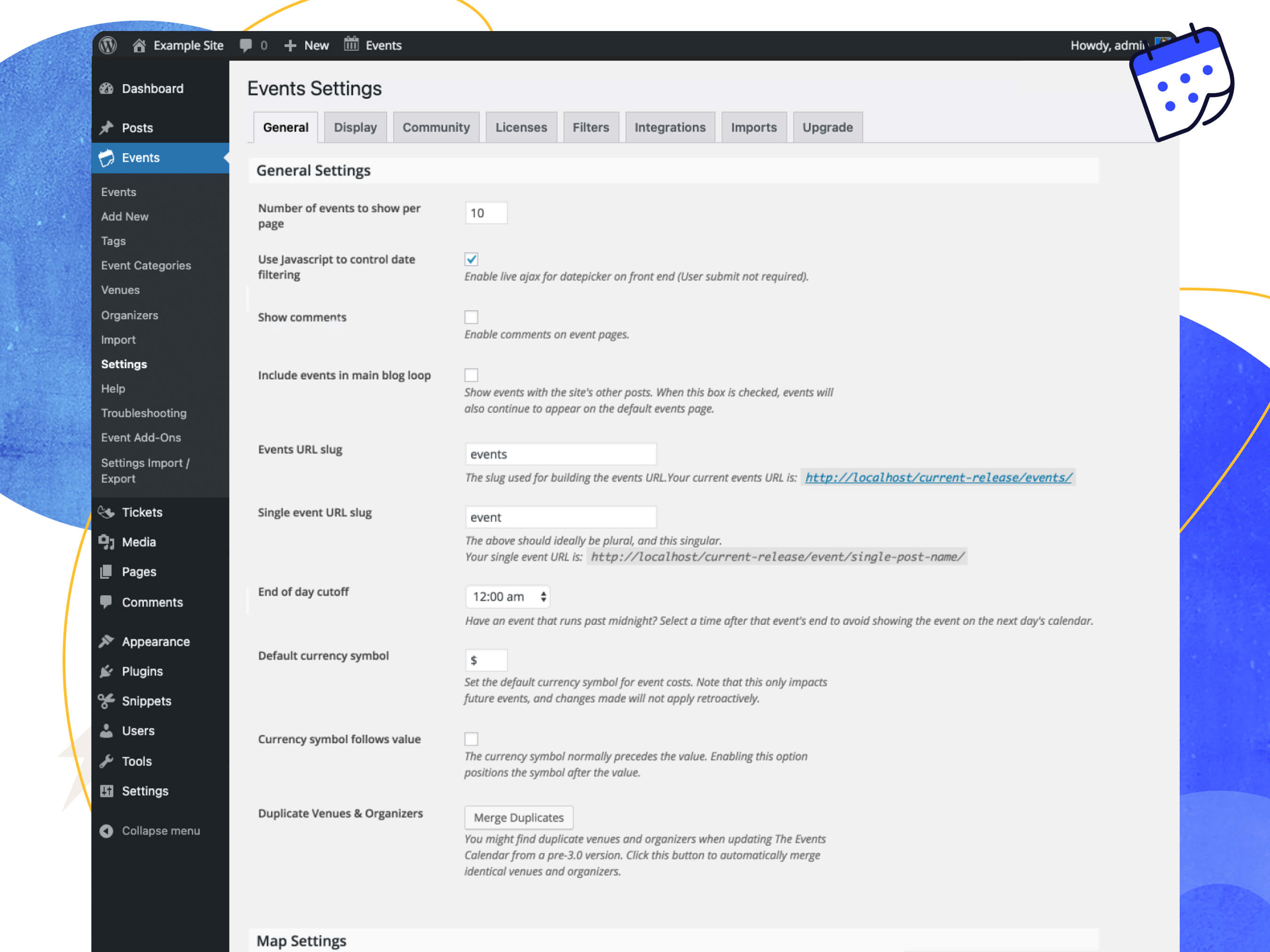
General Settings

Display Settings
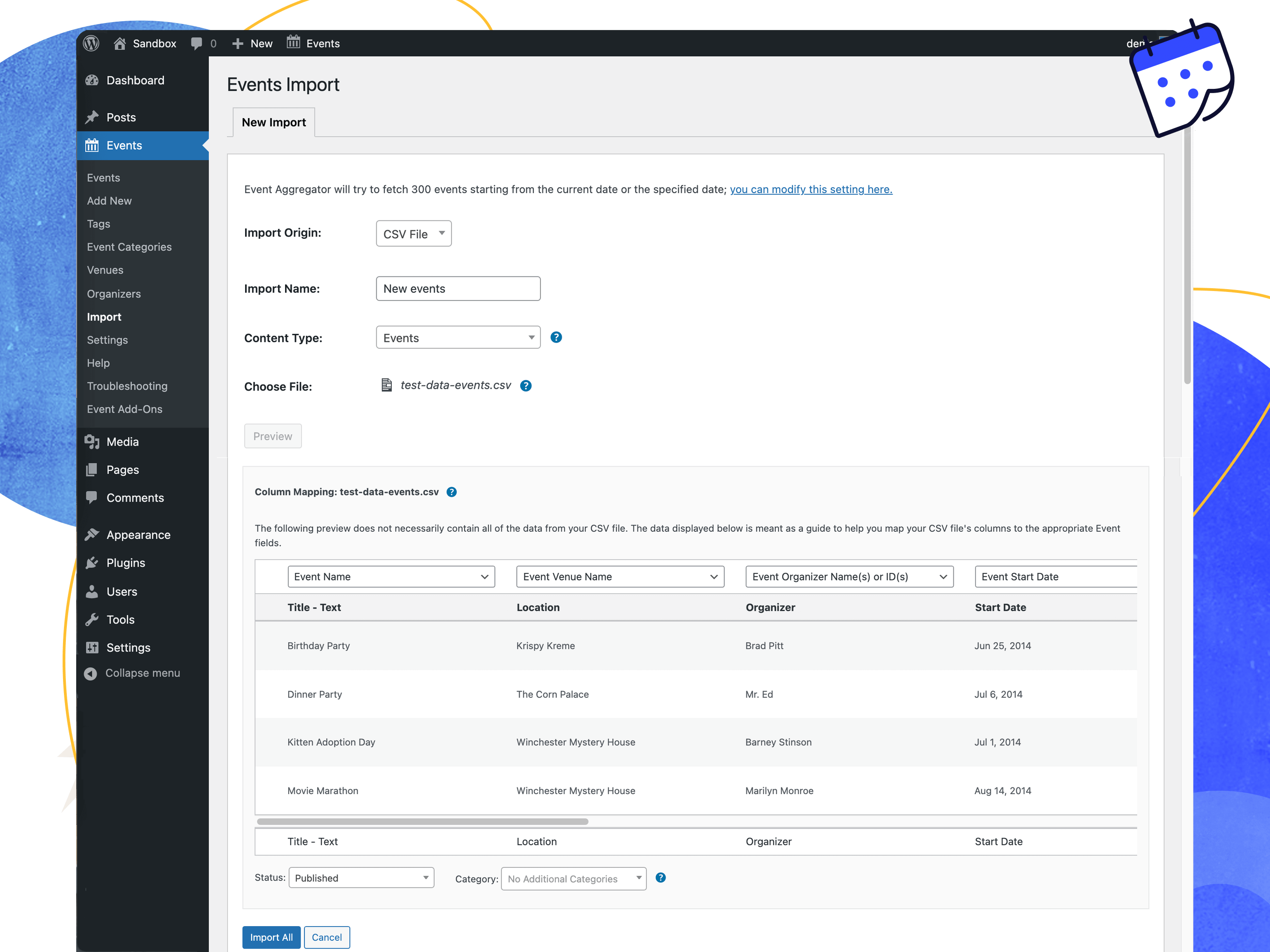
CSV Importer
FAQ
First, make sure that you’re running the latest version of The Events Calendar. If you’re running Events Calendar PRO or any other add-ons, make sure those are current / running the latest code as well.
The most common issues we see are either plugin or theme conflicts. You can test if a plugin or theme is conflicting by manually deactivating other plugins until just The Events Calendar is running on your site. If the issue persists from there, revert to the default Twenty Twenty theme. If the issue is resolved after deactivating a specific plugin or your theme, you’ll know that is the source of the conflict.
Note that we aren’t going to say “tough luck” if you identify a plugin/theme conflict. While we can’t guarantee 100% integration with any plugin or theme out there, we will do our best (and reach out the plugin/theme author as needed) to figure out a solution that benefits everyone.
Users of the free The Events Calendar should post their questions in the plugin’s WordPress.org forum, which we visit about once a week. Please make sure to read our sticky post providing an overview of the support we provide free users BEFORE posting. If you find you’re not getting support in as timely a fashion as you wish, you might want to consider purchasing a license for Events Calendar Pro.
If you’re already an Events Calendar Pro user, you’re entitled access to our actively-monitored Premium Support on our website. We can provide a deeper level of support here and hit these forums on a daily basis during the work week. Generally, except in times of increased support loads, we reply to all tickets within 24-48 hours during the business week.
The Events Calendar is our cornerstone plugin, and it’s required in order to run any of our premium calendar add-ons, including Events Calendar Pro, Community Events, Filter Bar, and others.
In other words, Events Calendar Pro runs alongside The Events Calendar and enhances it with extra features, including recurring events, additional calendar views, calendar shortcodes, advanced widgets, custom event fields and more.
The following add-ons are available for The Events Calendar:
- Events Calendar Pro, for adding premium calendar features like recurring events, advanced views, cool widgets, shortcodes, additional fields, and more!
- Event Aggregator, a service that effortlessly fills your calendar with events from Meetup, Google Calendar, iCalendar, Eventbrite, CSV, and ICS.
- Virtual Events, which optimizes your calendar for virtual events including Zoom integration, video and livestream embeds, SEO optimization for online events and more.
- Event Tickets (free), which allows you to sell tickets and collect RSVPs to events. It can run alongside The Events Calendar or as a standalone plugin that adds ticket and RSVP functionality to WordPress posts and pages.
- Event Tickets Plus, which allows you to sell tickets for your events using your favorite e-commerce platform.
- Event Tickets Wallet Plus, for adding digital tickets like Apple Wallet passes and PDF tickets.
- Promoter, automated email communication made just for The Events Calendar and Event Tickets. Stay in touch with your attendees every step of the way.
- Community Events, for allowing frontend event submission from your readers.
- Community Tickets, which allows event organizers to sell tickets to the events they submit via Community Events.
- Filter Bar, for adding advanced frontend filtering capabilities to your events calendar.
- Eventbrite Tickets, for selling tickets to your event directly through Eventbrite.
Yes! The Events Calendar has a built-in CSV import tool. If you want to step it up and automatically import events from Google Calendar, Meetup, Eventbrite and more, check out Event Aggregator.
You’ll want to use our Event Tickets plugin for that. This free plugin works alongside The Events Calendar and lets you create RSVPs and tickets for events. Event Tickets integrates with PayPal so you can collect payments for tickets, while our premium solution, Event Tickets Plus fully integrates with WooCommerce or Easy Digital Downloads. If you want to include digital tickets like Apple Wallet passes and PDF tickets check out Event Tickets Wallet Plus.
Unfortunately, no. However, you can use event categories or tags to create calendar views that only display certain events. For example, you could create a direct link to a calendar view that only shows events categorized as “Fitness,” like this example from our demo site.
With Events Calendar Pro, you can use shortcodes to embed your calendar on other WordPress pages and posts, then filter that calendar by category.
This is available with the Community Events add-on to facilitate submissions. Install Community Events alongside The Events Calendar and a page will be added to your WordPress site with a form that visitors can use to submit events. As the calendar owner, you have full control over whether event submissions are published immediately or require moderation first.
If you want to let users sell tickets for the events they submit, check out Community Tickets. It runs with The Events Calendar, Community Events, and Event Tickets and empowers visitors to create and sell tickets, splitting the profits with you.
The Events Calendar is our cornerstone plugin, and it’s required in order to run any of our premium calendar add-ons, including Events Calendar Pro, Community Events, Filter Bar, and others.
In other words, Events Calendar Pro runs alongside The Events Calendar and enhances it with extra features, including recurring events and event Series, additional calendar views, calendar shortcodes, advanced widgets, custom event fields, a duplicate event tool, and more.
We’ve got an ideas page where we’re actively watching for feature ideas from the community. Vote up existing feature requests or add your own, and help us shape our roadmap.
Check out our extensive knowledgebase for articles on using, tweaking, and troubleshooting our plugins.
Changelog
[6.6.0.2] 2024-07-24
- Fix – Stellar Sale’s banner links, details, and HTML tags handling. [TEC-5121]
[6.6.0.1] 2024-07-23
- Fix – Prevent fatal on WooCommerce Order transition when Event Tickets plugin is not present. [EVA-166]
[6.6.0] 2024-07-22
- Feature – Included compatibility with Events Calendar Pro 7.0.0 for integrations with Zapier and Power Automate.
- Fix – Properly handle custom theme assets when files are not present, prevents errors on Query Monitor and some notices. [ECP-1811]
- Tweak – Added filters:
tec_events_integration_elementor_bypass_template_override,tec_events_display_settings_toc,tec_events_general_settings_toc - Tweak – Changed views:
single-event-blocks,v2/month/mobile-events/mobile-day/day-marker - Language – 1 new strings added, 172 updated, 1 fuzzied, and 1 obsoleted
[6.5.2] 2024-07-18
- Fix – Add
@paramand corrected@returnto docblock forfilter_display_events_bar()– credit goes to @IanDelMar - Fix – Correct docblocks in the file
Tribe\Events\Views\V2\Views\Traits\Breakpoint_Behavior.php– credit goes to @IanDelMar - Fix – Add missing closing tags on some admin pages to ensure valid HTML markup. [TEC-4807]
- Fix – Fix an issue where the import screen broke when the import limit type was set to “date range”. [TECTRIA-103]
- Tweak – Update many docblock typos – credit goes to @szepeviktor.
- Tweak – Correct some variables with typos, such as
$ics_filnameto$ics_filenameand$deleteable_statuses_intervalto$deletable_statuses_intervaland$delimterto `$delimiter. Credit goes to @szepeviktor. - Tweak – Add filters
tec_events_general_settings_toc,tec_events_display_settings_toc. - Tweak – Update docblock for hooks:
month_multiday_classes,month_day_classes,get_before_events_html,get_after_events_html,tribe_events_views_v2_month_multiday_classesandtec_events_month_day_classes_comparison_dateto provide more clarity. - Tweak – Update docblock for methods/functions:
tec_views_v2_subscribe_link_visibility,tec_views_v2_subscribe_link_{$slug}_visibility,tribe_get_view_permalink(),tribe_get_basic_gmap_embed_url(),tribe_event_featured_image(),tribe_get_map_link()andtribe_get_map_link_html()methods and add docblocks for thetribe_events_google_map_link,tribe_get_map_linkandtribe_get_map_link_htmlfilters. - Tweak – Added filters:
tec_events_integration_elementor_bypass_template_override,tec_events_display_settings_toc,tec_events_general_settings_toc - Tweak – Changed views:
single-event-blocks,v2/month/mobile-events/mobile-day/day-marker - Language – 0 new strings added, 222 updated, 0 fuzzied, and 0 obsoleted
[6.5.1.6] 2024-07-11
- Fix – Ensure compatibility with WordPress 6.6 for removed polyfill
regenerator-runtime. [TECTRIA-149]
[6.5.1.5] 2024-06-27
- Security – Added additional security check when an ignored event is restored. [SVUL-3]
- Language – 0 new strings added, 0 updated, 0 fuzzied, and 0 obsoleted
[6.5.1.4] 2024-06-18
- Fix – In installations where the plugins or wp-content directories were symbolic linked, assets would fail to be located.[TECTRIA-91]
- Language – 0 new strings added, 0 updated, 0 fuzzied, and 0 obsoleted
[6.5.1.3] 2024-06-14
- Fix – Issue where scripts would not be enqueued as modules. [TECTRIA-86]
- Language – 0 new strings added, 109 updated, 0 fuzzied, and 0 obsoleted
[6.5.1.2] 2024-06-14
- Fix – Windows Server compatibility issues with updated Assets handling. [TECTRIA-83]
- Language – 0 new strings added, 0 updated, 0 fuzzied, and 0 obsoleted
[6.5.1.1] 2024-06-13
- Fix – Issue on which some assets (css,js) would not be located in WP installs which could have some WP constant modified (WP_CONTENT_DIR, WP_PLUGIN_DIR)[TECTRIA-83]
- Language – 0 new strings added, 0 updated, 1 fuzzied, and 0 obsoleted
[6.5.1] 2024-06-11
- Feature – Adapt to using the refactored tribe_asset. Remove some unused asset calls. [TCMN-172]
- Fix – Remove automatic capitalization for ‘View Calendar’ text on Calendar List Widget. [TECTRIA-40]
- Tweak – Include a filter to the Elementor integration
tec_events_integration_elementor_bypass_template_overrideto allow users to bypass the single event template. [TECTRIA-56] - Tweak – Add note to
tribe_create_venue(),tribe_create_organizer(),tribe_create_event(),tribe_update_event(),tribe_update_venue(),tribe_update_organizer(),tribe_delete_organizer()andtribe_delete_venue()docblocks to indicate future deprecation. - Tweak – Add docblocks to
src/Tribe/Featured_Events/Permalinks_Helper.phpandsrc/Tribe/Featured_Events/Query_Helper.php. - Tweak – Changed views:
single-event - Language: 2 new strings added, 69 updated, 0 fuzzied, and 0 obsoleted
[6.5.0.1] 2024-06-04
- Fix – Ensure REST API notice only checks on Events admin pages and once every 48 hours regardless of transients rules. [TECTRIA-43]
- Security – Ensure the Events REST API respects the individual post access restrictions. [TECTRIA-49]
[6.5.0] 2024-05-14
- Version – The Events Calendar 6.5.0 is only compatible with Event Tickets 5.10.0 and higher
- Feature – Moved the Remove End Time settings from our Tweaks extension into the TEC > Settings > Display section. Fixes some compatibility issues with recent updates to the views. Also adds a compatibility layer in case of using an older Tweaks extension. [TEC-4371]
- Fix – When creating a new event the Currency symbol, code and position fields are populated from the general settings options. [TEC-5072]
- Fix – Wrong page titles in List page when using a Classic Theme. [TEC-5074]
- Tweak – Add a warning notice in admin area when the REST API endpoints are not accessible. [TEC-4667]
- Tweak – Add aria-hidden=”true” to the event image link so that screen readers ignore it. [TEC-5023]
- Tweak – Add note to
tribe_event_delete()docblock to indicate future deprecation. - Tweak – Added actions:
tec_events_elementor_widgets_registered[TEC-5091] - Tweak – Added filters:
tec_events_filter_events_template_setting_option,tec_events_filter_tribe_get_single_option,tec_events_{$slug}_visibility_is_visible,tec_events_{$slug}_visibility_is_visible:{$area},tec_events_{$slug}_visibility_is_visible:{$area}:{$post_id},tec_events_display_remove_event_end_time_options - Tweak – Removed filters:
tribe_events_register_venue_post_type_labels - Tweak – Added actions:
tec_events_elementor_widgets_registered - Tweak – Changed views:
single-event/recurring-description,v2/list/event/featured-image - Security – Replace uses of the retired moment.js with Day.js [TEC-5011]
- Language – 8 new strings added, 190 updated, 0 fuzzied, and 0 obsoleted
[6.4.0.1] 2024-05-06
- Fix – Prevent the Status widget from potentially running undefined methods. [ECP-1797]
- Tweak – Add action to signal activation of TEC Elementor compatibility. [ECP-1789]
- Tweak – Added actions:
tec_events_elementor_loaded - Security – Ensure JSON response of Reflector View class is sanitized, to avoid potential security issues. [SVUL-2]
- Security – Correct a user permissions check.
- Language – 0 new strings added, 27 updated, 0 fuzzied, and 0 obsoleted
[6.4.0] 2024-04-30
- Feature – Elementor Compatibility. Compatible with Elementor Free 3.21+ and Elementor Pro 3.20+.
- Feature – Added component Elementor widgets for the single event page.
- Feature – Widgets include: Title, Date, Cost, Image, Status, Organizer, Venue, Website, Category, Tags, Subscribe, and Calendar link.
- Feature – Most widgets can be used outside of a single-event post by specifying an event ID or event query parameters.
- Feature – All widgets utilize our PHP templating system, allowing customization of the widget templates.
- Feature – Added a customizable single event template for Elementor Free users utilizing the new widgets.
- Feature – Added a separate customizable single event Theme Builder template for Elementor Pro users utilizing the new widgets.
- Feature – Widgets include mock data for display in template editor.
- Tweak – Added a Calendar Template section in the event display settings page. [ECP-1618]
- Tweak – converted some uses of
date()togmdate()for display in the date settings section. [ECP-1618] - Tweak – Added filters:
tec_events_allow_archive_block_template,tec_events_allow_single_block_template,tec_events_elementor_widget_asset_widgets,tec_events_elementor_built_with_elementor,tec_events_elementor_registered_{$this->type},tec_events_elementor_event_widget_title,tec_events_elementor_event_{$slug}_widget_title,tec_events_elementor_event_widget_element_classes,tec_events_elementor_event_{$slug}_widget_element_classes,tec_events_elementor_event_widget_class,tec_events_elementor_event_{$slug}_widget_class,tec_events_elementor_event_widget_icon_class,tec_events_elementor_event_{$slug}_widget_icon_class,tec_events_elementor_widget_event_id,tec_events_elementor_widget_{$slug}_event_id,tec_events_elementor_widget_template_data,tec_events_elementor_widget_{$slug}_template_data,tec_events_elementor_event_calendar_link_widget_link_text,tribe_get_event_categories,tec_events_elementor_event_categories_widget_event_categories_html,tec_events_elementor_event_category_widget_header_class,tec_events_elementor_event_category_widget_link_wrapper_class,tec_events_elementor_event_export_widget_dropdown_class,tec_events_elementor_event_export_widget_dropdown_button_class,tec_events_elementor_event_export_widget_dropdown_list_class,tec_events_elementor_event_export_widget_dropdown_list_item_class,tec_events_elementor_event_export_widget_dropdown_link_class,tec_events_elementor_event_export_widget_dropdown_content_class,tec_events_elementor_event_export_widget_dropdown_icon_class,tec_events_elementor_event_export_widget_export_icon_class,tec_events_elementor_event_export_widget_dropdown_gcal_class,tec_events_elementor_event_export_widget_dropdown_ical_class,tec_events_elementor_event_export_widget_dropdown_365_class,tec_events_elementor_event_export_widget_dropdown_live_class,tec_events_elementor_event_organizer_widget_email_header_text,tec_events_elementor_event_organizer_widget_phone_header_text,tec_events_elementor_event_organizer_widget_website_header_text,tec_events_elementor_event_organizer_header_class,tec_events_elementor_event_organizer_name_class,tec_events_elementor_event_organizer_name_wrapper_class,tec_events_elementor_event_organizer_phone_class,tec_events_elementor_event_organizer_phone_wrapper_class,tec_events_elementor_event_organizer_phone_header_class,tec_events_elementor_event_organizer_email_class,tec_events_elementor_event_organizer_email_wrapper_class,tec_events_elementor_event_organizer_email_header_class,tec_events_elementor_event_organizer_website_class,tec_events_elementor_event_organizer_website_wrapper_class,tec_events_elementor_event_organizer_website_header_class,tec_events_elementor_event_passed_label_text,tec_events_elementor_event_tags_separator,tec_events_elementor_event_tags_widget_header_text,tec_events_elementor_event_tags_header_class,tec_events_elementor_event_tags_links_class,tec_events_elementor_event_tags_link_class,tec_events_elementor_event_venue_widget_header_text,tec_events_elementor_event_venue_widget_website_header_text,tec_events_elementor_event_venue_widget_phone_header_text,tec_events_elementor_event_venue_widget_address_header_text,tec_events_elementor_event_venue_header_class,tec_events_elementor_event_venue_name_class,tec_events_elementor_event_venue_address_class,tec_events_elementor_event_venue_phone_class,tec_events_elementor_event_venue_website_class,tec_events_elementor_event_venue_map_class,tec_events_elementor_event_website_widget_header_class,tec_events_elementor_event_website_widget_link_class,tec_events_elementor_widget_classes,tec_events_should_display_events_template_setting - Tweak – Removed filters:
tribe_get_venue_website_link_label - Tweak – Added actions:
tec_events_elementor_register_widget_assets,tec_events_elementor_enqueue_frontend_assets,tec_events_elementor_register_editor_styles,tec_events_elementor_widget_enqueue_style,tec_events_elementor_widget_{$slug}_enqueue_style - Tweak – Changed views:
integrations/elementor/templates/blank,integrations/elementor/templates/starter,integrations/elementor/widgets/base,integrations/elementor/widgets/empty,integrations/elementor/widgets/event-calendar-link,integrations/elementor/widgets/event-categories,integrations/elementor/widgets/event-categories/header,integrations/elementor/widgets/event-cost,integrations/elementor/widgets/event-cost/header,integrations/elementor/widgets/event-datetime,integrations/elementor/widgets/event-datetime/all-day,integrations/elementor/widgets/event-datetime/end-date,integrations/elementor/widgets/event-datetime/end-time,integrations/elementor/widgets/event-datetime/header,integrations/elementor/widgets/event-datetime/range-separator,integrations/elementor/widgets/event-datetime/start-date,integrations/elementor/widgets/event-datetime/start-time,integrations/elementor/widgets/event-datetime/time-separator,integrations/elementor/widgets/event-datetime/timezone,integrations/elementor/widgets/event-export,integrations/elementor/widgets/event-export/button,integrations/elementor/widgets/event-export/link,integrations/elementor/widgets/event-export/list-item,integrations/elementor/widgets/event-image,integrations/elementor/widgets/event-navigation,integrations/elementor/widgets/event-navigation/next,integrations/elementor/widgets/event-navigation/previous,integrations/elementor/widgets/event-organizer,integrations/elementor/widgets/event-organizer/details,integrations/elementor/widgets/event-organizer/details/email,integrations/elementor/widgets/event-organizer/details/email/content,integrations/elementor/widgets/event-organizer/details/email/header,integrations/elementor/widgets/event-organizer/details/phone,integrations/elementor/widgets/event-organizer/details/phone/content,integrations/elementor/widgets/event-organizer/details/phone/header,integrations/elementor/widgets/event-organizer/details/website,integrations/elementor/widgets/event-organizer/details/website/content,integrations/elementor/widgets/event-organizer/details/website/header,integrations/elementor/widgets/event-organizer/header,integrations/elementor/widgets/event-organizer/names,integrations/elementor/widgets/event-status,integrations/elementor/widgets/event-status/passed,integrations/elementor/widgets/event-status/status,integrations/elementor/widgets/event-tags,integrations/elementor/widgets/event-tags/content,integrations/elementor/widgets/event-tags/header,integrations/elementor/widgets/event-title,integrations/elementor/widgets/event-venue,integrations/elementor/widgets/event-venue/address,integrations/elementor/widgets/event-venue/address/address,integrations/elementor/widgets/event-venue/address/header,integrations/elementor/widgets/event-venue/address/map_link,integrations/elementor/widgets/event-venue/header,integrations/elementor/widgets/event-venue/map,integrations/elementor/widgets/event-venue/name,integrations/elementor/widgets/event-venue/phone,integrations/elementor/widgets/event-venue/phone/header,integrations/elementor/widgets/event-venue/phone/phone,integrations/elementor/widgets/event-venue/single-venue,integrations/elementor/widgets/event-venue/website,integrations/elementor/widgets/event-venue/website/header,integrations/elementor/widgets/event-venue/website/website,integrations/elementor/widgets/event-website,integrations/elementor/widgets/event-website/header,integrations/elementor/widgets/event-website/link,integrations/event-tickets/emails/template-parts/body/event/venue/website - Language – 201 new strings added, 101 updated, 3 fuzzied, and 0 obsoleted
[6.3.7] 2024-04-18
- Fix – Corrected the missing Venue Website URL within the Event Tickets Email feature. [ET-2019]
- Tweak – Changed views:
integrations/event-tickets/emails/template-parts/body/event/venue/website - Language – 0 new strings added, 0 updated, 0 fuzzied, and 0 obsoleted
[6.3.6] 2024-04-09
- Fix – Adds timezone offset to the dates in the Outlook subscribe links on event pages. [TEC-4831]
- Fix – Improve updated views CSS overwrites for buttons and view selector. [TEC-5047]
- Fix – Resolves an issue where the global posts were not the correct range or sort order. This now stores the ones from the view repository to be used in the WP title filters. [TEC-4845]
- Fix – Fixes a PHP warning
Undefined array key "venue" in /var/www/html/wp-content/plugins/the-events-calendar/src/Tribe/Linked_Posts.php on line 1007. - Tweak – Changed views:
blocks/classic-event-details,blocks/event-website,v2/components/events-bar/views,v2/components/json-ld-data,v2/components/subscribe-links/list,v2/day/top-bar/datepicker,v2/list/top-bar/datepicker,v2/month/top-bar/datepicker - Language – 0 new strings added, 15 updated, 0 fuzzied, and 0 obsoleted
[6.3.5] 2024-03-20
- Tweak – Updated version of tribe-common with fixes for ECP.
[6.3.4] 2024-03-12
- Tweak – When using Event Tickets Wallet Plus the Apple Pass will now display date fields differently based off of Single, Multi, or Series Events. [ETWP-95]
- Tweak – Added filters:
tec_tickets_wallet_plus_apple_wallet_date_format,tec_tickets_wallet_plus_apple_wallet_time_format - Language – 2 new strings added, 6 updated, 0 fuzzied, and 0 obsoleted
[6.3.3.1] 2024-02-22
- Fix – On a multisite using WordPress 6.4.3 there was an issue with the subsite options not being properly created during initialization. [TEC-5043]
[6.3.3] 2024-02-19
- Version – The Events Calendar 6.3.1 is only compatible with Event Tickets 5.8.1 and higher.
- Tweak – Refactored some of the underlying structure for Block Template architecture. [ECP-1620]
- Tweak – Added filters:
tec_events_get_full_site_block_template_services - Tweak – Changed views:
blocks/event-links,single-event,v2/components/data - Language – 4 new strings added, 4 updated, 0 fuzzied, and 0 obsoleted
[6.3.2] 2024-02-06
- Tweak – Share statistical information to Event Tickets plugin when active. [ET-1925]
- Fix – Improve the usage of the shortcodes around Event Details.
- Language – 0 new strings added, 0 updated, 0 fuzzied, and 0 obsoleted
[6.3.1] 2024-01-24
- Fix – Fix PHP 8.2 deprecation errors
PHP Deprecated: Creation of dynamic property Tribe__Events__Aggregator__Record__gCal::$image_uploader is deprecated. [ECP-1603] - Fix – Make sure that the full country name is used when importing events from Meetup. [EA-469]
- Fix – Our Week view “Next” pagination button would fail to show in some scenarios. This was due to improper tracking of which is the next future occurrence date. [ECP-1535]
- Fix – Resolved an issue where adding multiple venues in block editor would not persist the second venue after the page was reloaded. [ECP-1637]
- Tweak – Added actions:
tec_events_custom_tables_v1_migration_after_dry_run - Tweak – Adding some more testing and some clean up around handling and reporting query errors. [TECENG-46]
- Language – 0 new strings added, 115 updated, 0 fuzzied, and 0 obsoleted
[6.3.0] 2024-01-22
- Version – The Events Calendar 6.3.0 is only compatible with Event Tickets 5.8.0 and higher.
- Feature – Include Series Passes supporting code to enable the creation of Series Passes.
- Tweak – Added the
tec_events_custom_tables_v1_migration_after_dry_runfilter. [ET-1715] - Language – 0 new strings added, 92 updated, 0 fuzzied, and 0 obsoleted
[6.2.9] 2023-12-14
- Fix – Resolves an issue where the
tribe-events-calendar-month__day--pastandtribe-events-calendar-month__day--currentclasses were not consistently applied after navigating through different months in the Month View. [TEC-4898] - Tweak – Define image sizes on the List view featured image to avoid Content Layout Shifting. [TEC-4919]
- Fix – When on category page when there is a locale switched to a language with a translation for the
pageURL param, the paginated page would redirect to a 404. [TEC-4979] - Tweak – Updated the
tribe_get_venuesfunction to work with recurring events that have provisional IDs. [ECP-1597] - Tweak – Added filters:
tec_events_custom_tables_v1_normalize_occurrence_id - Tweak – Changed views:
v2/list/event/featured-image - Language – 0 new strings added, 2 updated, 0 fuzzied, and 0 obsoleted
[6.2.8.2] 2023-12-04
- Fix – Ensure correct access rights to JSON-LD data depending on the user role. [TEC-4995]
- Language – 0 new strings added, 130 updated, 0 fuzzied, and 5 obsoleted
[6.2.8.1] 2023-11-20
- Security – Ensure all password protected posts have their settings respected. [TCMN-167]
[6.2.8] 2023-11-16
- Version – The Events Calendar 6.2.8 is only compatible with Event Tickets 5.7.0 and higher
- Tweak – Include Event data into for Event Tickets Wallet Plus for both PDF and Apple Wallet passes.
- Language – 0 new strings added, 135 updated, 0 fuzzied, and 11 obsoleted
[6.2.7] 2023-11-14
- Fix – On the Past Events View, the nonce was incorrectly being generated twice, and one of them would be cached in our HTML transient cache. This was causing a 401 nonce errors to occur when the cached nonce expired. The nonce generation was moved outside the HTML generation that is being cached. [TEC-4936]
- Fix – WordPress 6.3 introduce some changes in filters that regressed a prior fix for authentication and our new nonce structure used in view pagination. One symptom of the issue was losing the authenticated user and failing to display user specific capabilities on event views. [ECP-1601]
- Fix – Resolves issue where a deleted venue still attached to an event would cause an
PHP Warning: Undefined variable $data in /code/wp-content/plugins/the-events-calendar/src/Tribe/REST/V1/Post_Repository.php on line 327error. [TEC-4954] - Fix – Resolves an issue with certain versions of WordPress already having the legacy widget block registered causing us to trigger the console error
Block "core/legacy-widget" is already registered.would occur. Now we check if registered first. [TEC-4764] - Fix – Resolved several
Deprecated: Creation of dynamic propertywarnings on:\Tribe__Events__Linked_Posts__Chooser_Meta_Box::$singular_name_lowercaseand\TEC\Events\Custom_Tables\V1\Models\Builder::$query[BTRIA-2088] - Tweak – Adjust the content in the admin welcome page to include a link to the TEC Facebook community group. [TEC-4953]
- Tweak – Added filters:
tec_events_get_full_site_block_template_services,tec_events_views_v2_get_rest_nonce_html - Tweak – Changed views:
blocks/archive-events,blocks/single-event - Language – 11 new strings added, 119 updated, 0 fuzzied, and 5 obsoleted.
[6.2.6.1] 2023-11-09
- Version – The Events Calendar 6.2.6.1 is only compatible with Event Tickets 5.6.8.1 and higher
- Fix – Update a common library to prevent possible fatals. [TEC-4978]
- Language – 0 new strings added, 2 updated, 0 fuzzied, and 0 obsoleted
[6.2.6] 2023-11-08
- Fix – SEO: Ensure that the noindex meta tag properly observes whether events are present on the page or not. [TEC-4976]
- Fix – SEO: Add noindex, nofollow for grid-based views like Month and Week View when they are not set as the home page. [TEC-4976]
- Tweak – Add an X-Robots-Tag to the response headers for ical download links to help prevent search engine crawling. [TEC-4976]
- Tweak – Added filter:
tec_events_ical_header_noindexto allow preventing the X-Robots-Tag addition. [TEC-4976] - Tweak – Added filter
tec_events_seo_robots_meta_includeandtec_events_seo_robots_meta_include_{$view}to short-circuit the robots meta tag addition. [TEC-4976] - Tweak – Added filter
tec_events_seo_robots_meta_contentto alter the content attribute of the robots meta tag addition. [TEC-4976] - Tweak – Added filter
tec_events_seo_robots_meta_allowable_post_typesto allow for the filtering of single post types that can have robots meta tags added. - Tweak – Deprecated filters
tec_events_add_no_index_meta_tag,tribe_events_add_no_index_meta, andtec_events_{$view}_add_no_index_metain favor of the above new filters.
[6.2.5] 2023-11-01
- Tweak – Updated hook for showing Event name in the event tickets order report pages. [ET-1810]