
 By Dave Bloom
SoulMatch Plugin
Equalize the heights of any grouped element. A plugin powered by Liam Brummitt's excellent jquery-match-height script.
When you’re showing grouped content in rows (e.g. blog posts, products, feature sets), it’s almost inevitable that variations in content lengths will throw off your layout.
SoulMatch helps you equalize the heights of your elements so that everything hangs together nicely, even when the page is resized. Simply provide a CSS selector (class, id, etc.) and the plugin will do the rest.
Installation
- Upload the plugin files to the
/wp-content/plugins/soulmatchdirectory, or install the plugin through the WordPress plugins screen directly. - Activate the plugin through the ‘Plugins’ screen in WordPress
- Use the
Settings -> SoulMatchscreen to configure the plugin
Screenshots
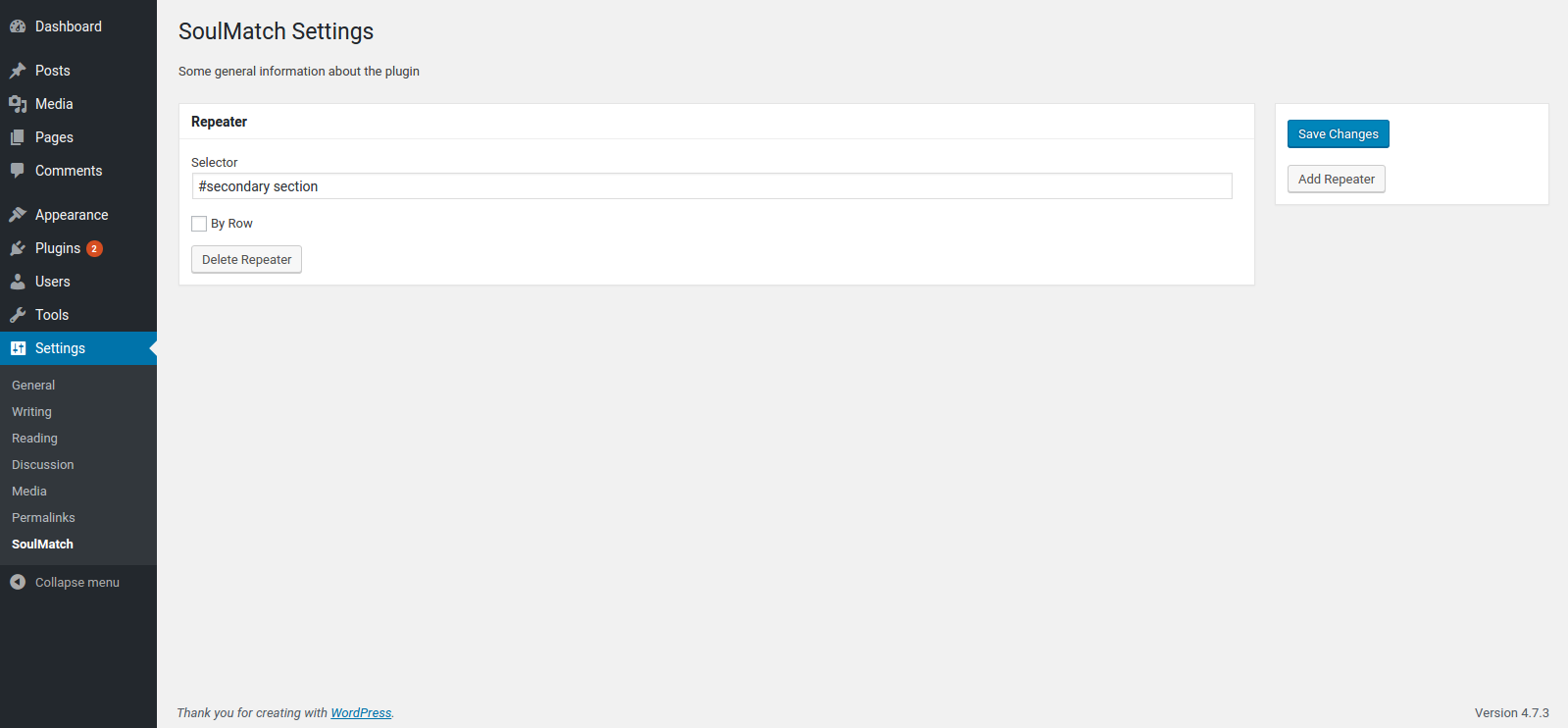
Settings page
FAQ
Installation Instructions
- Upload the plugin files to the
/wp-content/plugins/soulmatchdirectory, or install the plugin through the WordPress plugins screen directly. - Activate the plugin through the ‘Plugins’ screen in WordPress
- Use the
Settings -> SoulMatchscreen to configure the plugin
How do I make this plugin work?
Go to WP Admin > Settings > SoulMatch and define CSS selectors for the elements you want to equalize.
Changelog
0.1.1
- add .filter(‘:visible’) for better matching
- add a hook to re-match on window resize event
0.1.0
- first version to be submitted to wordpress.org