

Preload Requests Plugin
Plugin Provide you to Add preload links to your website easily, compatible with all major browsers. It will improve your site SEO score.
The preload value of the element’s rel attribute lets you declare fetch requests in the HTML’s , specifying resources that your page will need very soon, which you want to start loading early in the page lifecycle, before browsers’ main rendering machinery kicks in. This ensures they are available earlier and are less likely to block the page’s render, improving performance.
Preload Requests to get faster page loading experience.
Prelaod Requests Plugin can Preload Types of Content. Many Diffrent Types of Content can be Preloaded Like Font, CSS, Javascript, Images and Video Files.
There easy way to add File URL to Settings. This Link Preload in Head Tag Before Title.
User has Options to Add Preload URL to whole Website. Also User add Preload Links to Any Single Posts, Custom Post or Page.
This Plugin Specify MIME Type of the Resource or Crossorigin Attribute of Link Tag.
With This Plugin Preload Links with Type of Resource and MIME Type.
Plugin Features
- Preload Multiple Link Types (Font, Style, Script, Images, Video)
- Preload Links to Whole Site
- Preload Links for Single Post, Cusotm Post and Page
- Preload Links from Another Domain
- Links show with Resource and MIME Type
- Duplicate Links can’t Preload
- Compatible with All browsers
- Easily Add Links to Plugin
Installation
Extract the zip file and just drop the contents in the wp-content/plugins/ directory of your WordPress installation and then activate the Plugin from Plugins page.
After active plugin go to Preload Requests.
Screenshots

Preload Requests Plugin

Preload Requests admin menu

Font settings to preload URLs

CSS settings to preload URLs
Javascript settings to preload URLs

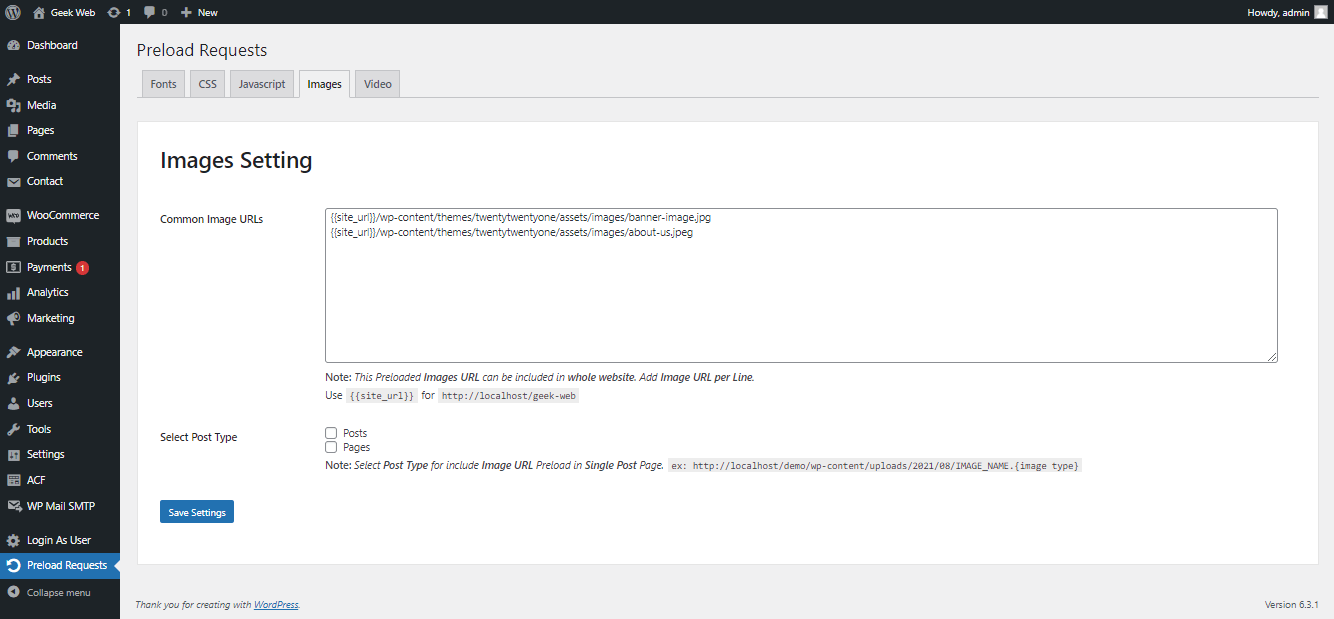
Images settings to preload URLs

Video settings to preload URLs
Changelog
1.6
Fixed bugs
1.5
Fixed Bug with Elementor
1.4
Fixed Bugs
1.3
Tested up to wp version 6.2.2
1.2
Tested up to wp version 6.0.1
1.1
Bug Fix
Tested upto version 5.9
1.0
Inital release