

Auto Delete Post – Ultimate plugin for deleting a post automatically Plugin
Delete your any blog post, page, or any other custom post type automatically after a certain time. This plugin will help you to delete a post after ex …
Delete your any blog post, page, or any other custom post type automatically after a certain time. This plugin will help you to delete a post after expiration of the given time which you can set during a post publish. Set a time from the time and date input field and be tension free! The plugin will do the rest for you. You can also select from the options checkbox in the Auto Delete Posts menu page where to add this automatic post deletion functionality.
Installation
The easy way.
Go to your WordPress Dashboard. Navigate to Plugins > Add New and then search for “Auto Delete Post”. Click on Install and then Activate the Plugin.
That’s it, Auto Delete Post Plugin is now activated on your site!
The hard way..
Download “Auto Delete Post WordPress Plugin” and then extract the zip file and just drop the contents in the wp-content/plugins/ directory of your WordPress installation and then activate the Plugin from Plugins page.
Screenshots
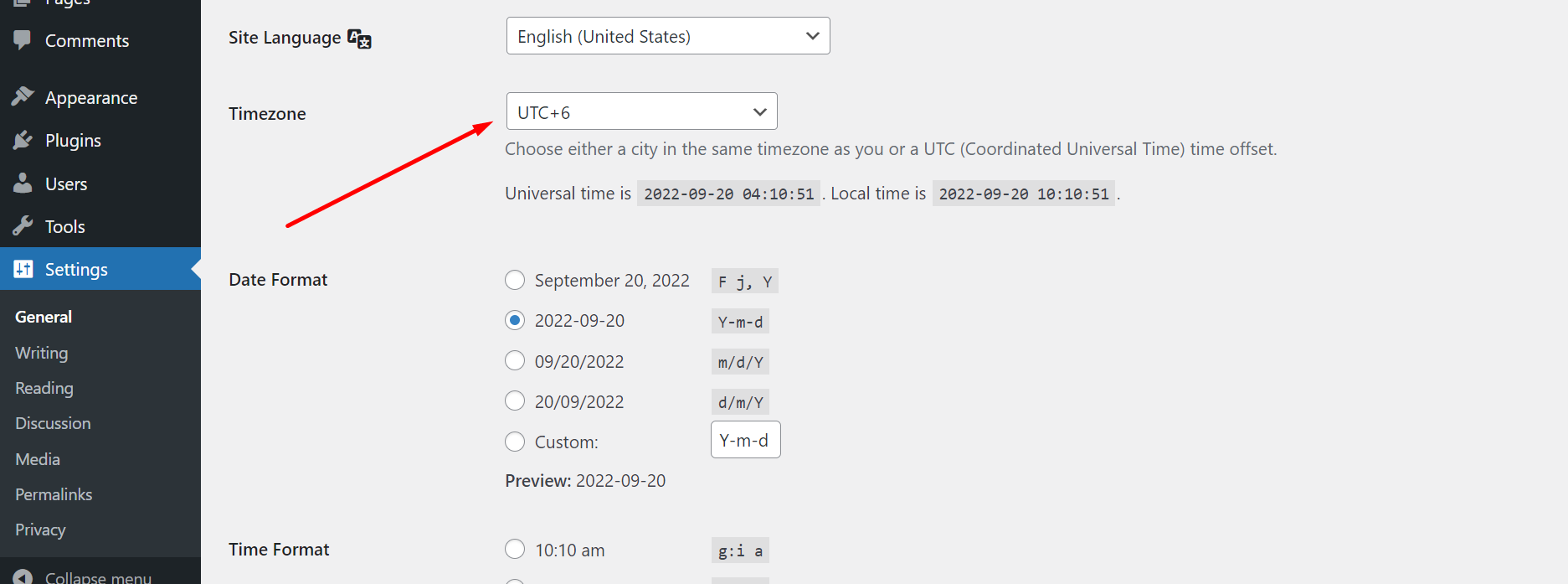
Set the default time zone from the WordPress settings option to work correctly according to your timezone

Select a time and date from the custom meta box field of this plugin

Select any main pages of WordPress from the checkbox options in the menu page where you want to add this functionality
FAQ
Yes
Changelog
1.1.3
Solved unable to restore post from trash issue.