

ATUM WooCommerce Inventory Management and Stock Tracking Plugin
WooCommerce Full Inventory Management, Purchase Orders, Suppliers, Inbound Stock, Inventory Logs, WooCommerce Sales Statistics and More.
✨ NEW IMPROVED ATUM v1.9 ✨
💻 NEW ATUM REST API
📖 NEW ATUM’s KNOWLEDGE BASE
💬 FOR ANY QUESTIONS, VISIT OUR OFFICIAL FORUMS
DESCRIPTION
If you have an online store you need ATUM, the most powerful stock management solution for Woocommerce.
ATUM is now the most advanced FREE WooCommerce inventory management tool in the WordPress plugins repository. Good WooCommerce inventory solution is an absolute must for every serious shop owner. The Dashboard Statistics or the breath-taking Stock Central, the heart of ATUM, gives you the full control of your WooCommerce stock. Get the ability to quickly edit every aspect of your WooCommerce inventory, suppliers, SKUs, locations, weight or even prices. Beautifully carved into the WordPress interface, the system feels very familiar and user-friendly.
ATUM Dashboard creates an entirely new and we felt a necessary connection between the creators and users. The dashboard aims to become an everyday screen with a quick link to support, documentation and most importantly business stats. We have developed a brand new widget section that can be personalised from every corner.
Each section of ATUM has an intuitive layout to favor the experience of store owners, facilitating stock management, and contributing to the optimization of time and resources. We understand that shop owners need to focus their efforts on growing their online business, so our aim is to accompany our clients through our add-ons to get to the top.
Stock Management Labs™, creators that have combined over 25 years of experience in inventory management, working very closely with a bunch of professional WordPress developers since October 2016. The aim is to create the complete WooCommerce solution that will take care of all your business needs.
In addition, in the preparation process for the development stage, we have tested and tried the most popular WooCommerce inventory management and cloud inventory management plugins in the world. With full confidence, we believe that ATUM will become unrivalled in every category.
AVAILABLE FEATURES
Most Advanced FREE WooCommerce Inventory Management – Inventory Statistics (Periodical Sales, Inventory Levels, Lost Sales, Promo Sales), Stock Central with Data Export, Inventory Logs (Reserved Stock, Lost In Post, Customer Returns, Inbound Stock, Warehouse Damages), One Page Updating, Quick Price Changes, Stock Levels Indicators, Suppliers, Purchase Orders and Premium Add-ons.
- ATUM ground-breaking Stock Control system.
- All WooCommerce products on one screen with a smooth mouse wheel or touchpad scrolling.
- Image thumbnails for easier identification of your WooCommerce Inventory.
- Short product names overview including the products’ ID and SKU. Change SKUs on the fly from one screen. Now with direct edit links.
- Purchase prices now included with direct edit from the Stock Central page. WooCommerce inventory management was never easier.
- Suppliers column and fully filtered product list by Suppliers name.
- Quickly edit the Product Price and Product Sale Price including the date ranges of your sales. Now bulk editing available.
- Change, edit or update the inventory of every WooCommerce product in your database. Changes immediately reflect the front-end of your site.
- Weekly and Fortnightly Sales, Lost Sales and Inventory Level Indicators to help you with re-ordering plan.
- Customise the visual appearance of Stock Central with the ability to add or remove any columns according to your business needs.
- Complete “HELP” sections with the detailed explanation of every feature.
- Advanced search with an auto-fill feature and fine-tuned performance.
- Inventory / Stock filters, new product category filters, extra drop-down filters and new column sorting.
- Intelligent settings for easy inventory/stock management.
- Advanced WooCommerce inventory controlling and monitoring features.
- Faultless approach to all product types, including WooCommerce subscriptions.
- Full support for WooCommerce variable products.
- Bulk product Actions to activate or deactivate WooCommerce stock management at product level.
- Bulk Actions within Stock Central to Control/Uncontrol products in bulk.
- Full inventory PDF export directly from Stock Central.
- Complete WPML compatibility for all WooCommerce inventory.
- Clear, effective and branded ATUM fields.
- See inventory count totals for selected products.
- Complete location hierarchy tracking.
- URL hash navigation for filters in Stock Central.
- Navigating through filters history with browser’s back/forward buttons.
- Easy page reload without losing filters.
- Sticky header in Stock Central to stay always in control even when scrolling through hundreds of WooCommerce products.
- WooCommerce business statistics of revenue and product sales. The user can filter the performance per period and choose from three graphical views.
- Widgets for Sales, Lost Sales, Orders and Promo Sales.
- Stock Control Widget for a better WooCommerce summary of In Stock, Low Stock and Out of Stock Products.
- Latest News – direct link to our new blog where we discuss functions and new features coming to ATUM.
- Full feed of our YouTube channel and video Tutorials that can be viewed directly in your WP admin.
- Build for unlimited widget additions. Our team will develop widgets for every feature, so the user has the full freedom.
- Inventory logs now allow you to increase or reduce WooCommerce stock.
- Product Locations feature lets you create several storage locations per item.
- Location hierarchy available too – create custom storage places within a location.
- Add Suppliers feature – add new suppliers and save their data for more natural inventory management and ordering.
- Set default and assign users or locations to individual suppliers.
- Pair products with suppliers for quick selling stock re-ordering.
- Set different suppliers to each variation.
- Add decimals to your WooCommerce stock quantities.
Purchase orders with PDF export
- Add Purchase Orders – create purchase orders for your sellable WooCommerce inventory.
- Easy Supplier locking feature – a quick search for products has never been easier.
- Add products to stock when you receive them at storage locations. Be notified if another user has already stocked selected WooCommerce products.
- Purchase Order notes to control the change log of each individual PO.
- Add Purchase Prices – add individual purchase prices and prepare your shop for monitoring of your gross profits.
- Purchase prices can be attached to the Purchase Orders directly. No need to jump back to product edit.
- Inbound Stock overview – keep an eye on all your inbound WooCommerce products.
- Pending incoming stock reflects in Stock Central.
- Direct Purchase Order editing from the inbound stock page.
Every user may create an account on our website stockmanagementlabs.com. to get the most out of ATUM
Installation
From your WordPress dashboard
- Visit
Plugins > Add New. - Search for ‘ATUM Inventory Manager for WooCommerce’.
- Activate ATUM from your Plugins page.
From WordPress.org
- Download ATUM.
- Upload the ‘atum’ directory to your
/wp-content/plugins/directory, using your favourite method (FTP, SFTP, SCP, etc). - Activate ATUM from your Plugins page.
Once Activated
After successful activation of ATUM, you are ready to make your business even more profitable and enjoyable than ever before. The only thing left is to visit our YouTube Channel or read the DOCUMENTATION to let us show you how to take full advantage of the plugin.
Once Configured
- ATUM was designed to give the user overall control of the full WooCommerce inventory from one screen. You can completely configure the Stock Central page and disable all individual columns that are not part or interesting for your business.
- We have prepared the Stock Central help section that will guide every user through the particular column functionality.
Screenshots
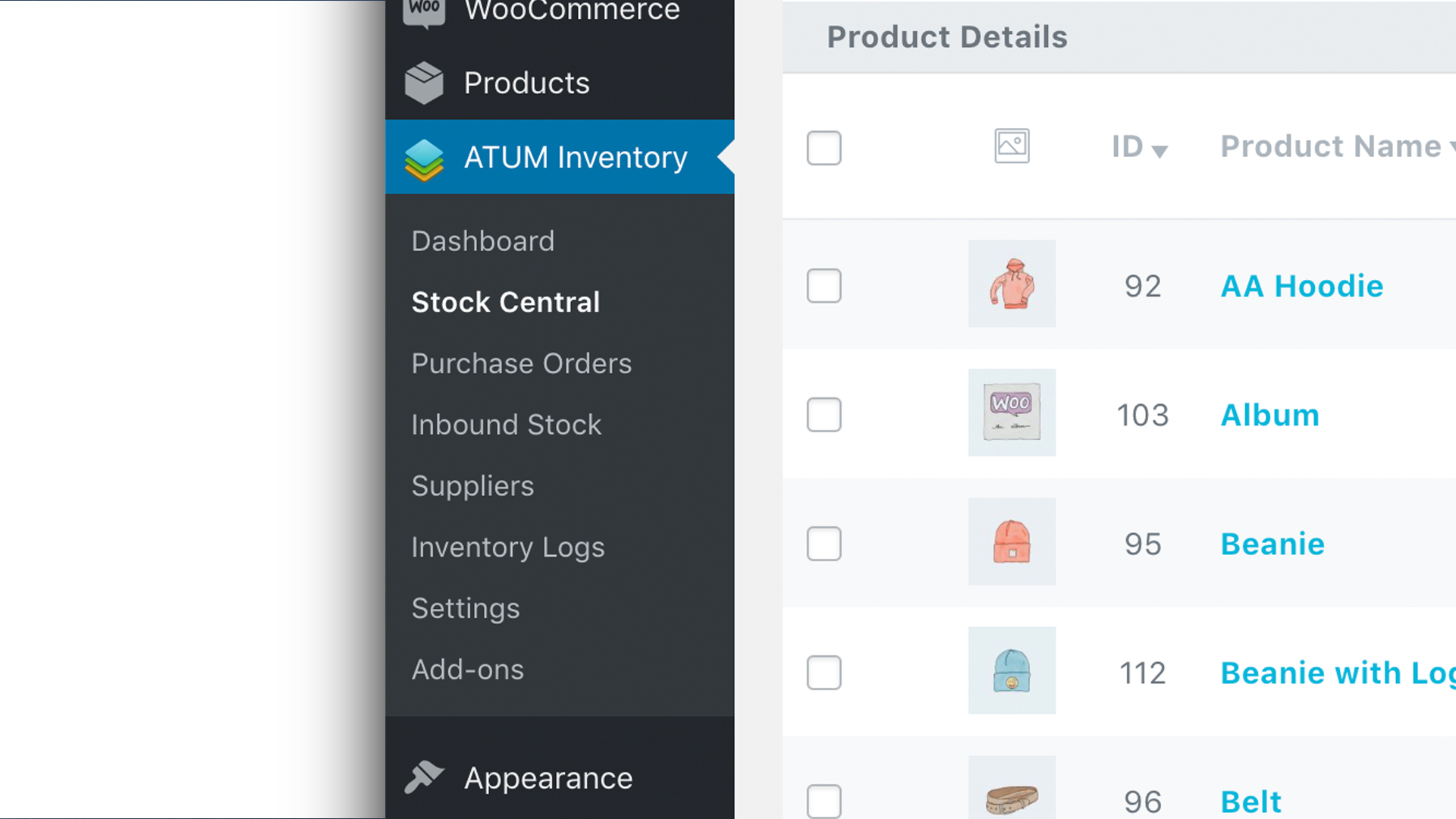
New Menu Design with Easy Access to Individual Features
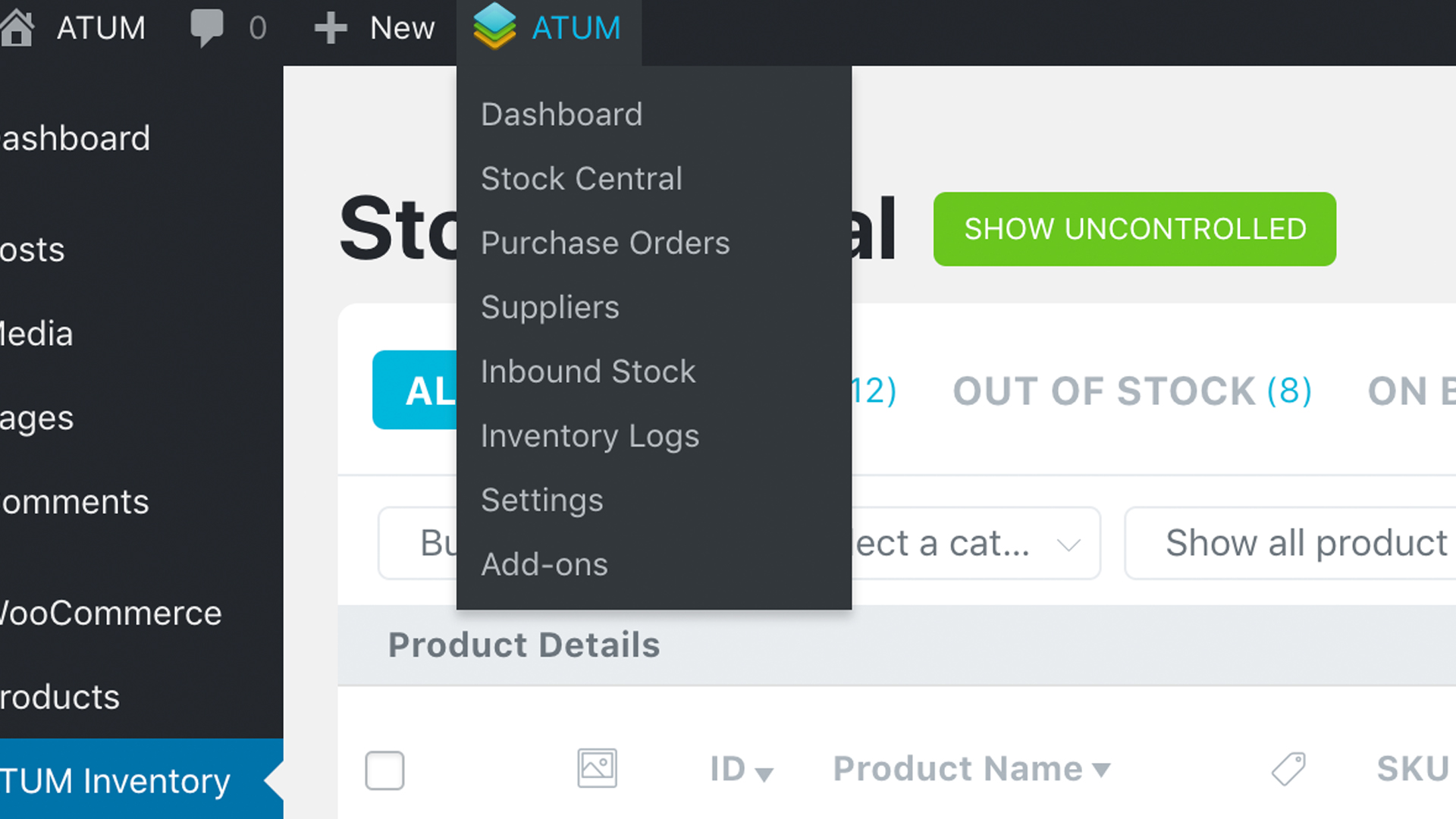
New Admin Bar Menu for Easier and Quicker Inventory Control
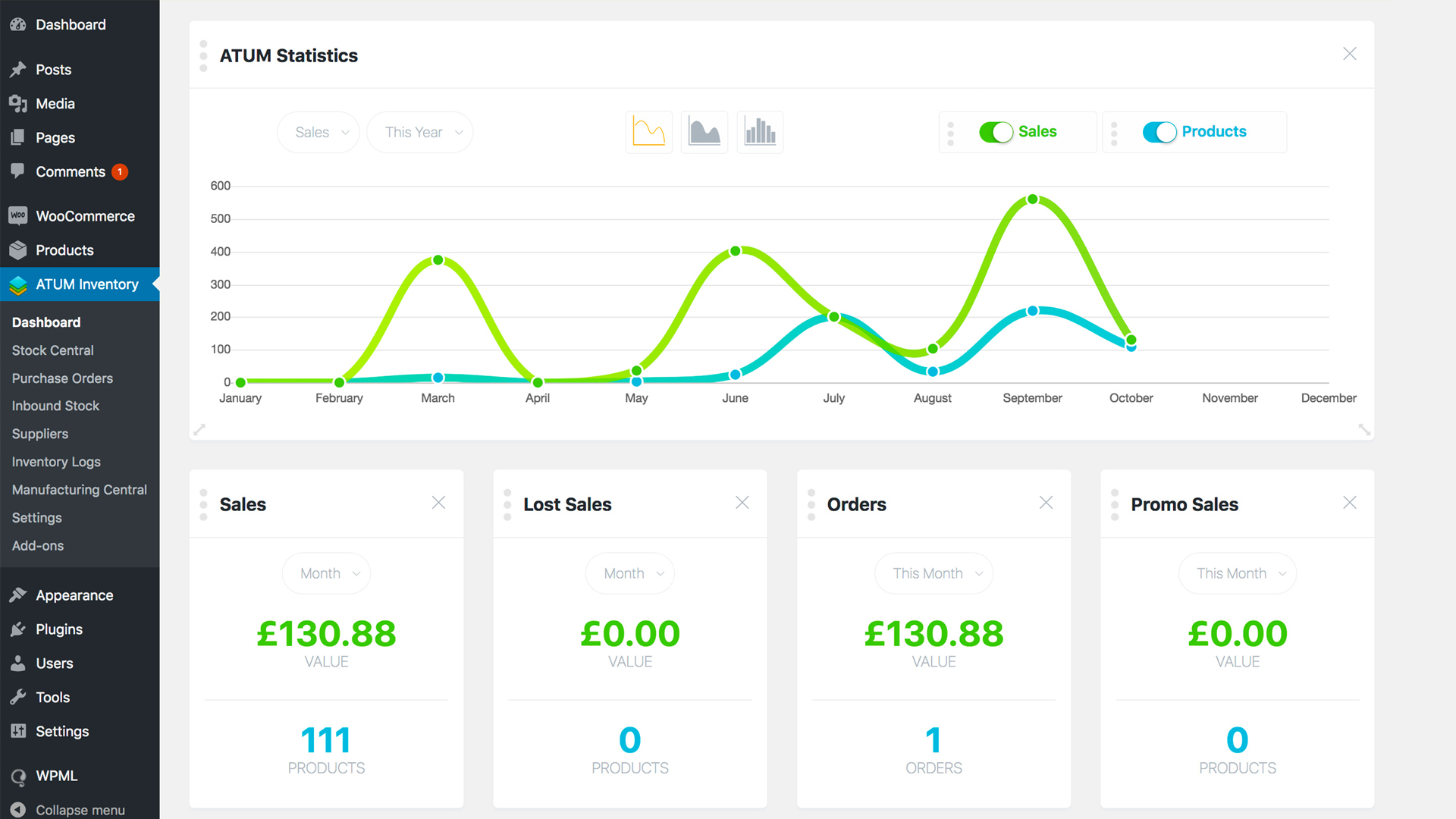
New Editable Dashboard ATUM Statistics
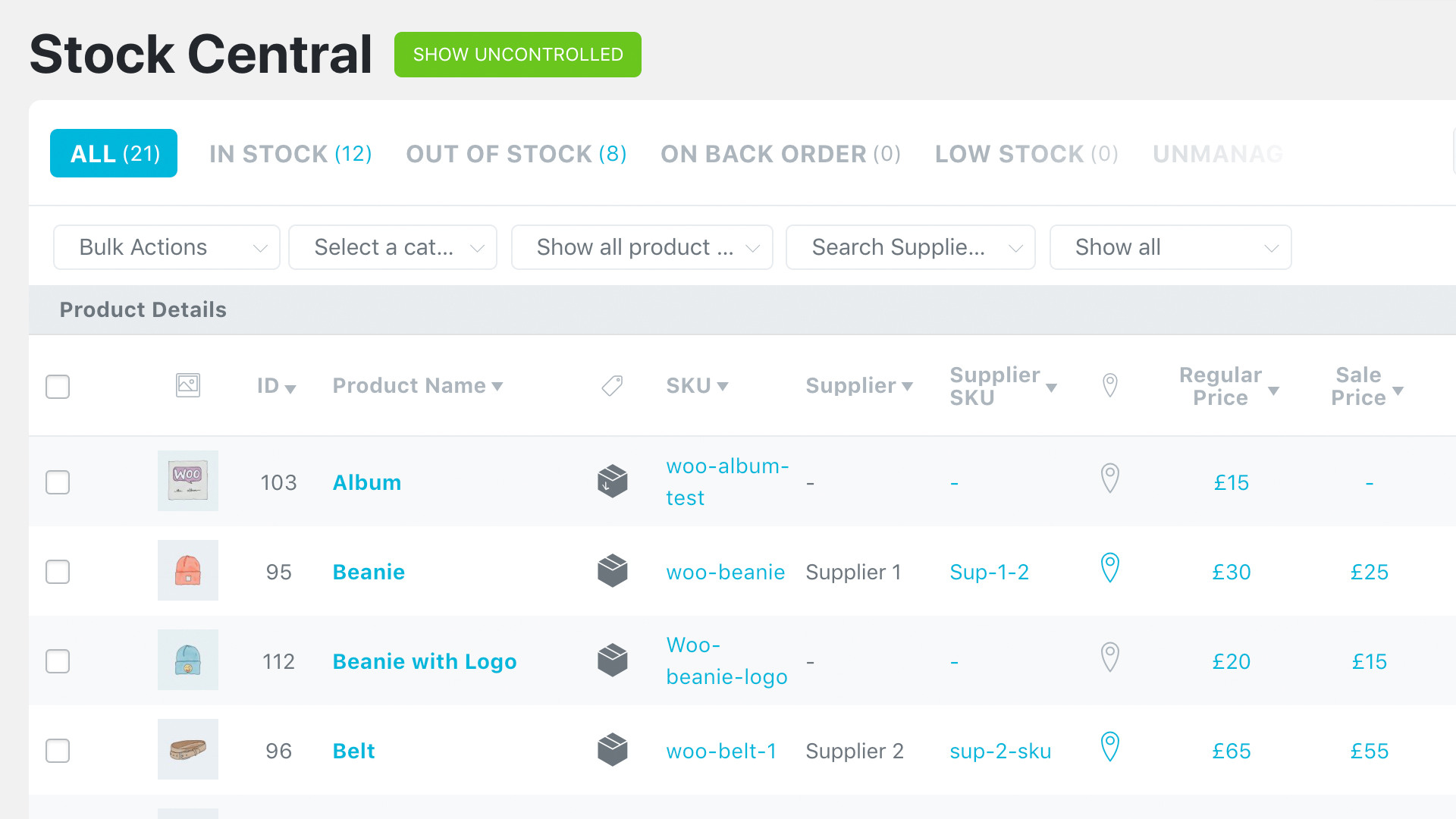
Extended Stock Central Control (New Filters)
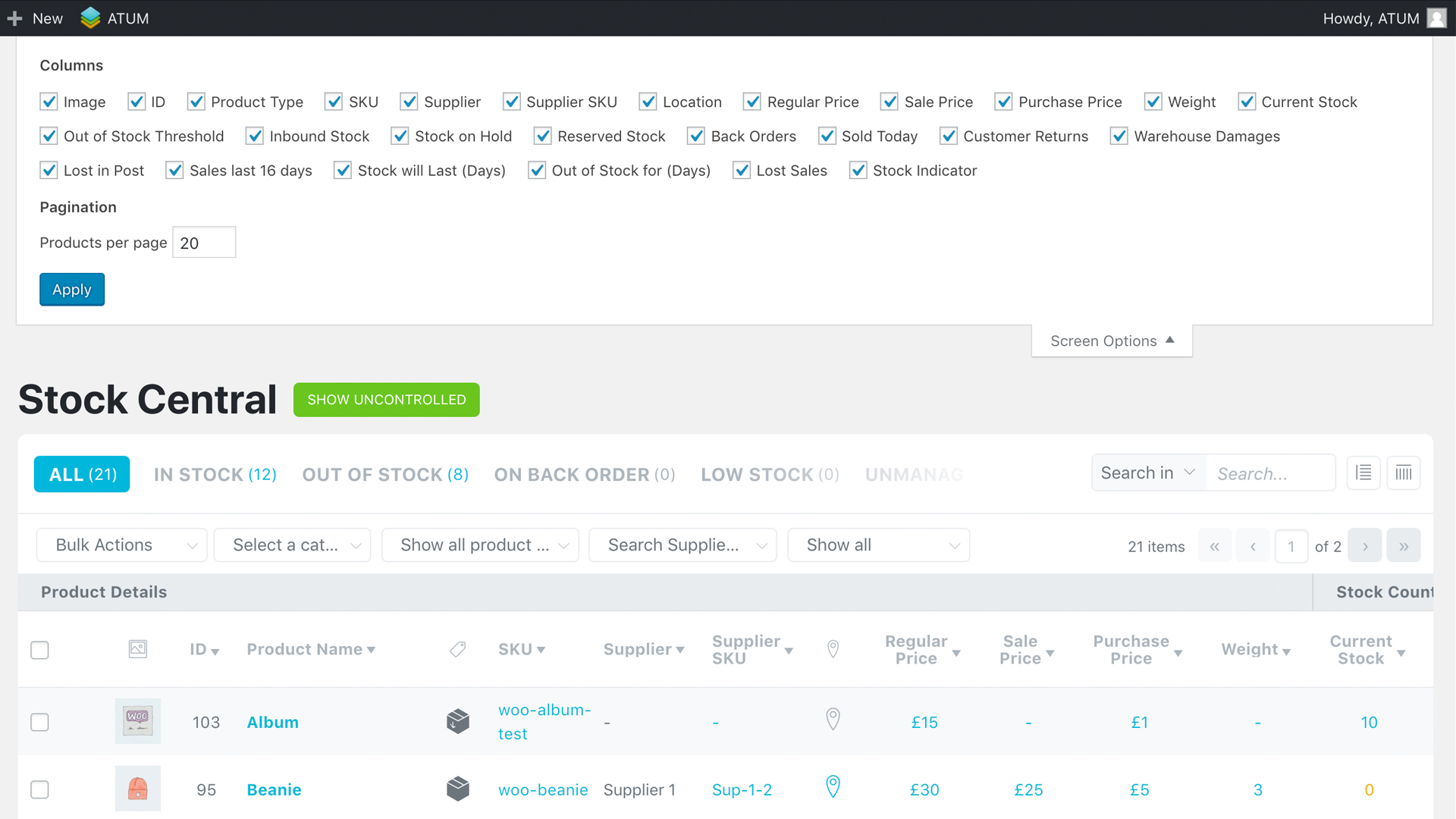
Full Control of the Stock Central View - Screen Options
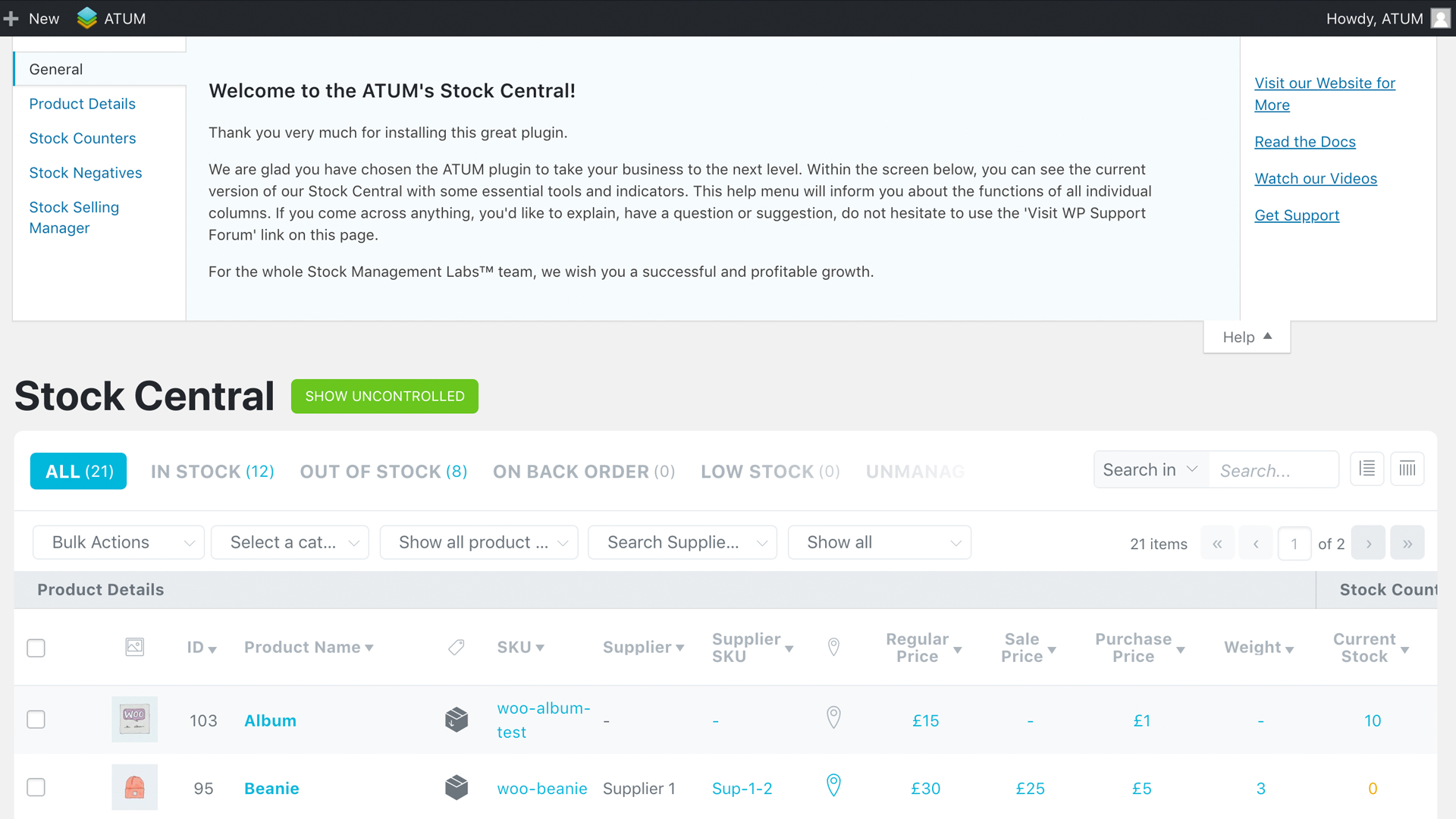
HELP Section for Easier Understanding of Stock Central's Columns
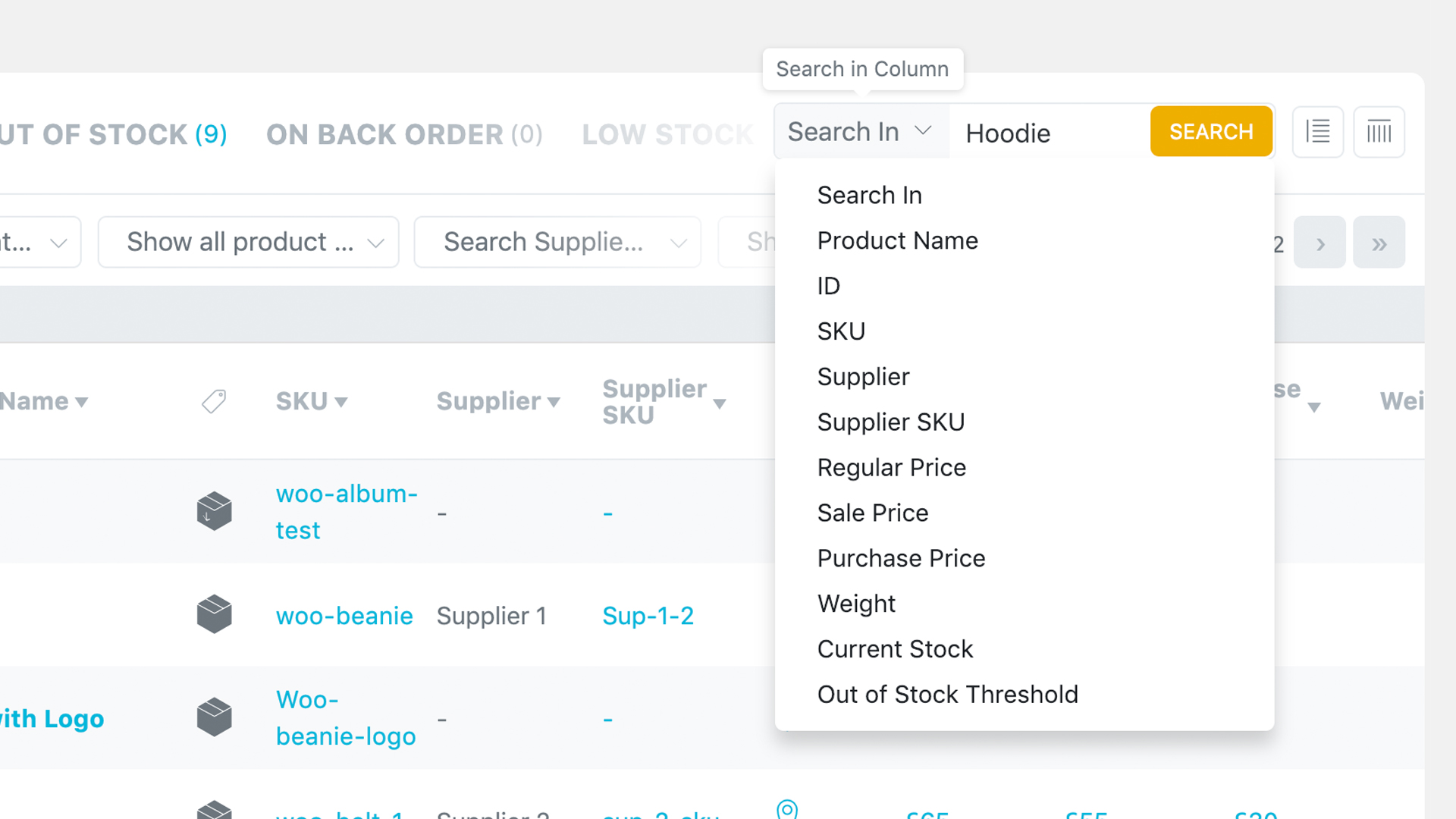
On and OFF Automatic Product Search Feature
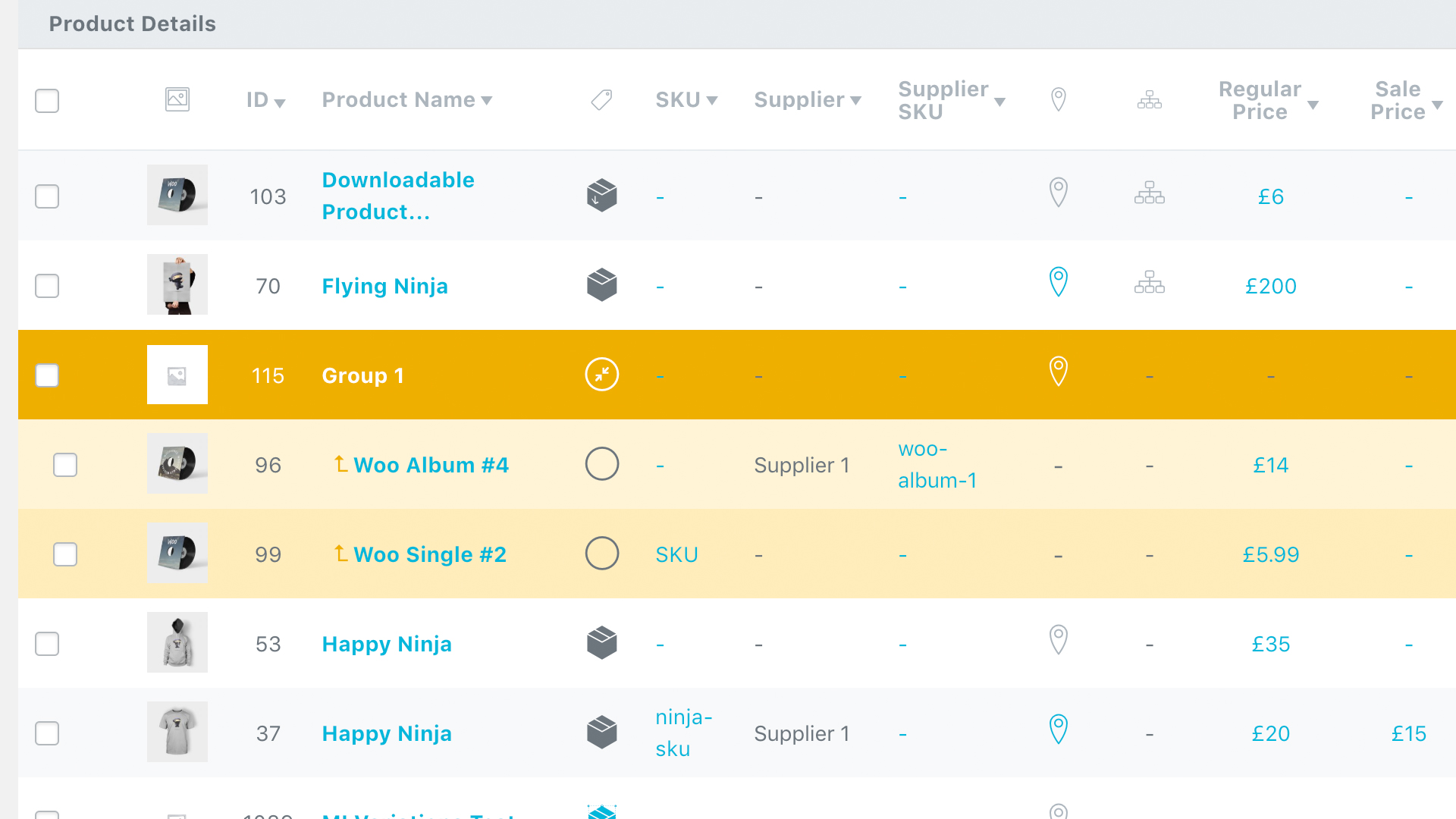
Grouped Products Are Included in the Stock Central Interface
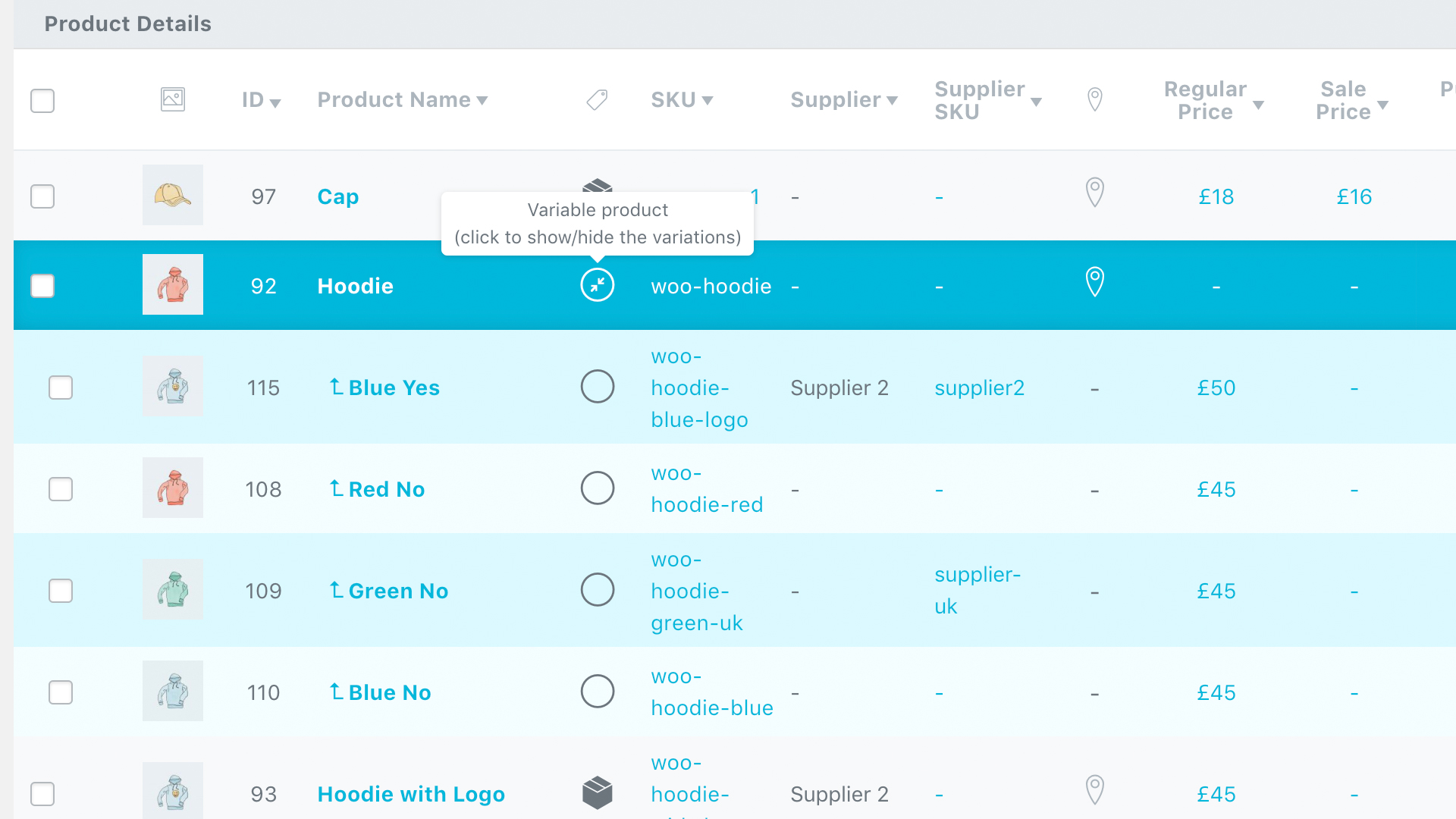
Variable Products within the Stock Central Interface
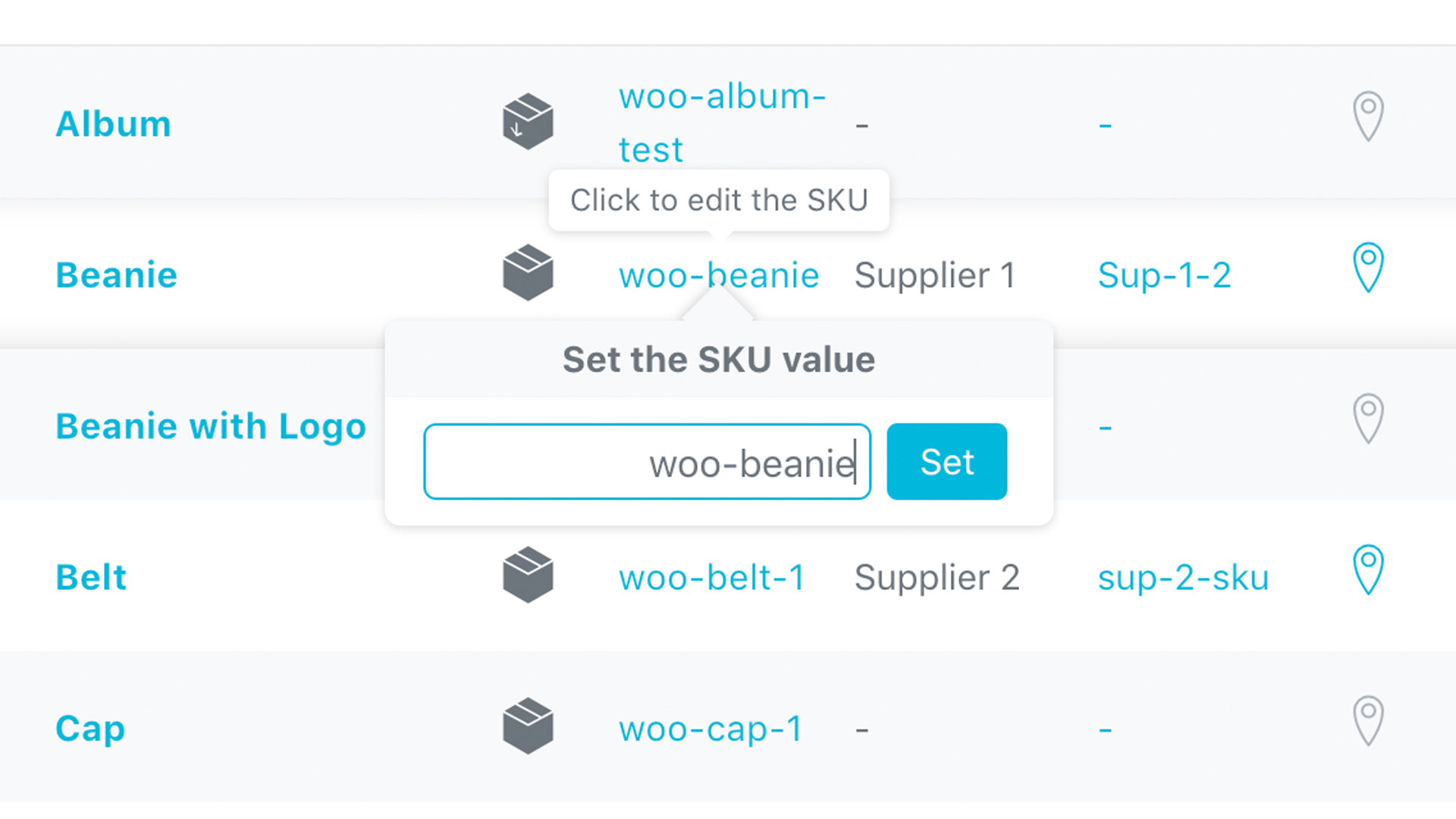
One Click SKU Edit Directly in Stock Central
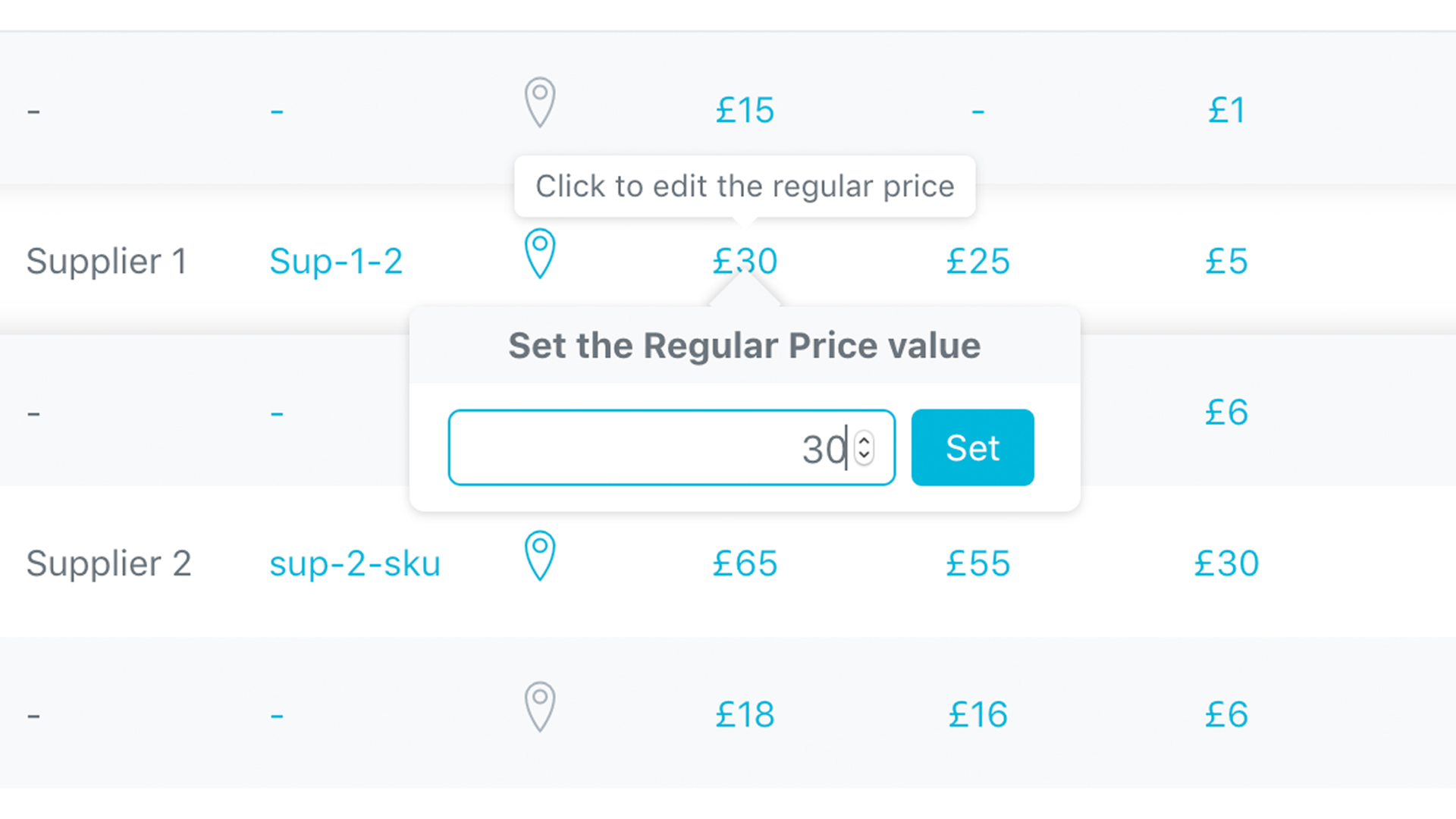
One Click Regular Price Edit Directly in Stock Central
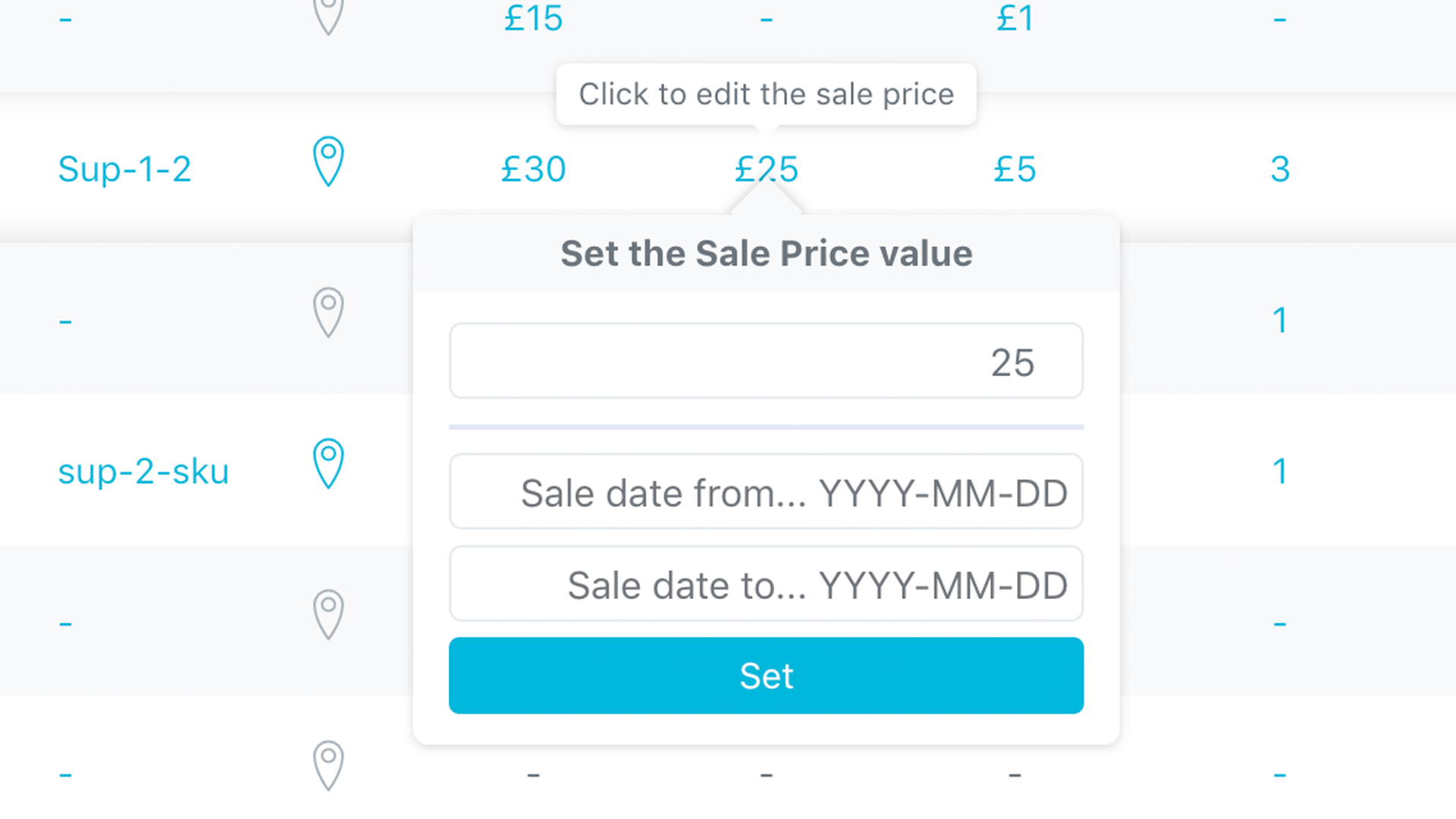
One Click Sale Price Edit Directly in Stock Central
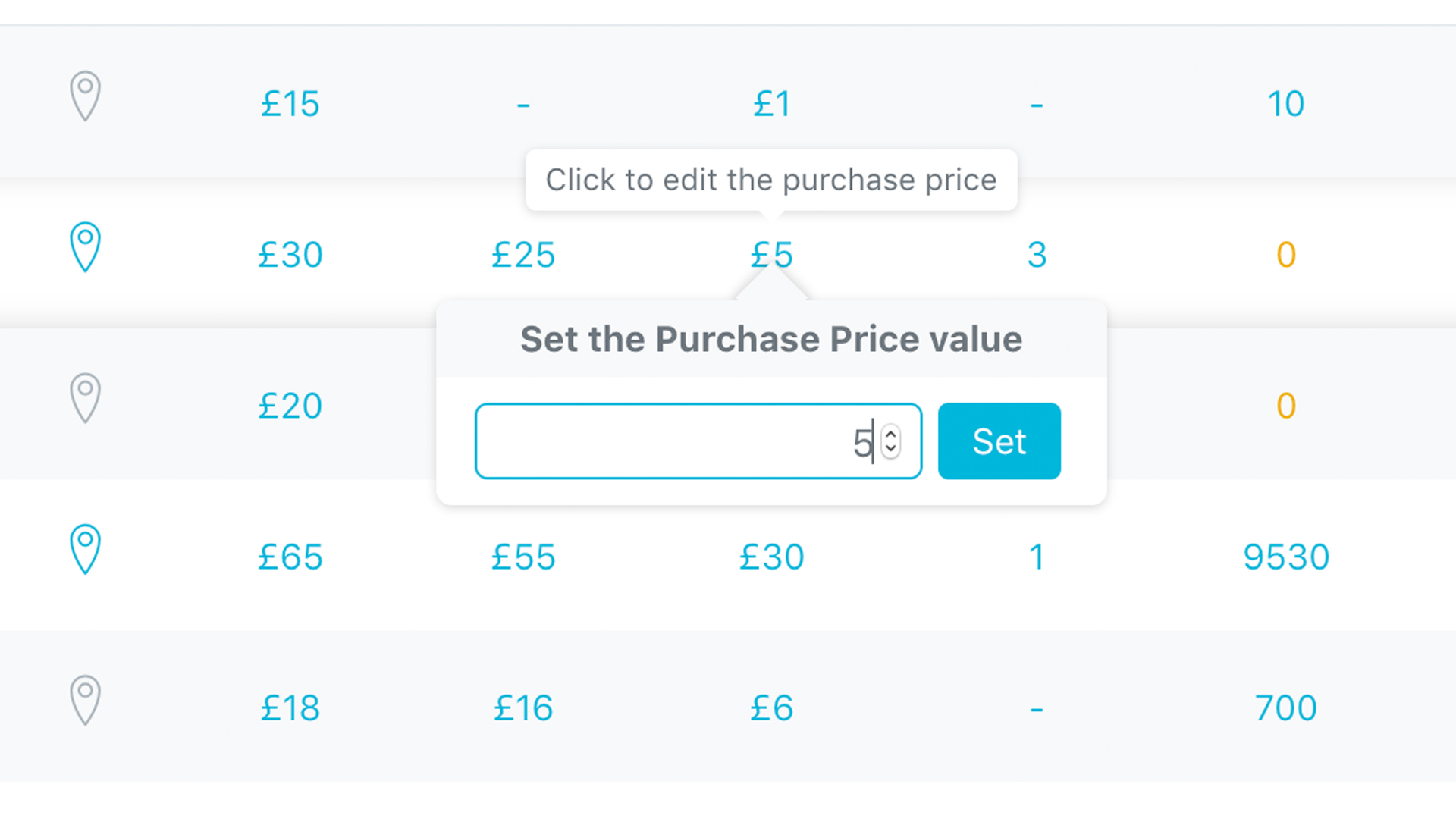
One Click Purchase Price Edit Directly in Stock Central
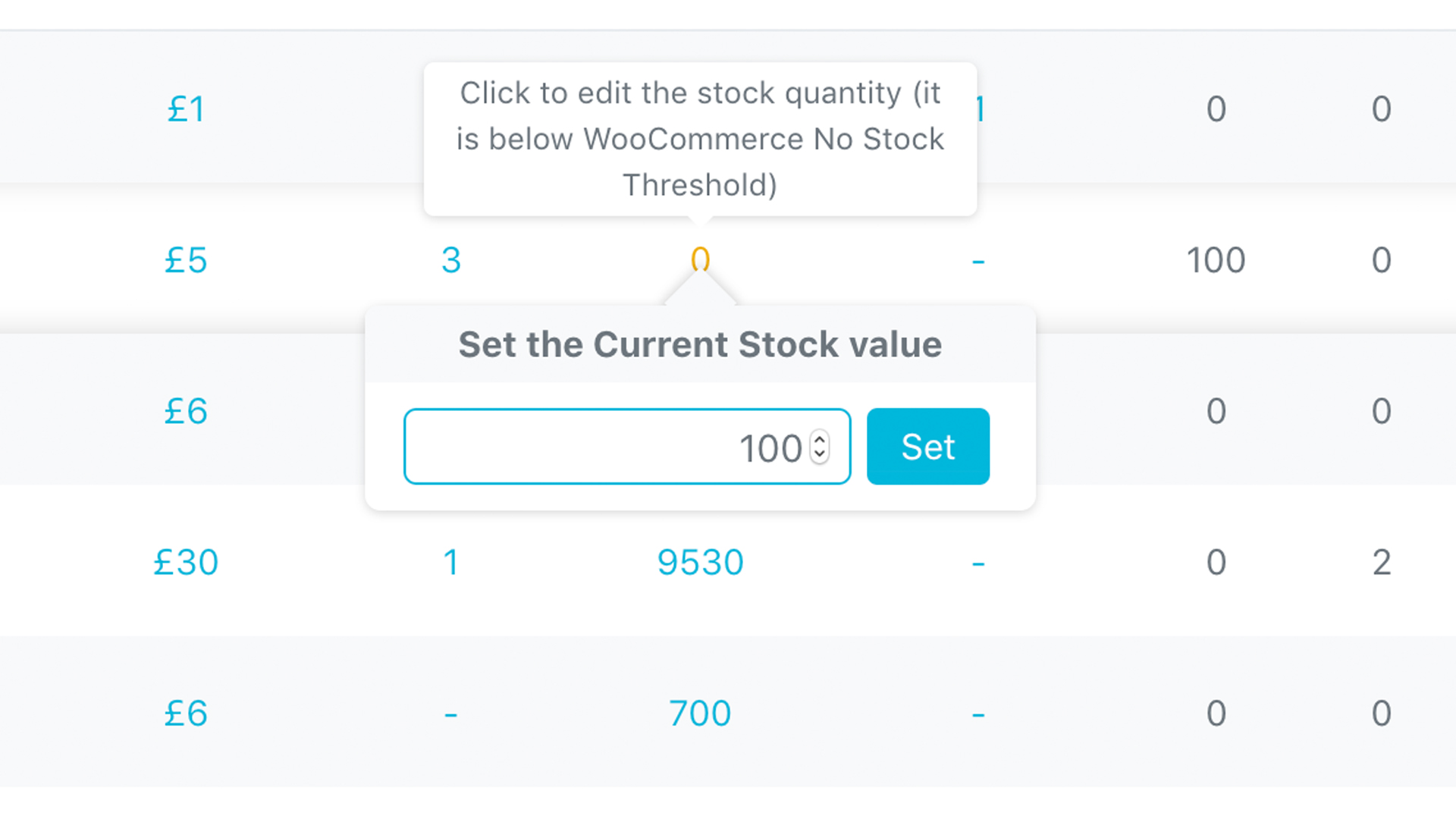
One Click Stock Quantity Edit Directly in Stock Central
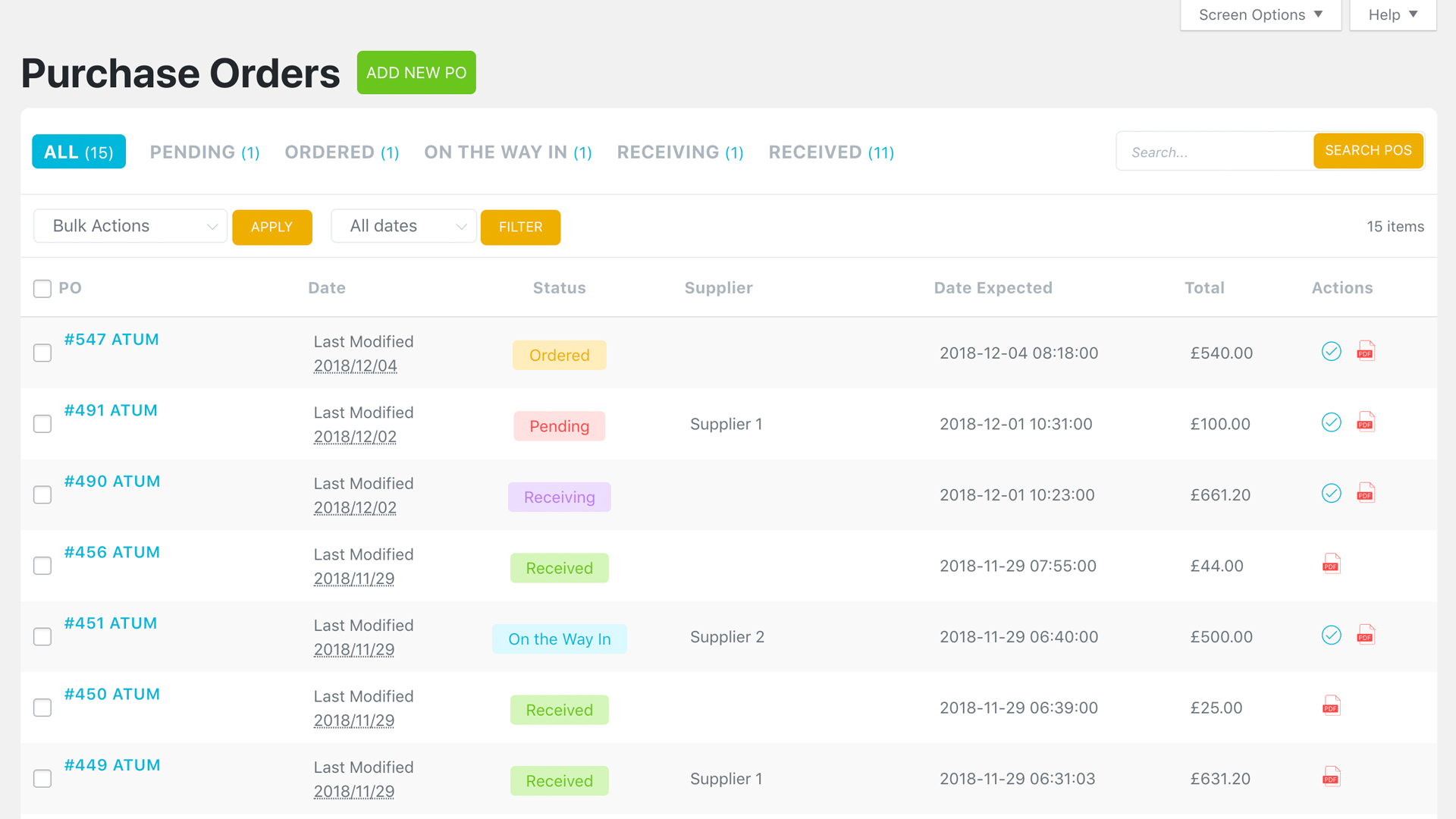
Purchase Orders - Full List of Created Purchase Orders
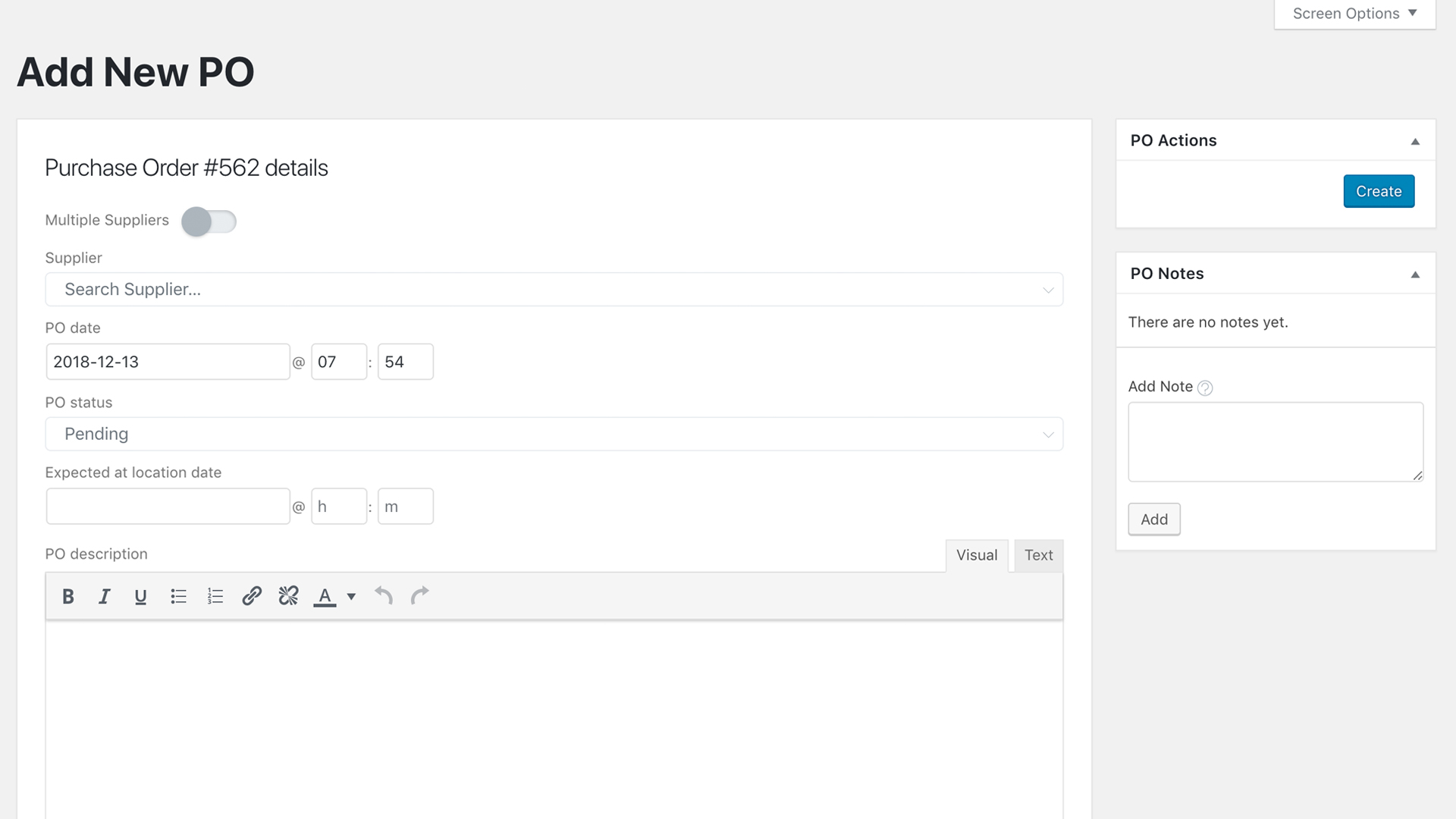
ADD New Purchase Order Screen - Control over your Incoming Items
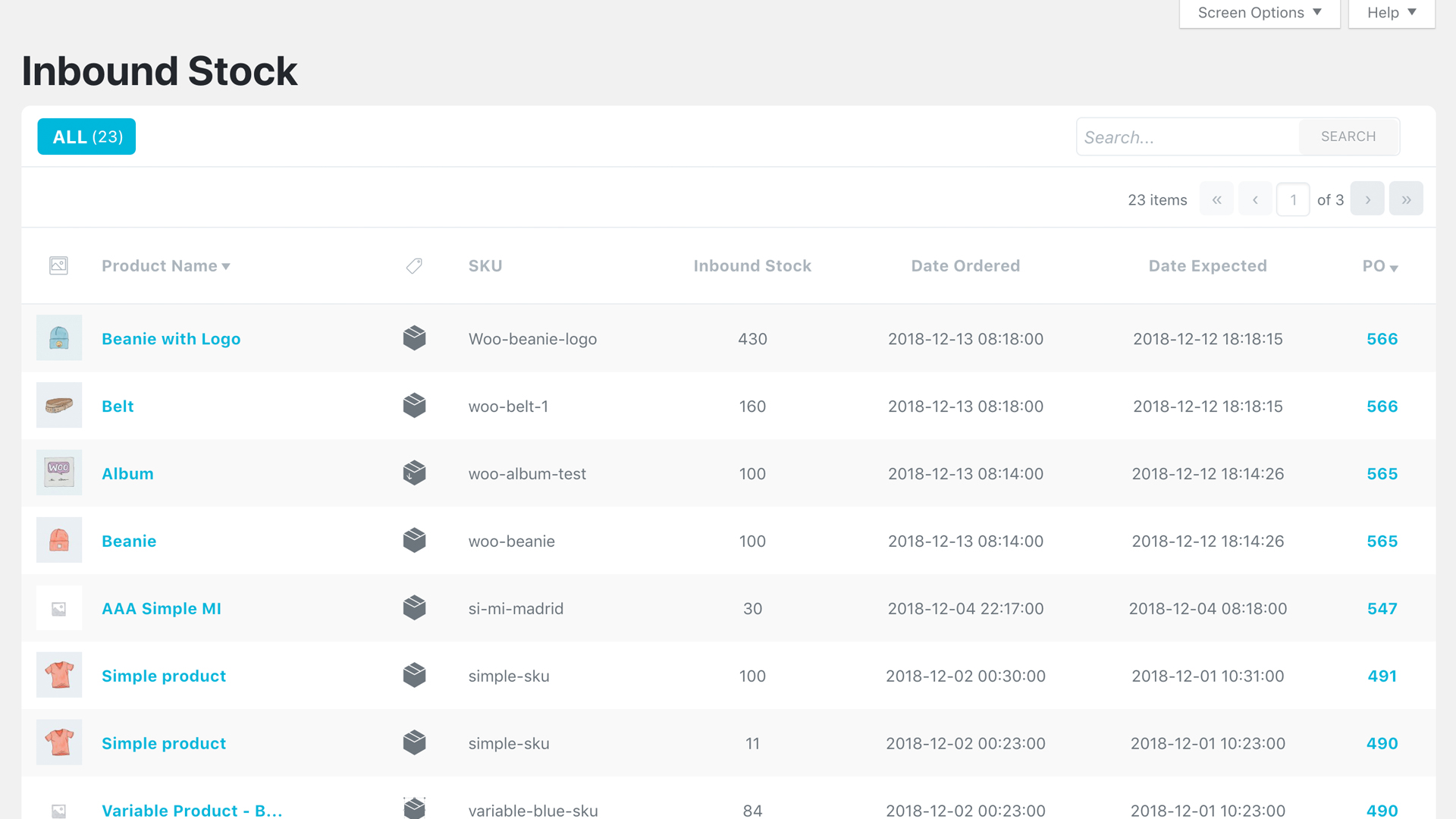
NEW Inbound Stock Preview - See All Yours Incoming Items
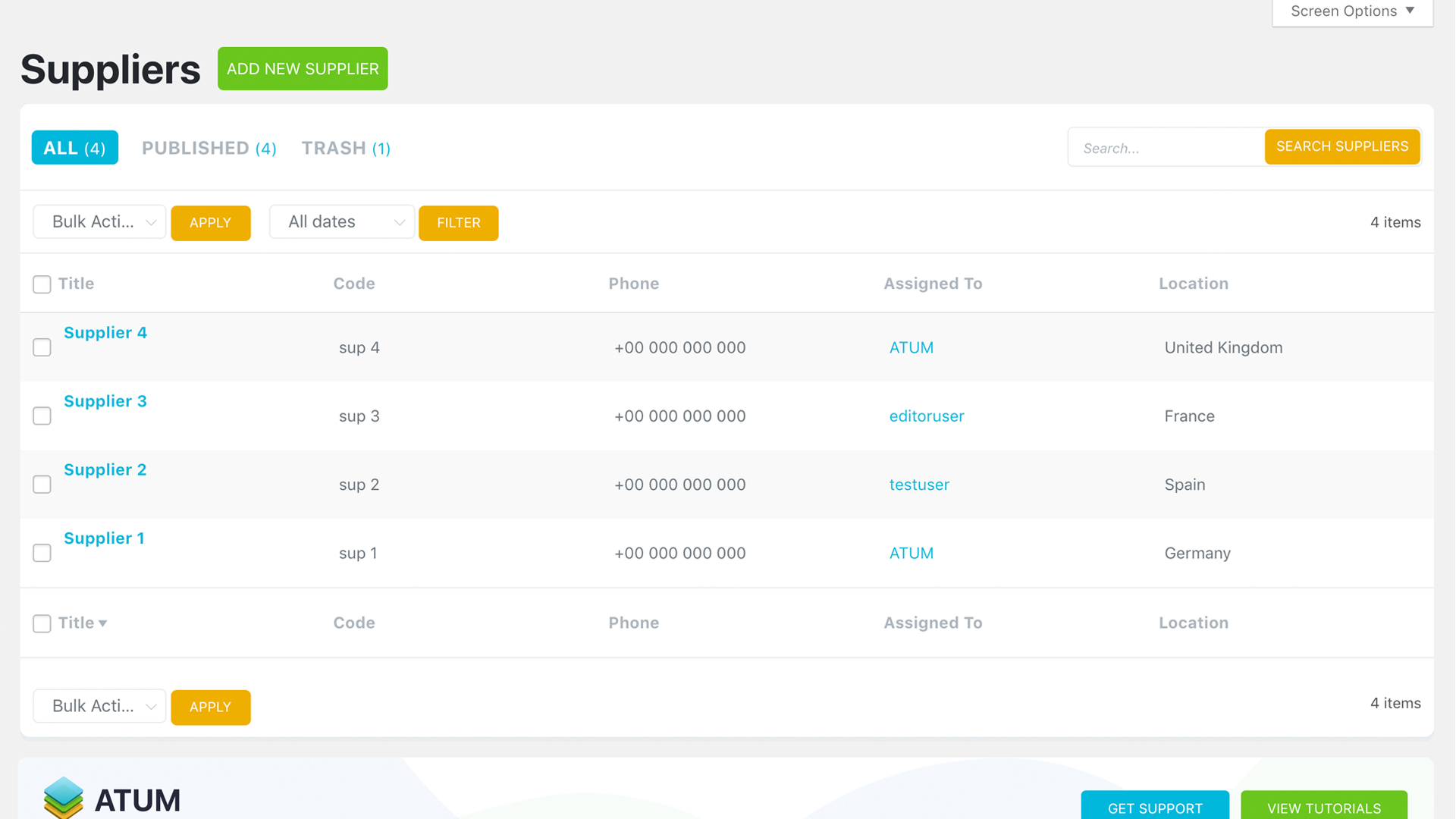
Suppliers - Preview of all Created Suppliers
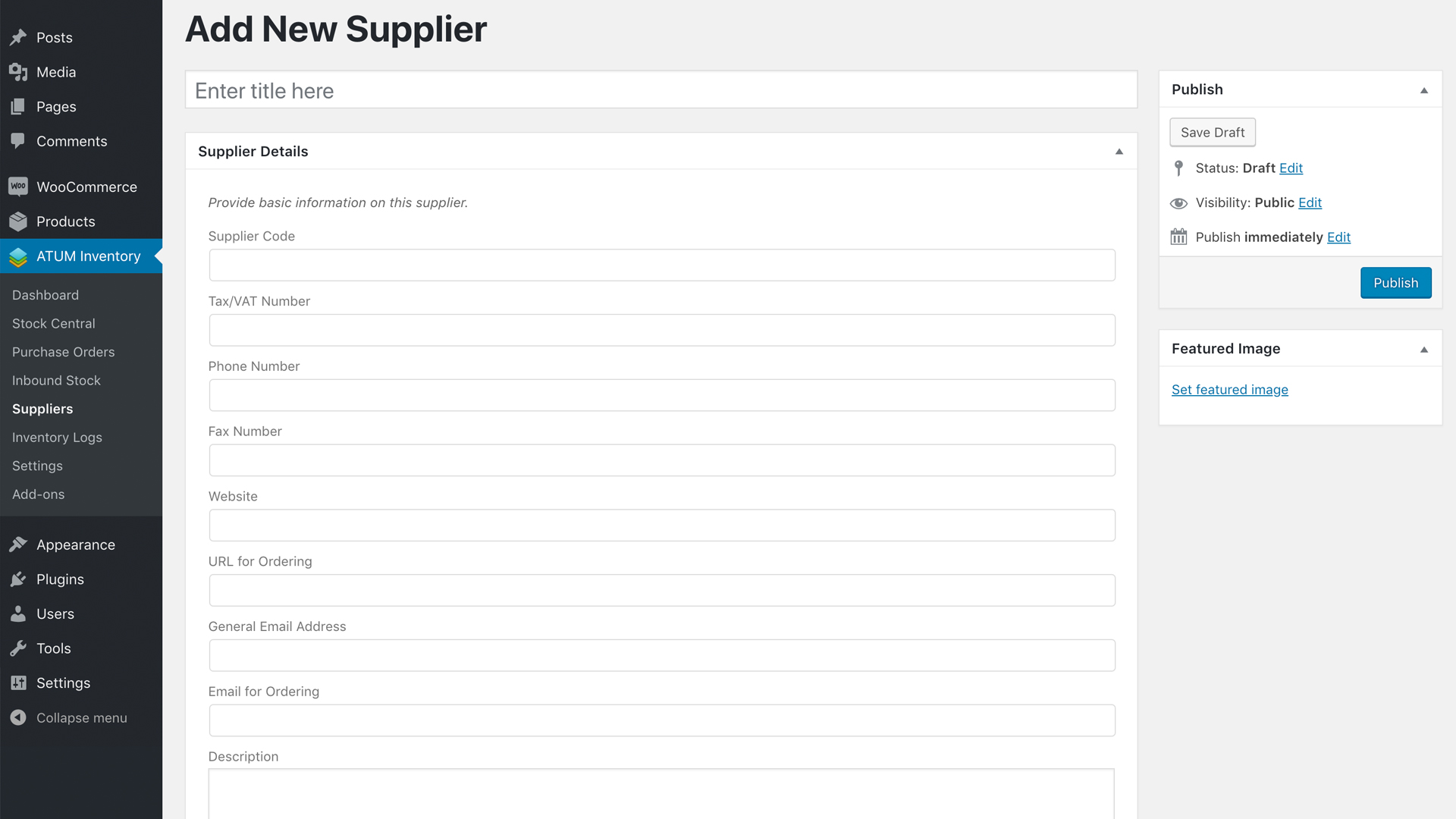
ADD New Supplier - Brand New Feature with Full Supplier Details
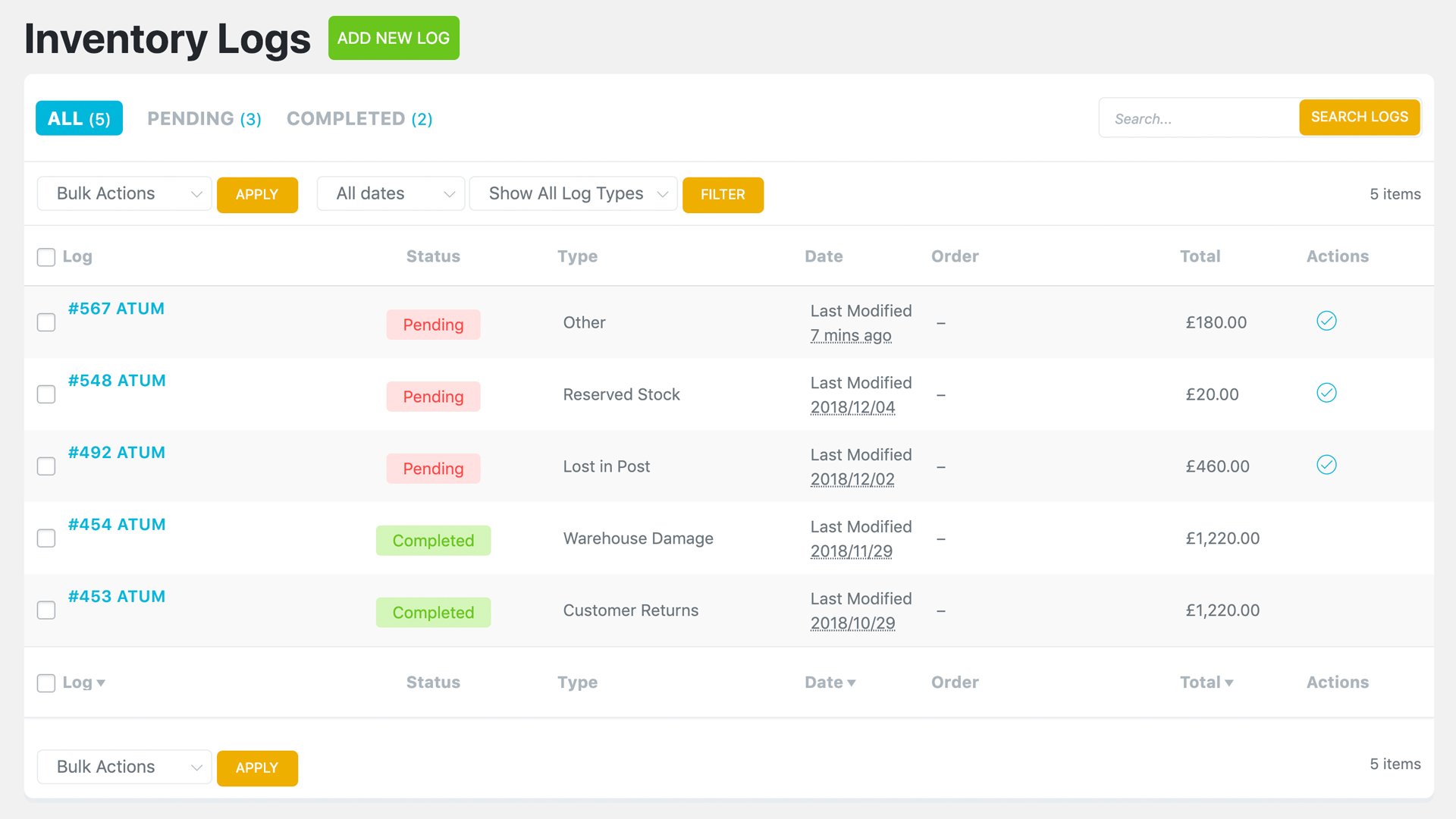
Inventory Logs - Preview of all Inventory Logs

ATUM Settings - Dark Mode
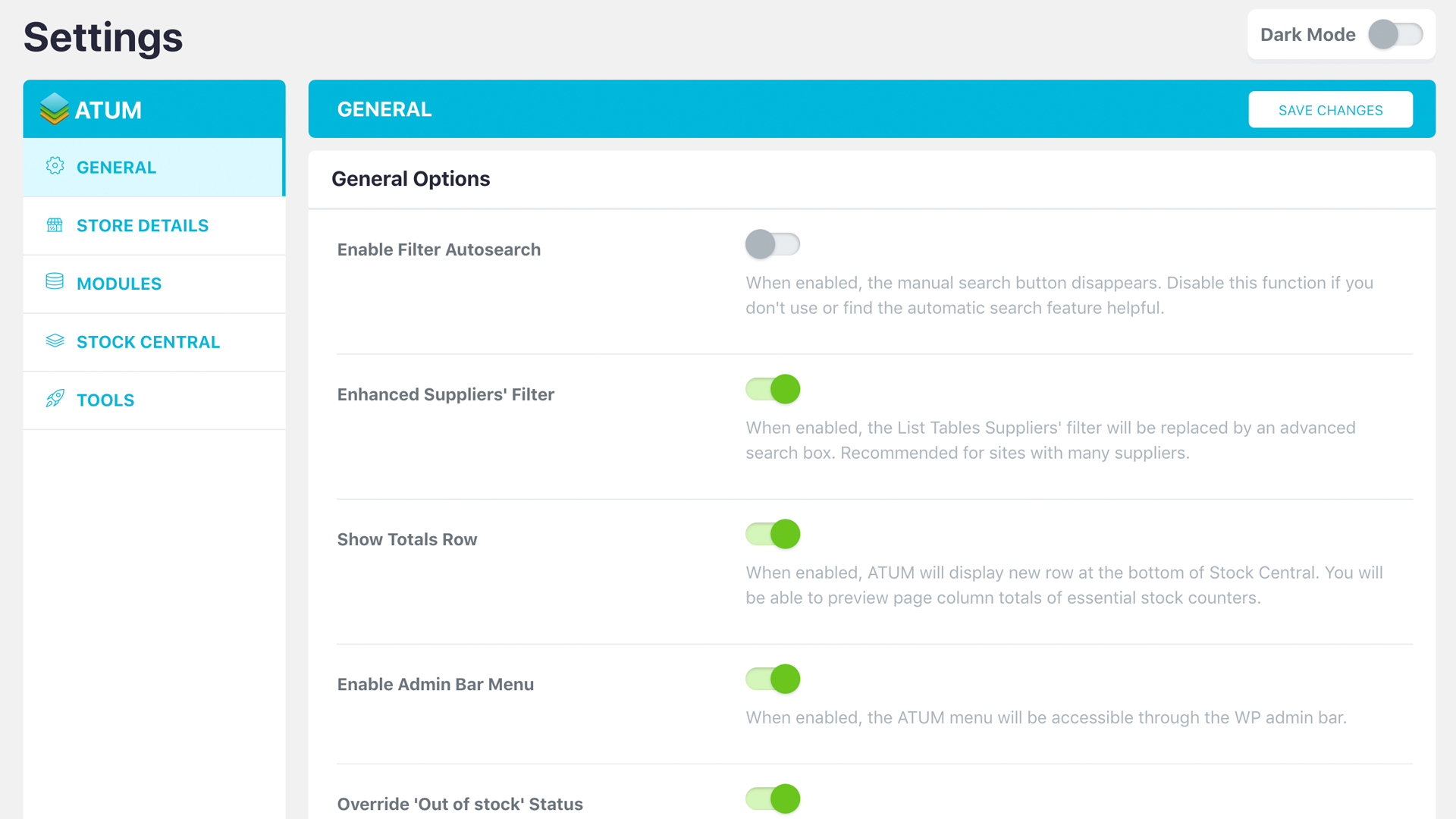
ATUM Settings - Light Mode
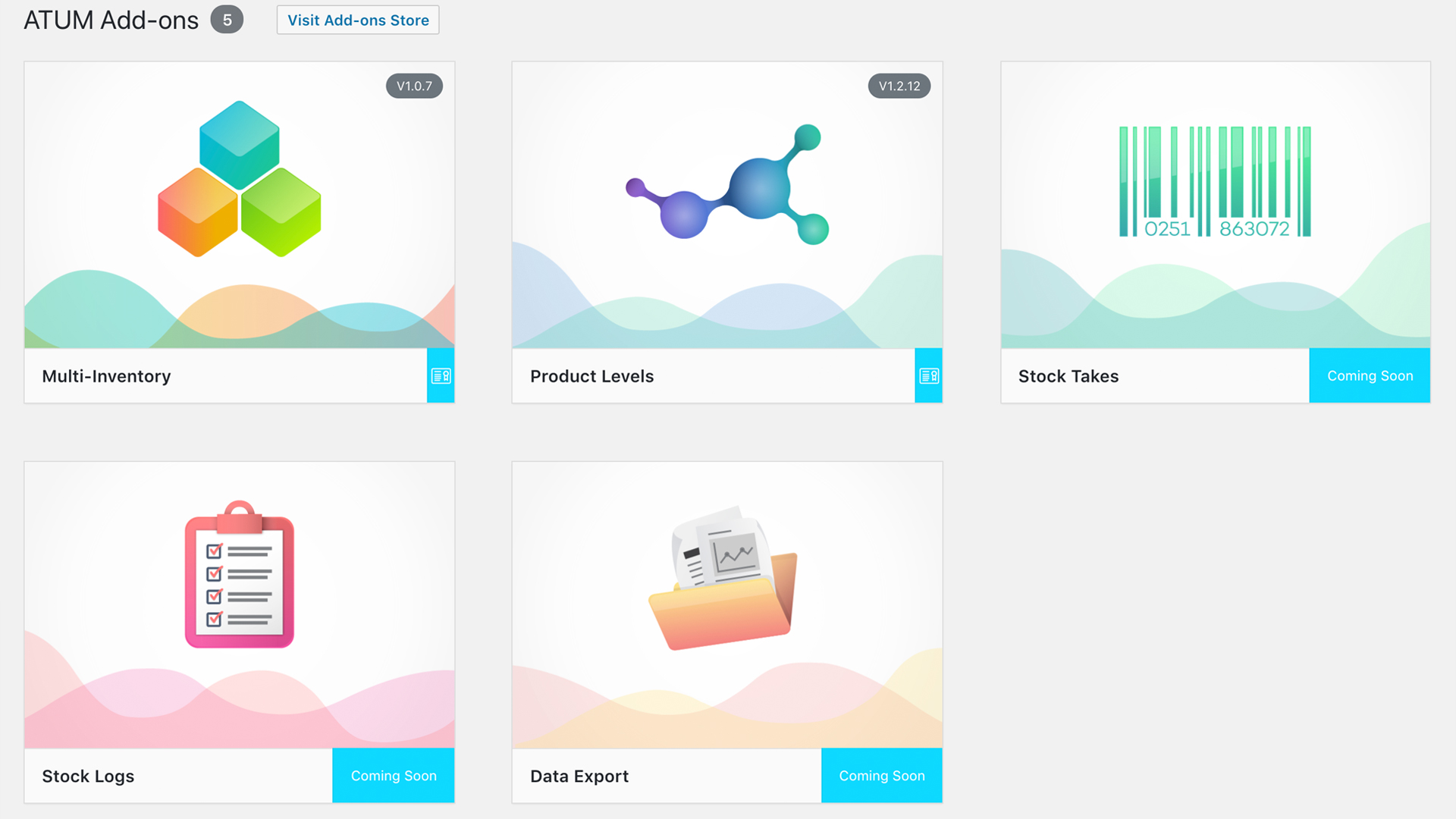
Brand New Add-Ons Screen For Further Shop Control
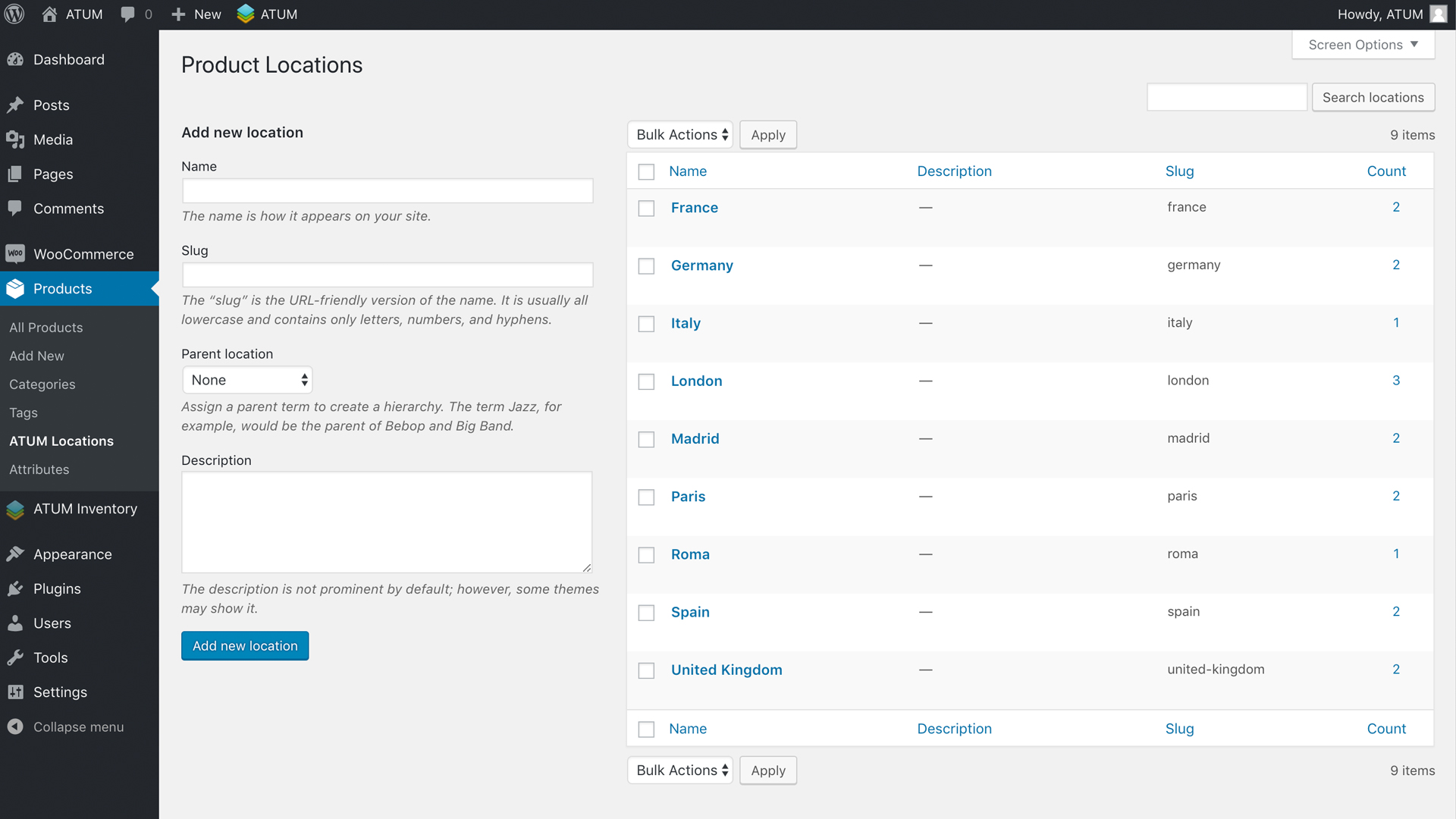
Create Product Locations - Warehouse, Shelf, Page, etc.
FAQ
ATUM requires PHP version 5.6 or greater (recommended 7.1.3 or greater), WordPress 5.0 or greater and WooCommerce 2.7.0 or greater (recommended 3.6 or greater), but our recommended environment is the same as WooCommerce:
[https://docs.woocommerce.com/document/server-requirements/).
**For ATUM to work you need to activate the Enable Stock Management option in WooCommerce settings (WooCommerce-Settings-Products-Inventory-Manage Stock).
Also, we recommend of having WooCommerce up-to-date as we test and adapt ATUM for the latest version.
ATUM inventory management plugin is completely free and will stay as such. It was designed to suit most users that need essential inventory control of their business. However, for users that wish to take their inventory management further have the opportunity of using one of our Premium Add-ons.
In Stock Central screen, you can sort your products into two lists, the ‘controlled’ and ‘uncontrolled’ list. Products you would like to monitor, control or edit you will see in the default controlled list that shows ‘immediately’ after you open the Stock Central screen. Products you do not wish to monitor you can find in the ‘uncontrolled’ list. Move products from one list to another is quick and straightforward and can be done directly on the Stock Central screen.
Yes, click the stock amount of the relevant product under the “Current Stock” column. ATUM opens a little pop-up, where you can apply your change. Now you can do many changes at the same time and hit the save button that appears on the top left.
Please, in case of a technical issue open an official support ticket or if it is a simple request, leave a post in the support forum.
At the time you read this, several translations may be available. To find out more or if you are interested in working with us and translate the plugin, don’t hesitate and do it here. We will reward you big time!
ATUM support all types of products available in the Free WooCommerce Plugin. We will most likely not support any product types of 3rd parties or premium WooCommerce extensions (apart from the official versions of WooCommerce Subscriptions, WooCommerce Bundles and WooCommerce Bookings).
Product variations are fully supported and editable from Stock Central. ATUM handles variable products with ease and uses an expandable feature to make things clear and straightforward.
If you are using some cache system, try to purge the cache or ask your hosting provider to do it.
Also, try to reload the ATUM pages with CTRL + F5 (Windows) or CMD + R (MacOs) to clear your browser cache.
We are very sorry, but the current version of the plugin needs PHP 5.6+. Our team has tested it on PHP7 that is recommended by WordPress. Please, see the link here
We do not plan any support for older PHP and version 5.6 is the minimum.
We officially support: WooCommerce Product Bundles, WooCommerce Subscriptions, WooCommerce Bookings and WMPL. Many other plugins can be compatible without any kind of customisation but others can cause conflicts.
Changelog
1.9.39.2 2024-05-30
Fixes
- Prevent changing the ATUM Order author when updating.
- Fixed only one variation per variable is copied to PO when multiple variants are included in a WC Order.
- Fixed sales last days when filtering by GMT dates.
1.9.39.1 2024-05-28
Changes
- Compiled assets for release.
1.9.39 2024-05-27
Features
- Show the custom supplier metadata in REST API requests.
- Added color constant.
- Allow passing extra data to bulk actions externally.
- Allow decimals on the supplier tax rate field.
- Allow decimals on the PO discount field.
- Added getter for id_views.
- Performance improvement: always use indexed dates on SQL queries.
- Added support for filtering ATUM entities by GMT and non-GMT dates when listing them through API.
- Added compatibility for application passwords to the ATUM API.
Changes
- Disable the WC reserve stock checking after ATUM has reserved the stock itself.
- Refactoring.
- Prevent trying to access emails if they aren’t set properly.
- Allow bypassing some items when adding sales order items to an ATUM order.
- Added the $loop variable to the atum_barcode_field filter.
- Prevent concatenating prefixes in searches for ATUM product data in Stock Central.
- Refactoring to avoid issues when getting ATUM Orders from REST API.
- Restrict the supplier’s default discount and tax rate up to 2 decimals.
- Update ATUM Orders status meta to allow “trash” when moved to trash.
Fixes
- Avoid error preparing PO item when purchase price is empty.
- Fixed ATUM Orders dates not being saved correctly.
- Fixed updating, creating ATUM orders through the REST API.
- Fixed caching issue when returning an ATUM order updated through REST API.
- Fixed ATUM order items not being updated through API.
- Fixed default ATUM item metadata isn’t saved when inserting.
- Allow all the ATUM orders be restored to their previous status.
1.9.38 2024-04-03
Features
- Added product editor beta compatibility notice.
- Added support for custom fields meta box to Suppliers.
Changes
- Added missing fields to supplier controller in REST API.
- Updated minimum required PHP version.
- Updated dependencies.
- Text change.
- Refactoring.
- Removed “WP_CLI\Utils::describe_callable” method checking as Utils load later.
- CSS adjustments for Sweetalert.
Fixes
- Fixed check refund order when “chg_stock_order_complete” setting is enabled.
- Fixed meta key when filtering by low stock threshold in List Tables.
- Fixed font color in large variation names in Stock Central.
- Fixed jQuery deprecations.
- Fixed “load_plugin_textdomain” relative path to languages folder.
- Fixed settings page loading.
- Fixed supplier’s assigned user not possible to set empty.
- Fixed background handling for marketing popup.
- Fixed add-ons installation + activation in one step.
1.9.37.2 2024-03-07
Features
- Added the new “requires plugins” clause supported on WP6.5+.
Fixes
- Fixed best sellers filter in Stock Central.
- Fixed wrong lang folder passed when loading the text domain.
- Fixed widget text check.
- Fixed is API request check.
1.9.37.1 2024-03-01
Fixes
- Decode HTML entities from addons’ names.
1.9.37 2024-03-01
Features
- Enhanced ATUM Orders searches.
- Allow filtering the available ATUM order type IDs.
- Added marketing popup for Pick&Pack launch.
- Added filter to list/table counters transient params.
- Added abstract base class for the Reserve Stock.
Changes
- Refactoring.
- Moved all the stock decimals code to its own class.
- Updated marketing popup CSS.
- Help guide adjustments.
- Skip all WP-CLI logic on non-WP-CLI requests.
- Updated addons loader.
Fixes
- Fixed wrong count of decimal places.
- Fixed WP_CLI environment checking.
1.9.36.2 2024-02-02
Features
- Search orders by column improvements.
Changes
- Updated math.js dependency.
- Fixed avoid to add zeros to integers in stock quantity step attribute.
- Use “any” when 0 is set for step in stock decimals.
Fixes
- Fixed orders search by column component when there are multiple cols to search in.
- Fixed wrong PHP operator used.
- Fixed AtumAsssets class not found.
1.9.36.1 2024-02-01
Features
- Added ATUM barcodes support to all compatible product types.
Changes
- Removed unneeded CSS.
- Updated marketing popup.
Fixes
- Fixed inputs min & step when decimals is greater than step.
- Fixed barcode field visibility.
1.9.36 2024-01-29
Features
- Allow to manage bulk actions from addons.
- Trigger JS hook after executing a bulk action successfully.
Changes
- Refactoring.
- Change help text.
- Updated sweetAlert2 + modal styling improvements.
- Updated dependencies.
- CSS adjustments.
- Added deprecated method name for backwards compatibility.
- Removed name attribute from List Tables bulk actions select to avoid conflicts when embedding them.
- Updated jQuery types.
- Change suppliers selector placeholder on POs.
- Removed p tag from ATUM order item meta values.
Fixes
- Fixed sanitization for barcode_type.
- Fixed wrong status included in on hold filters.
- Ensure JS math operators are numeric.
- Apply purchase price when creating a new PO item through API.
- Make sure a passed arg is scalar before converting it to string.
- Fixed ATUM product fields length on screens wider than 1280px.
- Fixed ATUM order item custom meta not showing until reloading the page.
1.9.35 2023-11-24
Features
- Allow having 2 ATUM list tables on the same page.
- Added method to check an ATUM CPT existence.
- Allow setting multiple localized vars if there are more than one list tables present.
- Allow resetting the bulk action fields externally.
Changes
- Refactoring.
- Control when a bulk action is executed externally.
- Added id to JS List Tables.
Fixes
- Fixed stock qty input is hidden when stock decimals > 0 and step = 1.
- Fixed wrong ATUM stock status when stock decimals are set.
- Fixed show/hide buttons when selecting items in ATUM orders.
- Fixed check stock status for products with decimal stock.
- Avoid to restock refunded items when order is not completed and the setting chg_stock_order_complete is enabled.
- CSS fixes.
1.9.34.1 2023-11-06
Fixes
- Fixed Purchase Price decimals not allowed in edit product pages.
1.9.34 2023-11-02
Features
- Added filters to Settings to be able to add custom fields externally.
- Show the user how to access a help guide after closing an auto-guide.
- Added UOM methods to the ATUM Product trait.
- Allow saving UOM product props.
- Added infoPopover JS component.
- Added typings to popoverBase JS component.
- Allow tooltips on BOM tree items.
- Added “low_stock_threshold_by_inventory” property to product data.
- Upgraded to webpack 5.
- Modernized gulpfile.
- Added new JS utility function.
- Improved number formatting and decimals calculations JS functions.
- Added barcode support to Suppliers.
- Added listTable param to children args filter.
- Created new AtumCPTModel abstract class.
- Added new get_data method.
Changes
- CSS adjustments.
- Disable the marketing popup while an auto-guide is running.
- Refactoring.
- Added strict comparison param.
- ATUM popovers refactoring.
- Updated addons loader.
- Do not select a tree item when clicking its node.
- Adjusted tree component styling.
- Removed the “show filters” button.
- Added spacer CSS.
- Required node 18.
- Adjusted webpack 5 configuration.
- Updated mPDF dependency to 8.2.0.
- Make white the List tables PDF export background.
- Support rgb/rgba colors in hex2rgb converter.
- Updated JS dependencies.
- Adjusted ATUM menu items order.
- Removed deprecated ES6 polyfill support.
- Delayed registering scripts until they are safe to be registered.
- Store the license as active if it’s going to be activated in the server.
Fixes
- Prevent JS function from load if an element does not exist.
- CSS fix.
- Fixed select2 CSS styling overrides.
- Fixed JS tree icons when jQuery UI CSS is loaded.
- Fixed settings footer logo overlapping at load.
- PHP 8 compatibility adjustments.
- Fixed tooltip reloads on list table cells with images.
- Added missing namespace.
- Fixed popover left arrow styles.
- Fixed stock status for products with decimal stock under 1.
1.9.33 2023-09-06
Features
- Added suppliers lang twig template.
- Added prop to the AtumOrderModel to know whether its items were read.
Changes
- CSS adjustments.
- Refactoring.
Fixes
- Fixed incompatibility with WP Activity Log that was preventing addon licenses from being activated.
1.9.32 2023-08-01
Features
- Added new hooks to PO PDF template.
- Added extra param to increase totals filter.
Changes
- CSS adjustments.
- Show warning when the user has upgraded to full and still has the trial installed.
- Refactoring.
- Do not show the extend trial button on the “trial_used” error.
- Adjusted layout for the addons page.
Fixes
- Prevent SQL notice in PO search products query.
- Fixed variations not returned in PO products search query.
- Fixed wrong method calling params.
- Ensure the timestamp is an integer.
- Fixed trial licenses disappearing occasionally.
- Fixed delete attachment button not being added until the product is saved.
1.9.31.1 2023-07-04
Changes
- Refactoring: code style.
Fixes
- Fixed occasional cache issue when saving ATUM Settings.
- Fixed wrong array_key_exists params on AddonsLoader class.
1.9.31 2023-06-29
Features
- Allow text inputs on tools.
- Added hook in calculated props tool.
- Performance improvement: added cache to get_atum_order_model helper.
Changes
- Updated addons loader.
- Updated ATUM icons font.
- Changed minimum PO PRO version required.
Fixes
- Fixed stock values widget query.
- CSS fixes.
- Fixed link on update message shown on addons page.
1.9.30 2023-06-26
Features
- Added barcode_type prop support to products.
- Added new action after the barcode field.
- Allow clearing the supplier for all the variations at once through the utility.
- Added barcode support to product tags.
- Added new filter to the is_module_active function.
- Added tooltip to addons versions badges.
- Show notices on plugins rows within the plugins list table.
- Added filters before loading AtumBarcodes hooks.
- Allow more notice types on the addNotice JS utility.
- Added new SearchOrdersByColumn component.
- Added searchOrders script.
- Added new component for ATUM help guides.
- Added filter to avoid adding stock to totals in ListTables.
- Added filter for join and where clauses in search products function.
- Added wpml_lang meta to ATUM Orders.
- Added filter to ATUM Orders’ localized vars.
- Added lang dropdown to PO (full WPML compatibility).
- RowActions JS component improvements.
- Added restrictions to input numbers within edit popovers.
Changes
- Read the atum product data column names for the WPML product duplication.
- Refactoring.
- Do not require the “default” option on multi_checkbox settings fields.
- Exclude columns from product data when inserting WPML translation in database.
- Ensure product data columns exist before insert WPML translation.
- Include translations when calculating the inbound stock.
- Refactoring.
- Removed searching product with no supplier assigned from PO free.
- Removed unneeded HTML element.
- Added new marketing popup.
- Removed paragraphs from help guide texts.
- Hide the row actions button when no actions are available.
Fixes
- Added missing fields to queries when duplicating product for translation.
- Fixed atum fields sizing on mobiles.
- Fixed row actions styling on ATUM list tables.
- Fixed date format on the add-ons page.
- CSS fixes for the addons page layout.
- Prevent the check order prices button from loading on single order page when HPOS is enabled.
- Fixed dragscroll clicks working when no link is directly clicked.
- Fixed order id retrieval when HPOS is enabled.
- Fixed searchInColumn field tooltip not updating when changing column.
- Fixed settings page CSS.
- Fixed unsupported get_product_translations_ids integer.
- CSS fixes.
- Fixed non-existing method.
- Fixed SearchOrdersByColumn script not loading when necessary.
- Fixed wrong margin in export tables reports.
- Fixed filters that weren’t added in some cases.
- Fixed current stock value widget including bundled optional items only.
- Fixed query incompatible with mysql/mariadb.
- Fixed bundled optional products’ query in stock widget.
1.9.29.1 2023-04-20
Features
- Added support for the new ATUM Barcodes PRO add-on.
Changes
- Updated composer dependencies.
- Refactoring.
- Remove deprecated ATUM CRON jobs.
- Get rid of deprecated ATUM queues when cheking them.
Fixes
- Fixed attachment thumb for non-image files.
- Show the correct tab title on the settings page.
1.9.29 2023-04-12
Features
- Added new ATUM icons font.
Fixes
- Removed wrong quote in expandable rows that was causing the PDF export to fail.
- Fixed trial licenses being removed automatically.
1.9.28 2023-04-06
Features
- Allow loading JS dependencies to AtumAdminModals.
- Show the install button if a license is saved but the addon not installed yet.
- Do not show install buttons to users with no permissions.
Changes
- Send addon slug to the Updater.
- Refactoring.
- Check for errors returned from the activation API.
- Make sure the as_unschedule_all_actions function exists before using it.
- Addons loader modifications.
- Disable the license key input on ajax requests.
- Do not show an update message on the addons page when is not installed.
- Deactivate the addons before uninstalling them with the auto-installer.
Fixes
- Fixed expired trials modal.
- Fixed trial extension on the addons page.
- Handle the API response correctly when extending a trial.
- Fixed auto-installer success URL redirection.
- Fixed expiration date when extending a trial.
1.9.27 2023-03-29
Features
- New ATUM premium add-ons trials available.
- New style and features for the add-ons page.
- Added trial licenses support.
- Added trials expiration modals and notices.
- New addons loader system.
- Added filter to allow adding the Export Data tab to post type tables.
- Added AtumNotifications extra params for settings display.
- Allow adding extra fieldsets to export data script.
- Added method to clear permanent ATUM admin notices.
- Include SKU field when searching in the Inbound Stock list.
- Add description to the PO when it is created via API.
- Added sidebar to the addons page.
- Added grid view mode to addons page.
- Added alert when the addons list couldn’t be retrieved.
- Performance improvement.
- Added add-ons auto-installer component.
Changes
- Return check queues action to the frontend.
- Clean up wrong ATUM keys when updating.
- Refactoring.
- Remove addons with no key from the keys option.
- Get rid of legacy recurring actions still scheduled.
- Filter out select fields to enhance on post type lists.
- Force display country in PO ship-to info.
- SKU shouldn’t be editable on the Inbound Stock list.
- Delay the ATUM capabilities registration.
- Include data atts filter for expandable rows.
- Check whether the WP transient exists before cehcking versions.
- Allow setting empty value for wc_country settings fields.
Fixes
- Fixed contributors data within the premim add-ons’ view details popup.
- Fixed wrong text domains.
- Fixed alert style on settings page when the settings cannot be displayed.
- Fixed large product names in PO PDF template.
- CSS fixes.
- Fixed multi-checkbox field when no checkboxes are checked.
- Fixed get_keys method when a trial name is passed.
- Fixed barcode length checking.
1.9.26.2 2023-01-16
Changes
- Refactoring and changes in tax calculations.
Fixes
- Fixed wrong text domain.
1.9.26.1 2023-01-13
Changes
- Script router prepared for managing multiple list tables.
Fixes
- Fixed trying to access empty license properties.
1.9.26 2023-01-12
Features
- Added global order type table id for pick & pack orders.
- New styling for the add-ons page.
Changes
- Updated marketing popup.
- Refactoring.
Fixes
- Fixed wrong SQL delimeter.
- Fixed SML link.
- Avoid script error when multiple listtables are loaded.
1.9.25.1 2022-12-22
Fixes
- Make sure the post is already existing before assigning the ATUM Order description.
1.9.25 2022-12-20
Features
- Add isotope layout dependencies.
- Added support for custom meta data to the ATUM Orders API endpoints.
- Allow auto-dismissing admin notices shown via JS.
- Added a expand/collapse all rows button to List Tables.
Changes
- Refactory ListTable array in scripts.
- Prevent saving an invalid addon license.
- Allow accessing to filterData at list-table scripts.
- Updated composer files.
- Ensure all atum addon names are stored lower case in the licenses setting.
- Refactoring.
- Pass an extra param to external columns calling in List Tables.
- Ensure WP_Query objects are set.
- Removed unused import.
- Removed debugging code.
- Make sure the new HPOS class exists before checking it.
- Updated minimum WC version.
- Added link to the ATUM’s Youtube channel when the videos couldn’t be loaded.
- Do not auto-create a Log or PO when instantating the model.
- Remove non-legacy unnused functions.
Fixes
- Check if function exists before calling it.
- When applying filters, controlled products appear in the uncontrolled products view and they appear repeated.
- Fixed the dragScroll opacity blocks visibility under some scenarios.
- Fixed wrong initial date created on ATUM Orders.
- Dashboard widget fix: if there are no decimals, the comma is removed.
- Fixed ATUM Orders API endpoints after WC HPOS.
1.9.24.1 2022-11-14
Features
- Performance improvement: prevent querying for the nex scheduled action twice.
Changes
- Check if the recurring hooks are queued only on the admin side.
- Exclude adding to PO and IL variation products if they are disabled.
- Refactoring.
- Dashboard widgets: do not show a comma if there are no decimals, show whole number.
- Readded renamed function as deprecated for compatibility with old versions.
1.9.24 2022-11-09
Features
- Add full compatibility with the new WooCommerce’s HPOS tables.
- Add JS hook after selecting items in SC.
- Allow disable editing on some List Tables.
Changes
- Refactoring.
- Show the List Table filters even if the table has no bulk actions.
Fixes
- Show all attribute names for variations in List Tables.